Seleziona un'organizzazione
Custom fields cannot be added in Overview of FSL mobile app for Time Sheet and Time Sheet Entry object
Data pubblicazione: Nov 27, 2025
Descrizione
When working with the Field Service Lightning (FSL) mobile application, a specific limitation exists regarding the configuration of the Time Sheet and Time Sheet Entry object. Specifically, custom fields cannot be configured or displayed within the Page Layout of the Time Sheet and Time Sheet Entry object's Overview.
Risoluzione
Limitation of the Overview for Time Sheet Entries
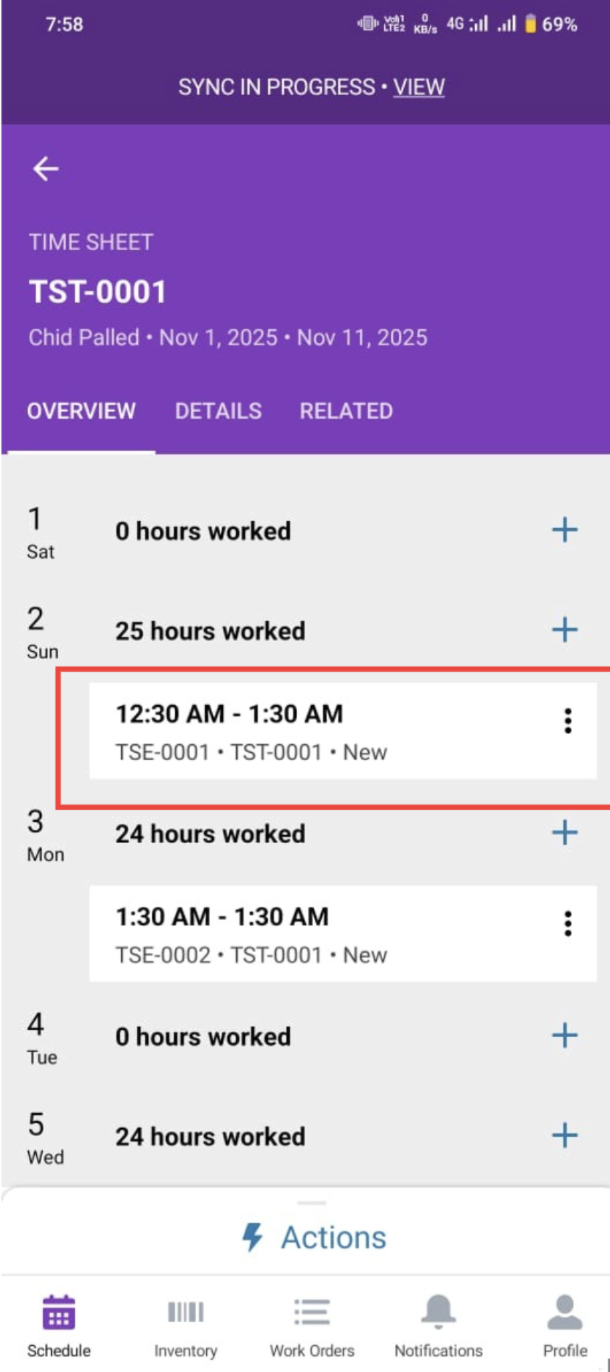
The Overview in the mobile Time Sheet and and Time Sheet Entry object's record view is designed to provide a highly streamlined, pre-defined summary of the most critical Time Sheet information. This layout is hardcoded and tightly controlled by the FSL mobile architecture to ensure optimal performance and a consistent user experience across various devices.
-
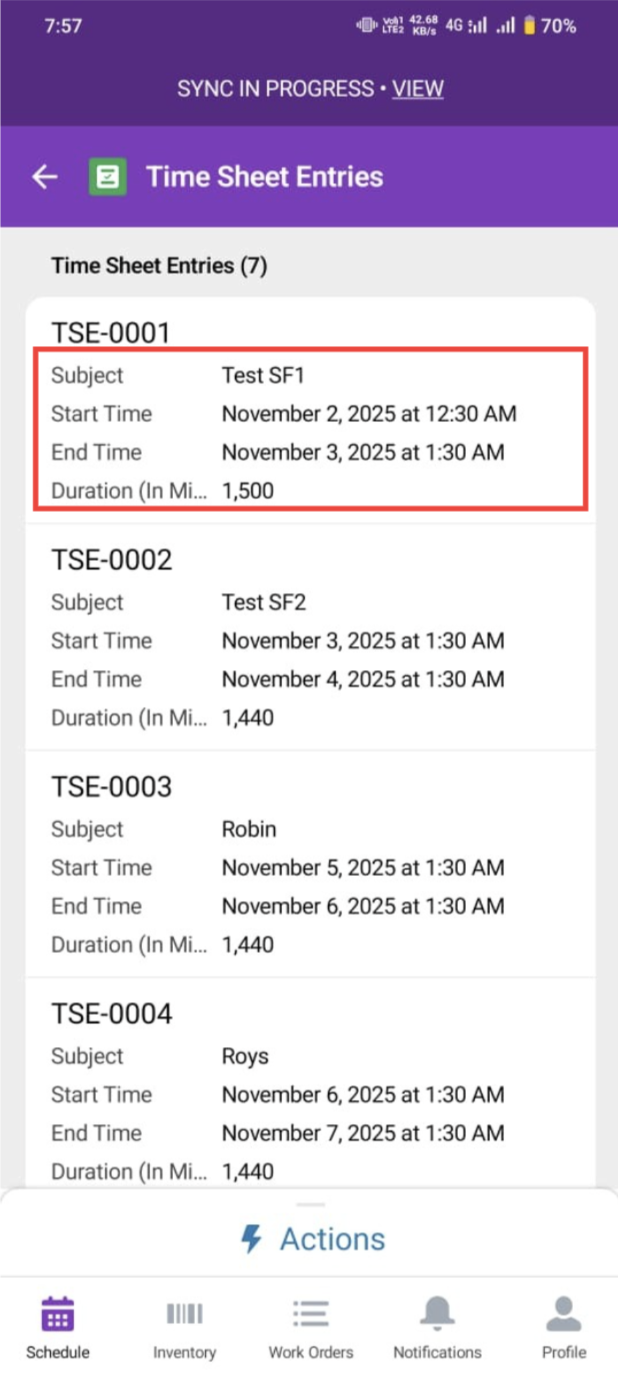
Hardcoded Structure: The fields presented on this initial 'Overview' screen are static. They are typically limited to essential standard fields like the Time Sheet number, start/end dates, Duration and status.
-
Inability to Customize: Unlike other records where you can modify the Page Layout via standard Salesforce setup to drag-and-drop custom fields, the FSL mobile application does not respect Page Layout changes for the Overview of the Time Sheet object.
-
Numero articolo Knowledge
005228427
Questo articolo ha risolto il problema?
Facci sapere, così possiamo migliorare!
