Seleccionar una organización
Identify Agentforce Session Id For Troubleshooting
Fecha de publicación: Nov 24, 2025
Descripción
To provide Salesforce Support with an Agentforce Session Id for troubleshooting, open the Agent in question in Agentforce Builder.
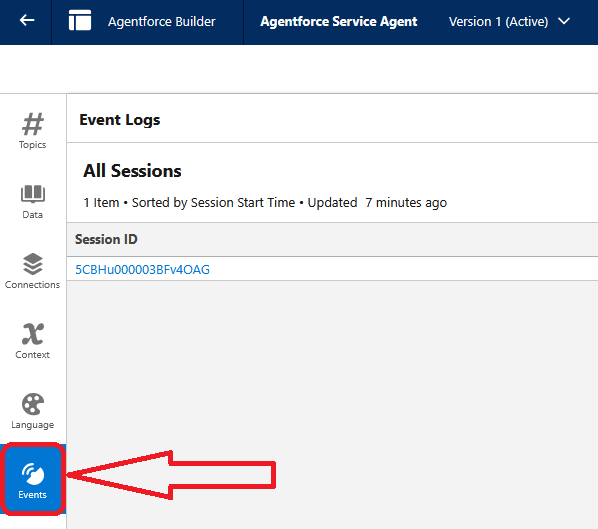
Navigate to the Events menu option to open Event Logs in the builder:
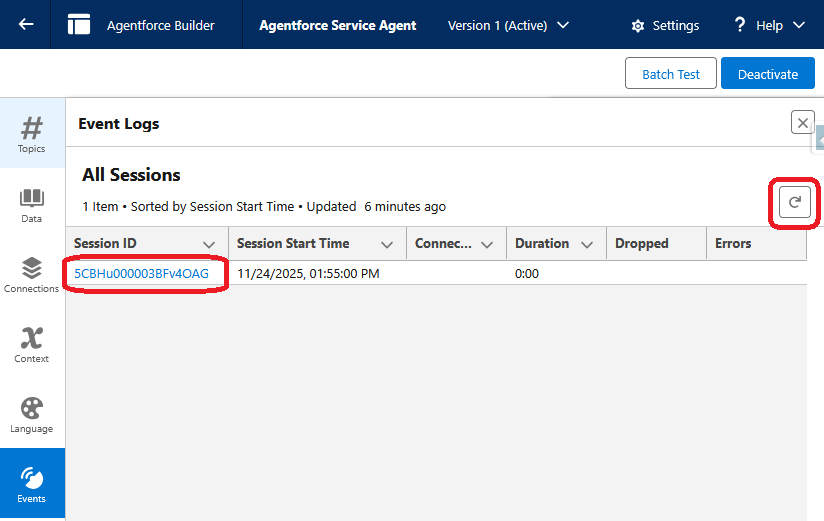
Identify the session that requires further investigation and open it via the Session ID link. If the session is not visible you may need to refresh the view multiple times:
Solución
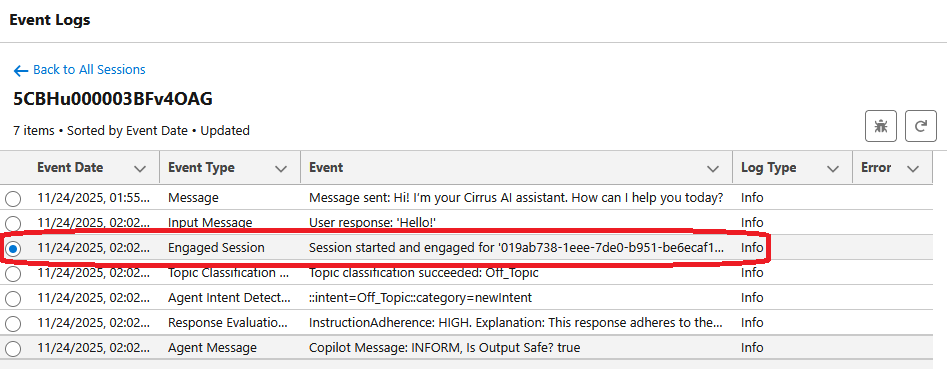
Select the radial checkbox for the Event Type: Engaged Session
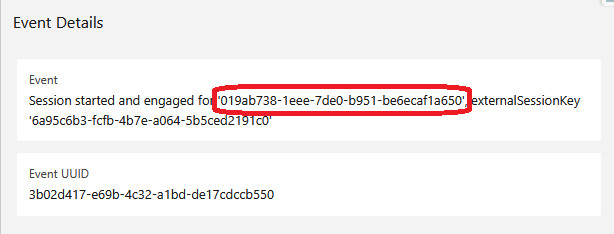
The Event Details should open on the right side of the screen. Provide the first Id listed for Support to investigate:
Event Details
Event
Session started and engaged for '019ab738-1eee-7de0-b951-be6ecaf1a650', externalSessionKey
'6a95c6b3-fcfb-4b7e-a064-5b5ced2191c0'
Event UUID
3b02d417-e69b-4c32-a1bd-de17cdccb550
In this example, the session Id is: 019ab738-1eee-7de0-b951-be6ecaf1a650
Número del artículo de conocimiento
005232527
¿Resolvió este artículo su problema?
¡Háganos saber cómo podemos mejorar!
