Organisation auswählen
Agentforce: Ensuring Agentforce SDR Agent Has Correct Data Cloud Access for productQnA
Veröffentlichungsdatum: Dec 2, 2025
Beschreibung
When using Agentforce, your SDR Agent may fail to return responses for productQnA or other Data Cloud–powered actions.
This typically happens when the Agent does not have the required Data Cloud Data Space access or custom retriever access.
To resolve this, you need to ensure that the Agentforce SDR Agent permission set includes access to the default Data Cloud Data Space, and if you are using custom retrievers, that the Agent also has permissions for those.
This article walks you through the steps to configure these permissions and validate them using the Agent Builder preview panel.
Lösung
Steps to Resolve
1. Enable Data Cloud Data Space Access for the Agent
To ensure the Agent can access your Data Cloud data:
-
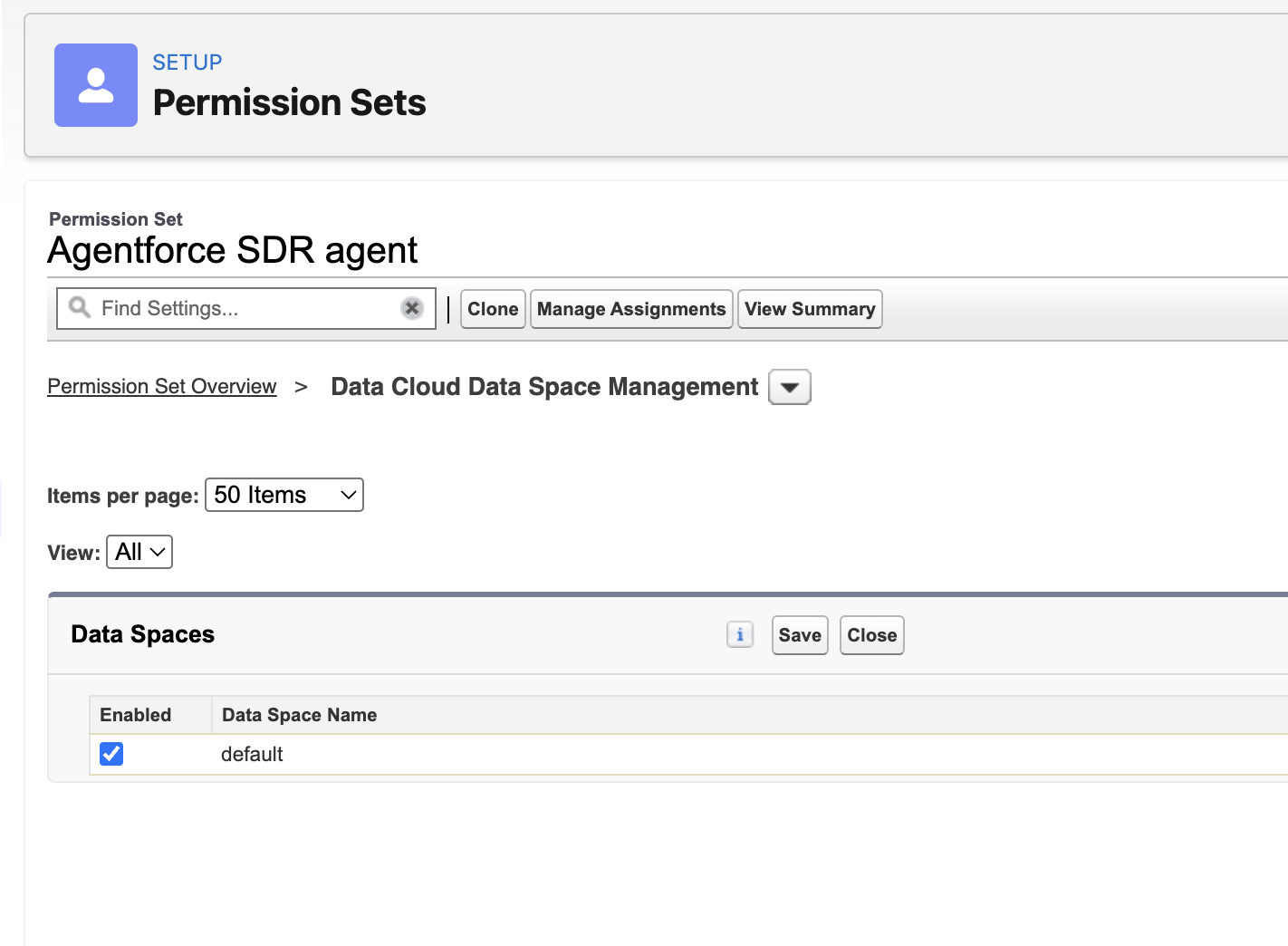
Go to Setup → Permission Sets
-
Open Agentforce SDR Agent
-
Search for and open Data Cloud Data Space Management
-
Enable the default Data Space by checking the box
-
Click Save
Reference:
2. If You Are Using Custom Data Cloud Retrievers
If you have configured custom retrievers:
-
Make sure these retrievers are accessible to the Agentforce SDR Agent
-
Without retriever-level access, the Agent cannot return responses from productQnA or any other retriever-based action
Your admin should verify retriever permissions in Data Cloud or Agentforce as applicable.
3. Validate Access in Agent Builder
After updating permissions:
-
Open Agent Builder
-
Use the Conversation Preview panel to test productQnA
Expected Results
-
If access is correctly configured: productQnA will work without errors
-
If access is still missing: the preview panel will show a clear access error message
Use that message to identify and fix any remaining permission gaps.
Zusätzliche Ressourcen
Additional Notes
-
Permission changes may take a few minutes to take effect
-
Ensure the affected user has the Agentforce SDR Agent permission set assigned
-
Retrievers must be explicitly shared or accessible for the Agent to use them
See Also:
Nummer des Knowledge-Artikels
005232617
Konnten Sie Ihr Problem mithilfe dieses Artikels lösen?
Geben Sie uns Feedback, damit wir uns verbessern können.
