Vælg en organisation
Salesforce Email Composer Shows Blank on Activity Timeline
Udgivelsesdato: Aug 18, 2026
Beskrivelse
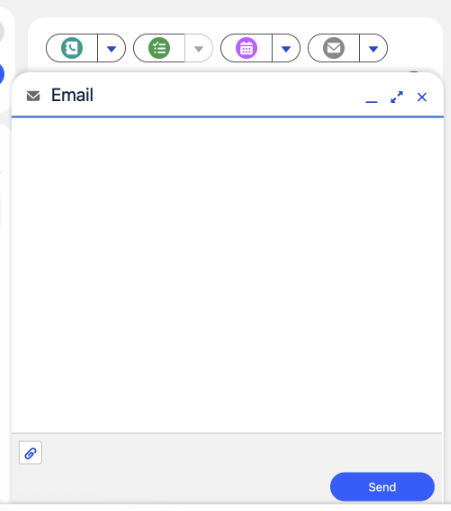
When a Salesforce user clicks the Email action on the Activity timeline of a record, the email composer opens but appears completely blank, with no To, Cc, or Subject fields — leaving the user unable to draft a response. This typically happens when the Email Global Action layout in Setup hasn't been fully configured with the required fields.
Løsning
This article explains why the email composer sometimes opens blank when a user clicks the Email action on the Activity timeline, and how administrators can fix it.
Cause
The blank email composer is caused by missing required elements — such as To and Cc — in the Email Global Action layout in Salesforce Setup. Adding these elements to the layout restores the composer to full functionality.
Steps to Resolve
- Log in to Salesforce.
- Go to Setup.
- In the Quick Find bar, search for Global Actions.
- Click Global Actions.
- Select the Email action (for example, this can affect the Email action on a Lead or Contact record).
- Click Edit Layout.
- Add the required elements such as To, Cc, Subject, and any other missing fields.
- Click Save.
Verify the Fix
Return to the Activity timeline and click the Email action to confirm the composer loads correctly with all fields visible.
Yderligere ressourcer
Vidensartikelnummer
005232628
Løste denne artikel dit problem?
Giv os besked, så vi kan forbedre os!
