Seleccionar una organización
Reset Multiple Set Filters to "All" Option with One Click
Fecha de publicación: Dec 29, 2025
Requisitos previos
Tarea
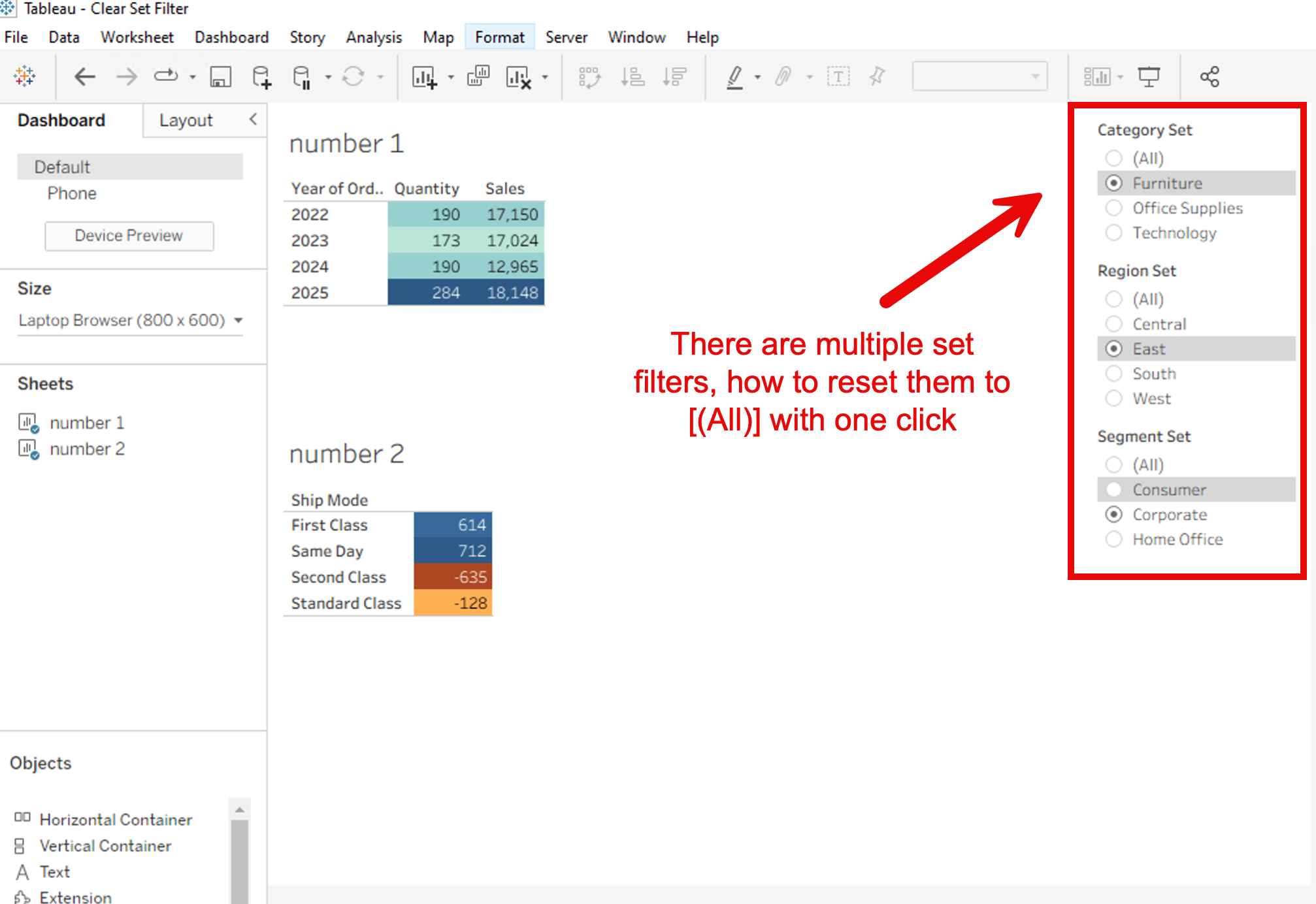
Standard reset buttons may not work as expected when using Set Controls as filters. This task involves creating a custom button using Dashboard Set Actions. By configuring the action to "Assign values to set," you can push all values back into the target sets, effectively resetting the filters to show "All" values.
For example, when using multiple set filters in a worksheet/dashboard, how to reset them to [(All)] with one click.
Pasos
Step 1: Create the Reset Button Worksheet
- Create a new worksheet.
- Create a calculated field with the string "Reset" (or similar) and place it on the Rows or Columns shelf to create a button-like appearance. Alternatively, use the Polygon mark type.
- Important: Drag the Dimension that is the source of the set you want to reset onto Detail on the Marks card.
- Reason: This ensures that all members of the dimension are passed to the target set when the action is executed.
Step 2: Configure the Set Action on the Dashboard
- Place the created "Reset Button" sheet onto the dashboard.
- From the dashboard menu, select Dashboard > Actions.
- Select Add Action > Change Set Values.
- Configure the action settings as follows:
- Source Sheets: Select the "Reset Button" sheet.
- Target Set: Select the set you wish to reset.
- Run action on: Select Select (recommended) or Menu.
- Running the action will: Select Assign values to set.
- Click OK to save. If you need to reset multiple sets, repeat this process for each set or select all applicable sets if the version allows.
Step 3: Verify the Behavior
- On the dashboard, filter the view using the set controls.
- Click the "Reset Button" you created.
- Confirm that all values included in the Detail shelf are assigned to the set, returning the filter to the "All" state.
Please refer to the attached workbook and video for details.
Recursos adicionales
Clearing All Filters and Filter Actions on a Dashboard with One Click
Número del artículo de conocimiento
005232631
¿Resolvió este artículo su problema?
¡Háganos saber cómo podemos mejorar!
