Välj en organisation
Automation Event–Triggered Flow Error for File Upload Events from Community Profiles
Publiceringsdatum: Dec 4, 2025
Beskrivning
The Automation Event–Triggered Flow configured for the File Upload event is failing with the following error when triggered by Customer Community Portal users:
“A platform event message couldn’t launch the ‘File Sharing Event Triggered Flow’ flow. Contact Salesforce Customer Support with Error ID: 456459170-120797 (-xxxxxxxxxx).”
This error occurs specifically when a Customer Community User uploads a file within the Experience Cloud portal.
Same flow example: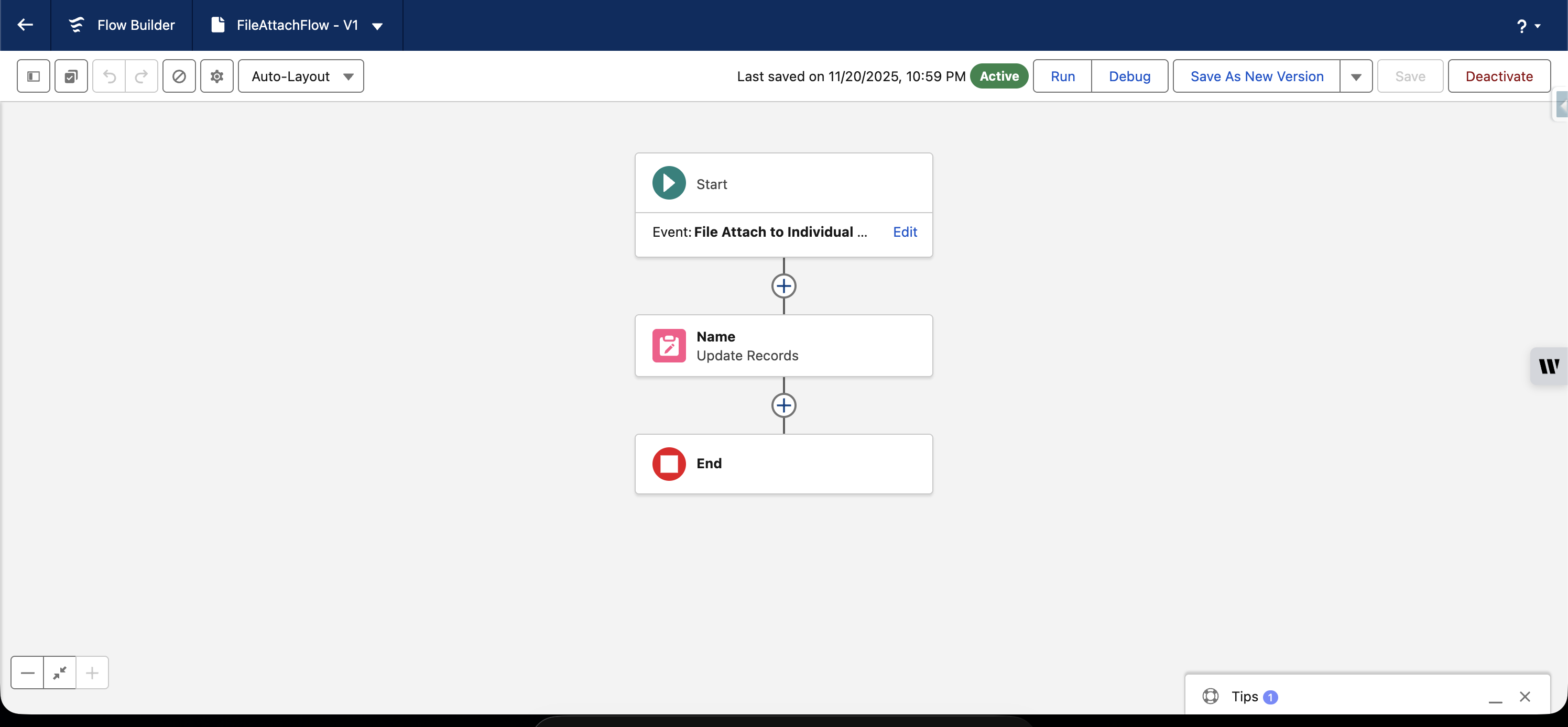
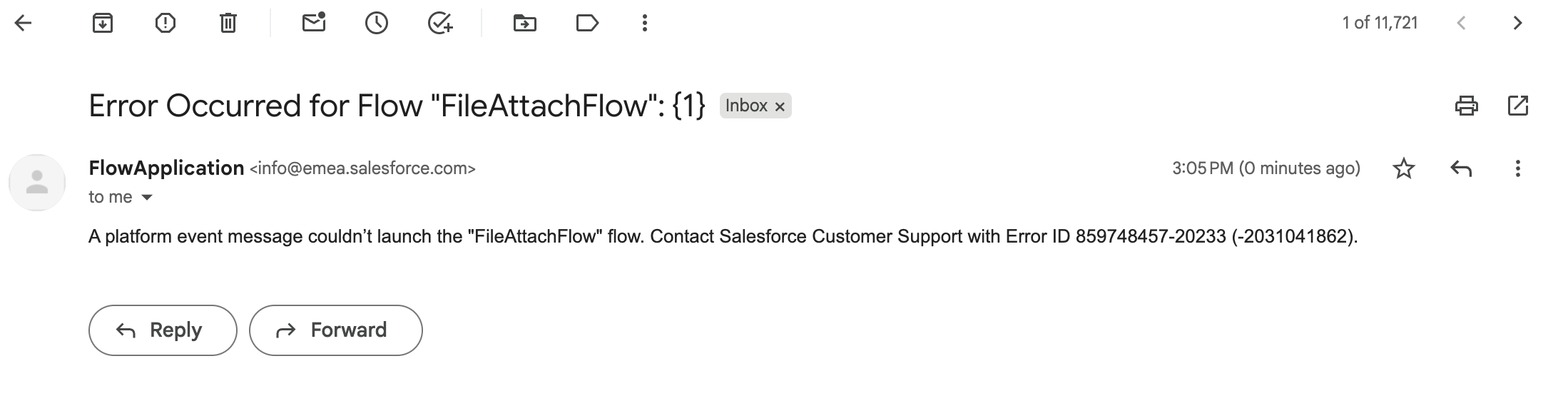
Steps to Reproduce:
-
Create a simple file-attachment flow using the Automation Event–Triggered Flow template, tied to the File Upload event.
-
Log in as a Community User or Guest User.
-
Upload a file to the object associated with the File Upload event.
-
Check the email notifications for the flow failure message.
Lösning
-
The issue does not impact the actual file-upload functionality. Community users are still able to upload files successfully.
-
The flow fails because Community/Guest profiles do not have access to the platform event used to trigger the flow.
-
As a result, the platform event is unable to launch the flow, and an error email is generated, even though the file upload completes without issues.
This behavior is expected given the current platform design. To change this behavior—specifically, to allow community profiles to trigger such flows without generating errors—this would require an enhancement request.
You may consider logging this as a feature request through Salesforce IdeaExchange.
Ytterligare resurser
Knowledge-artikelnummer
005232752
Löste denna artikel ditt problem?
Berätta för oss vad vi kan förbättra!
