組織を選択
Tableau Hidden Sheets in Vertical Container Leave Blank Space
公開日: Apr 28, 2026
説明
Hidden charts (specifically bar charts) in Tableau, placed within a vertical container on a dashboard stack with blank spaces, preventing the container from displaying correctly or filling the screen.
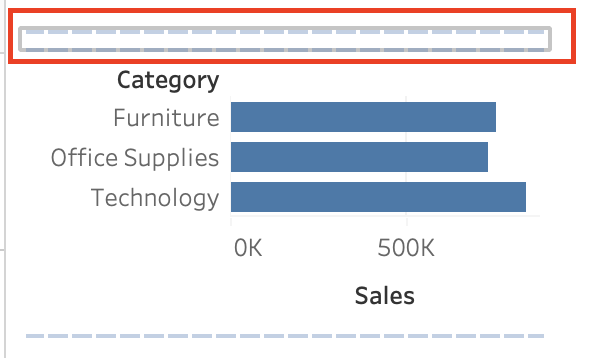
解決策
Cause:
-
The sheet height is fixed or "Fit Height" is not enabled.
-
Behavior associated with stacking horizontal bar charts vertically within a container.
Resolution:
-
Select the target sheet on the dashboard.
-
Select the drop-down arrow icon in the upper right corner of the sheet, or use the context menu to select [Fit].
-
Select [Fit Height].
ナレッジ記事番号
005239143
この記事で問題は解決されましたか?
ご意見をお待ちしております。
