조직 선택
How to assign a custom field’s value from parent quote line item to child quote line items
게시 일자: Mar 11, 2026
상세 설명
In Revenue Cloud Advanced, when a bundle is added to a quote, then it is a common use case to assign the value of a custom field from the parent quote line item to the child quote line items.
솔루션
This use case can be achieved in 2 ways - Pricing Procedure and Apex Hook.
Method 1 - Pricing Procedure
Step 1 - Create a custom field on the QuoteLineItem object (for eg., Colour__c (text field)).
Step 2 - Create a custom attribute under the SalesTransactionItem node within the currently used extended sales transaction context definition (for eg., Colour (input output, string attribute)). Make sure that the Transient checkbox is set to false for this attribute.
Step 3 - Give the custom attribute a tag (for eg., Colour) and map it to the custom field within QuoteEntitiesMapping.
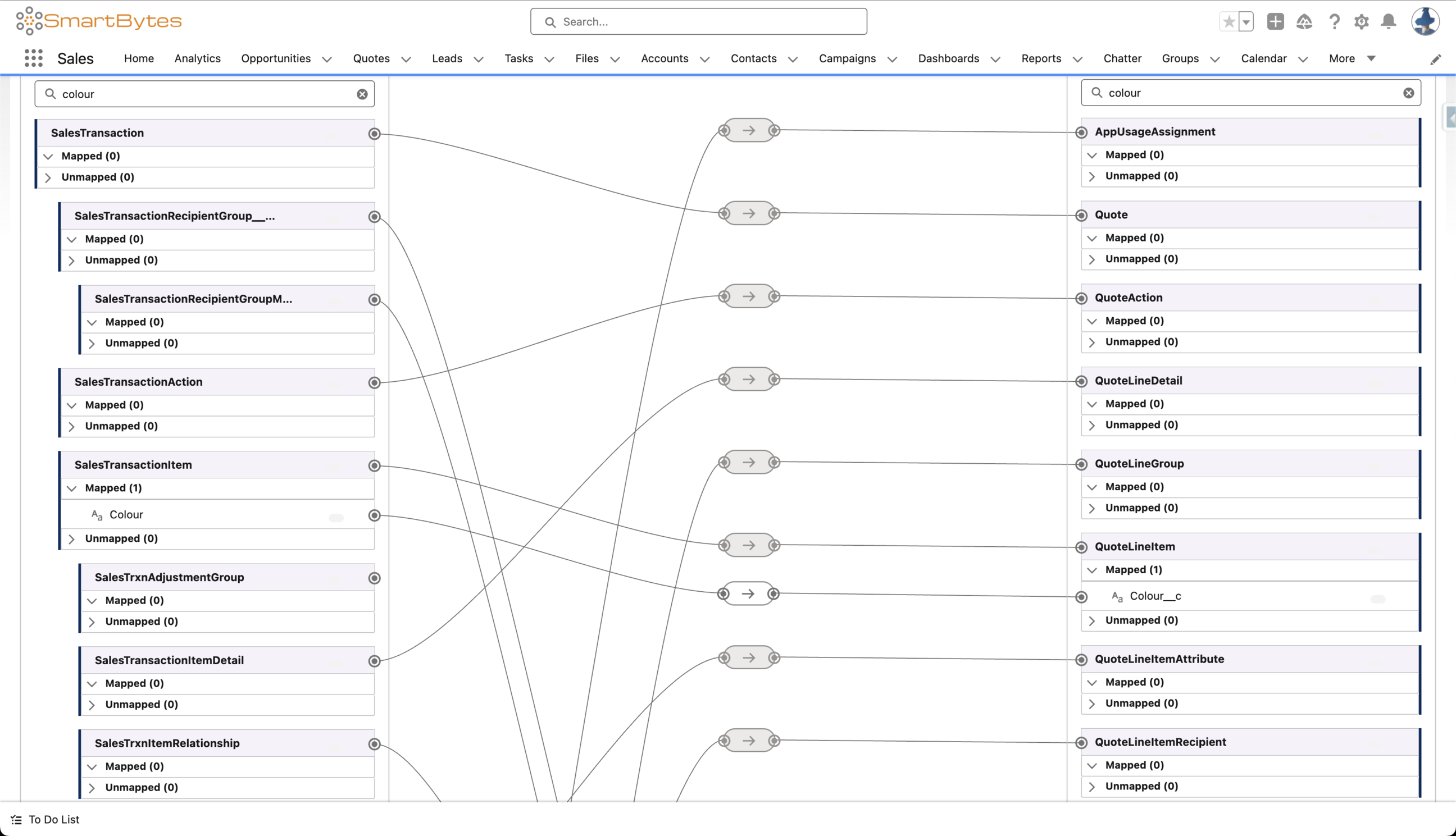
Step 4 - Create a custom attribute under the SalesTrxnItemRelationship node within the currently used extended sales transaction context definition (for eg., MainItemColour__c (input output, string attribute)). Make sure that the Transient checkbox is set to false for this attribute.
Step 5 - Give the custom attribute a tag (for eg., MainItemColour__c) and map it to the parent quote line item’s custom field via the QuoteLineRelationship object within QuoteEntitiesMapping.
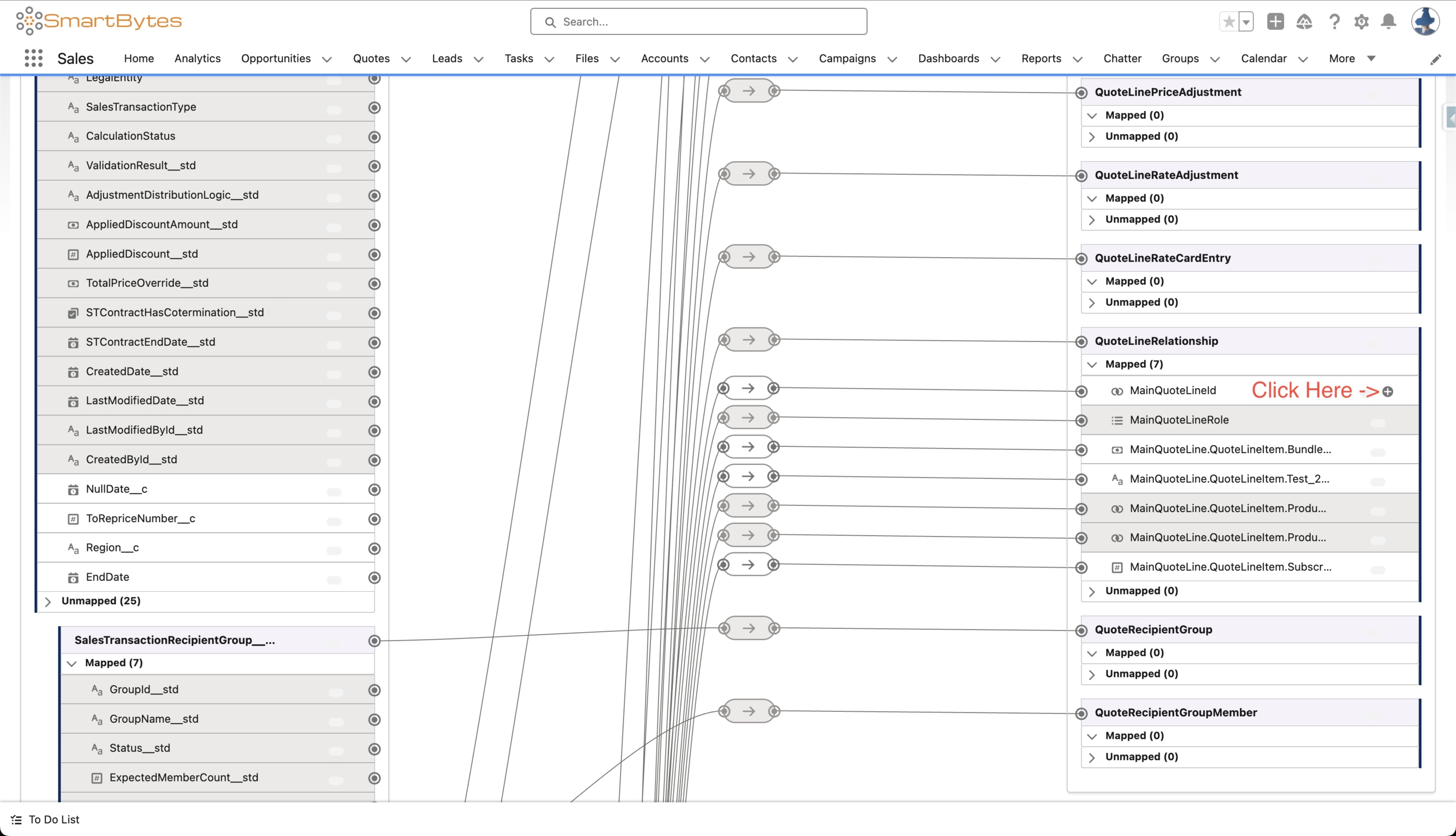
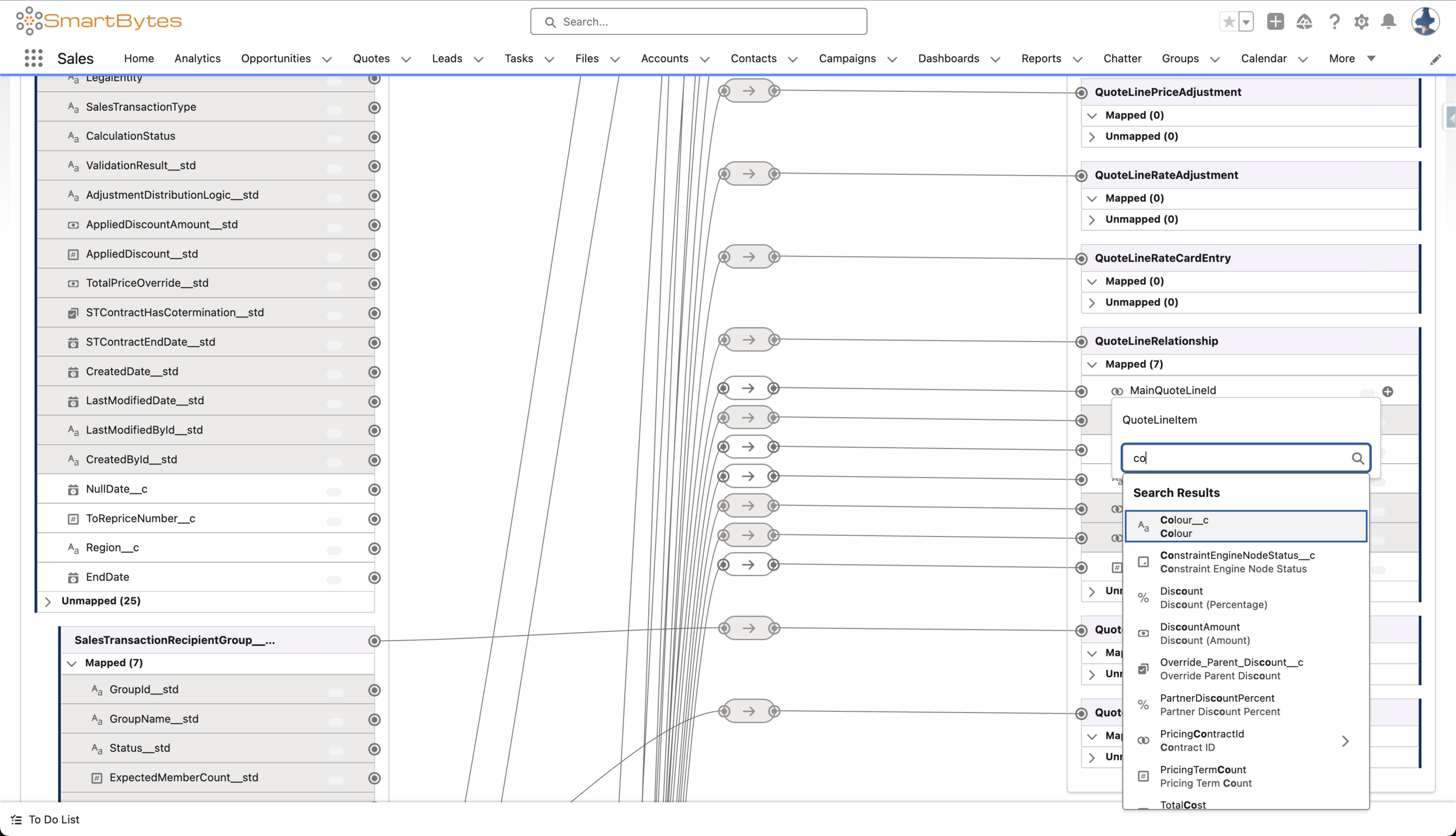
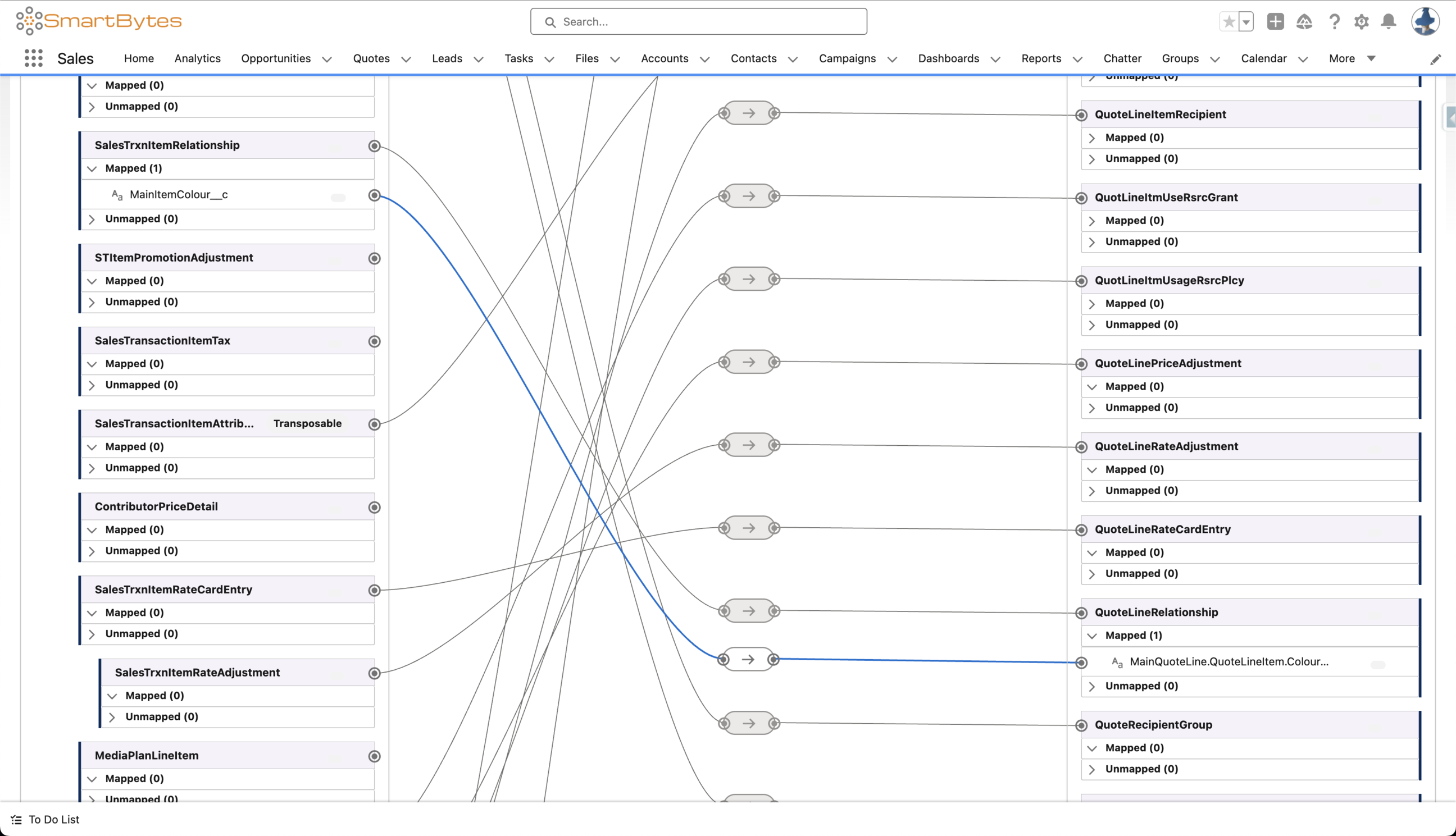
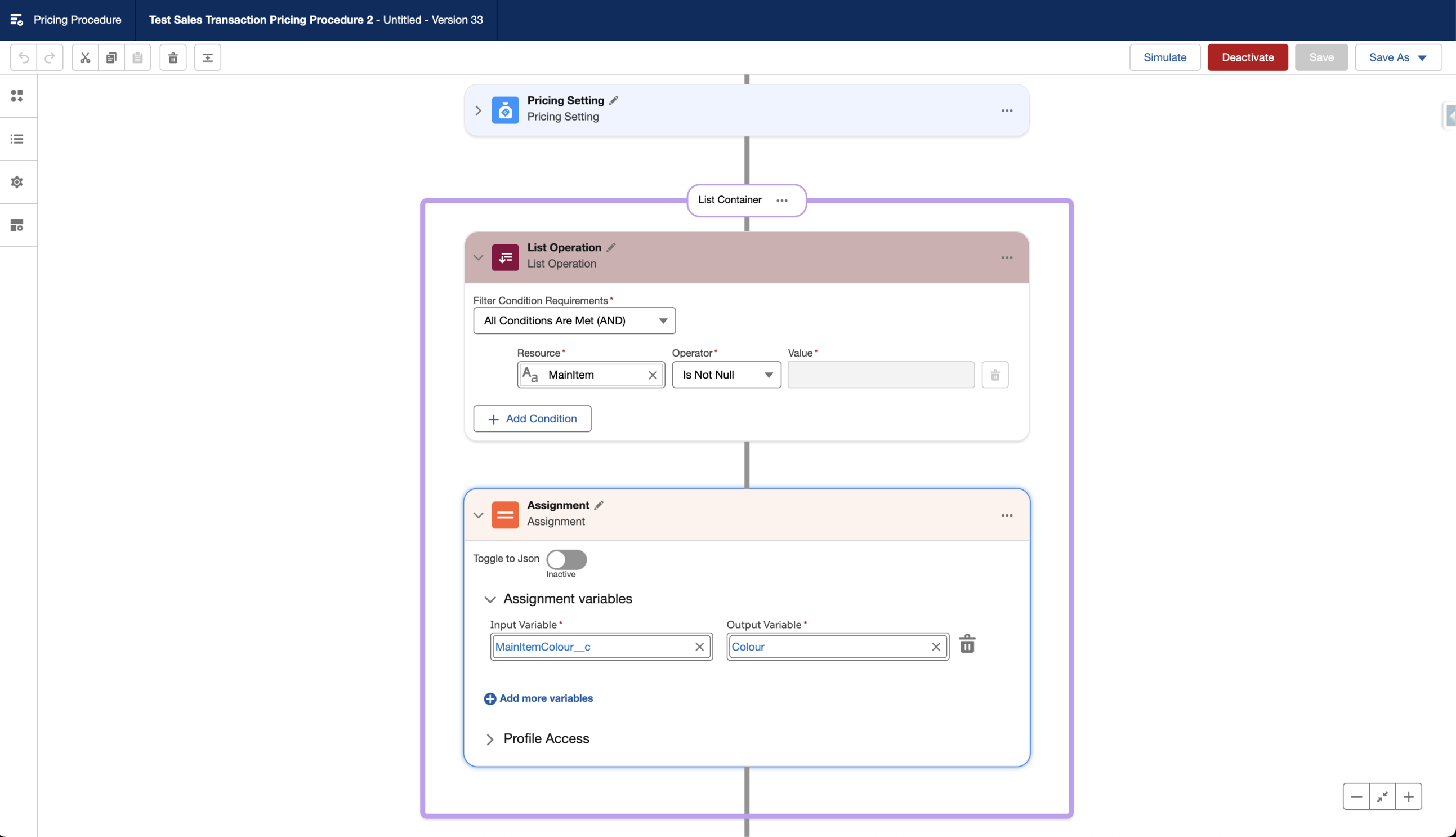
Step 6 - Add a conditional assignment element within the currently used pricing procedure.
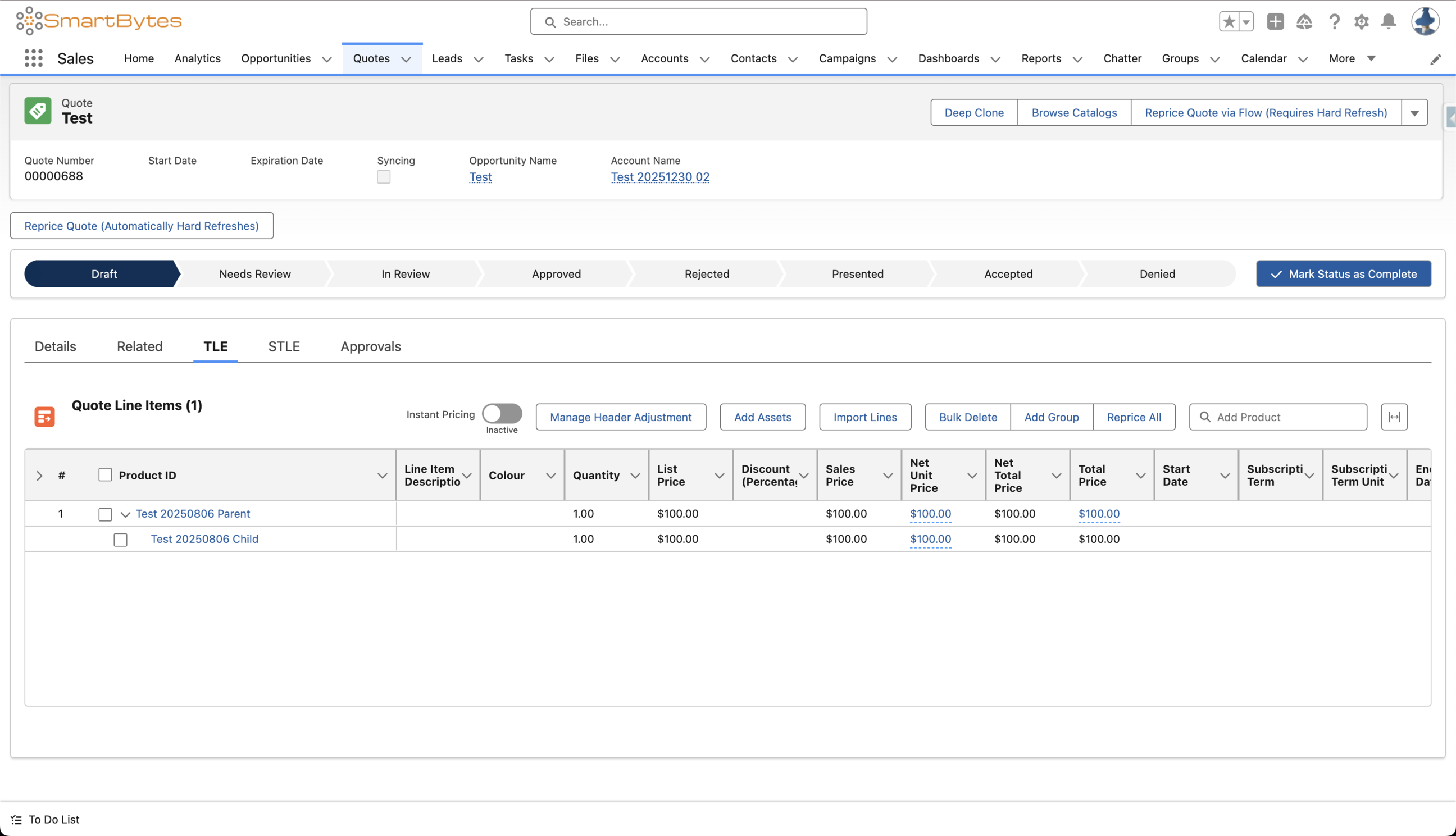
Step 7 - Add a bundle to a quote.
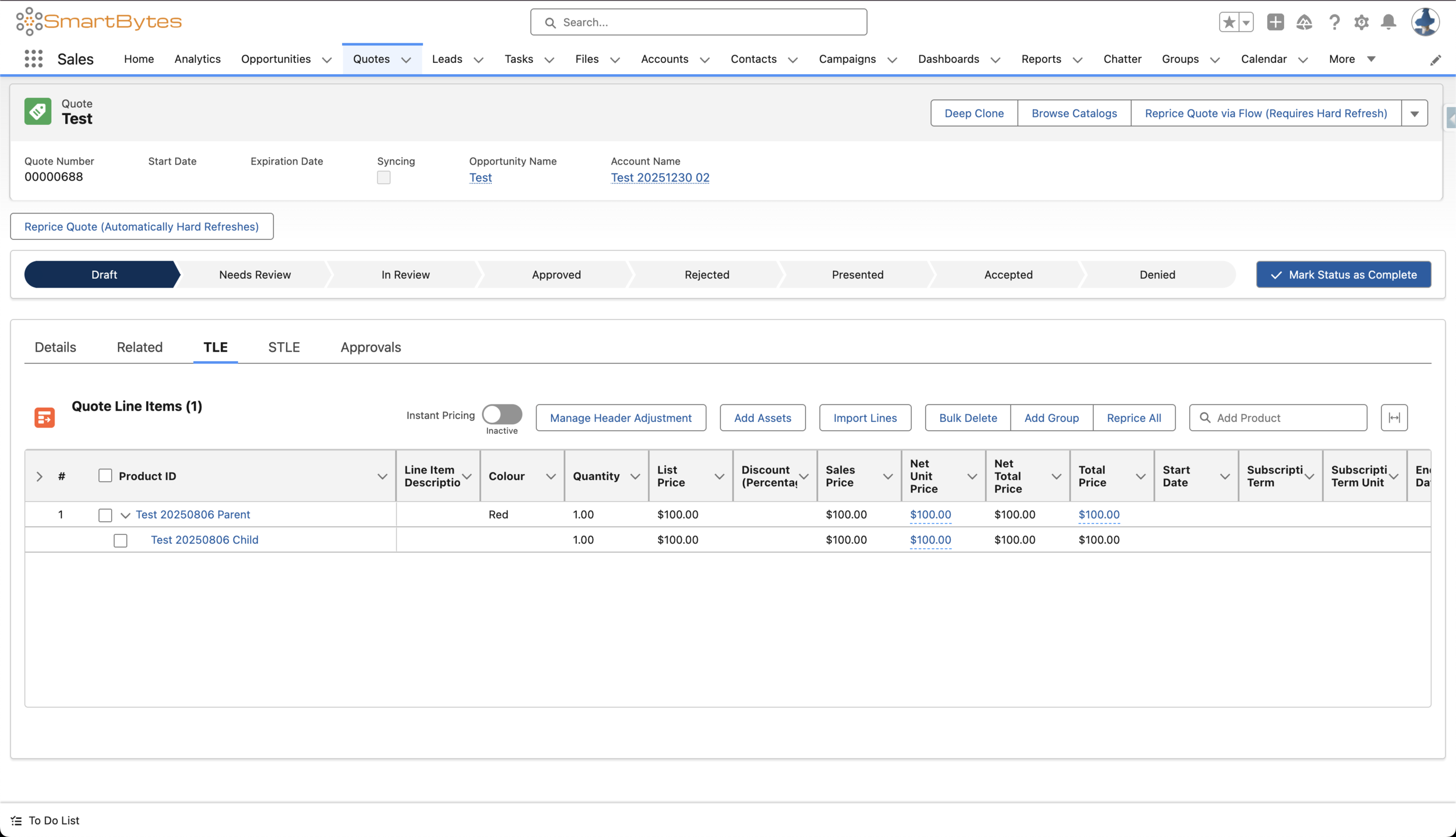
Step 8 - Update the parent’s field and click on Save.
Step 9 - Click on Reprice All.
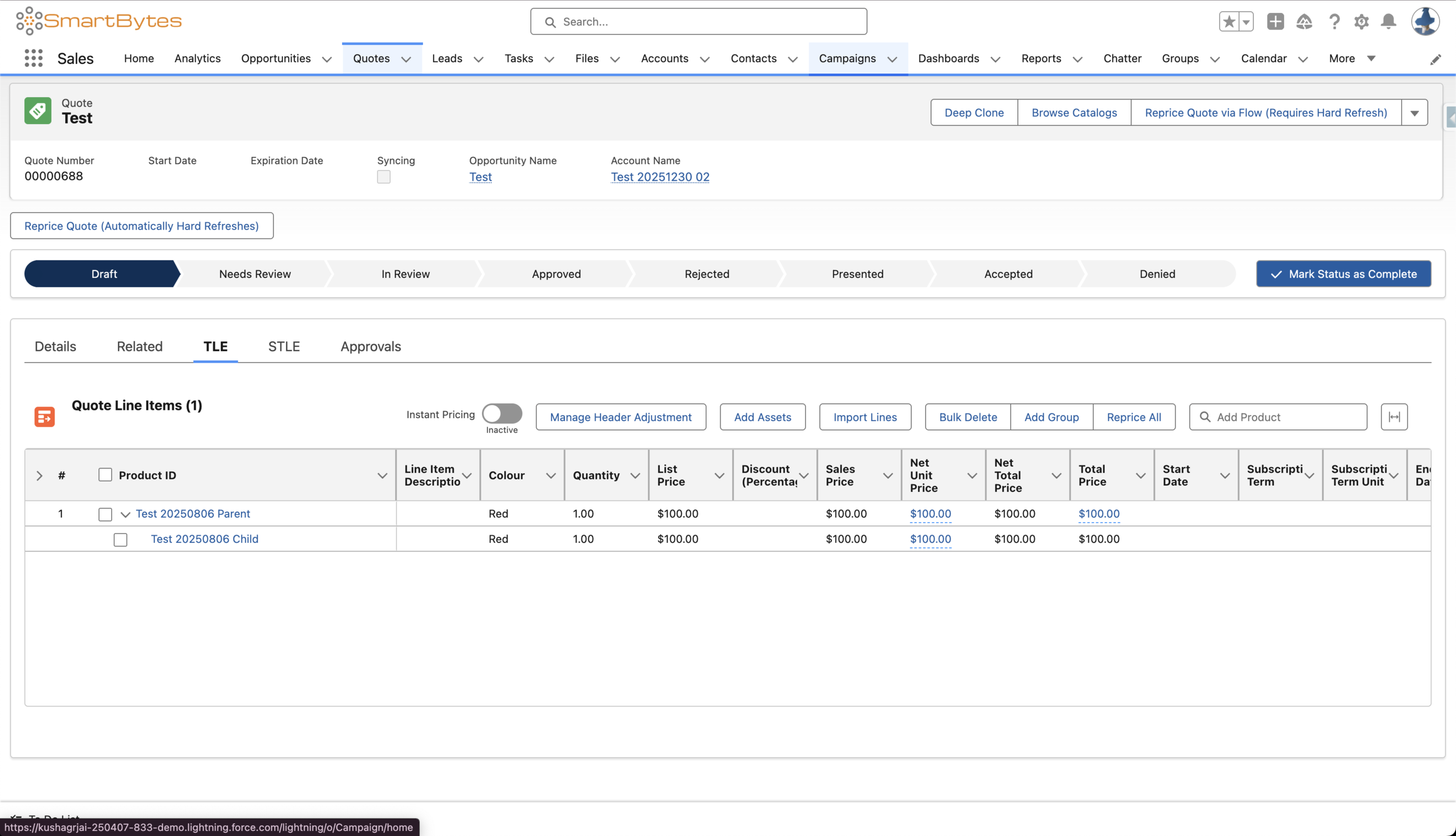
Note - This method requires the user to recalculate the quote (for eg., by clicking on Reprice All) because when the parent’s field is populated from the editor, it is saved to the database after that pricing run is completed. Then, when the next pricing run is performed, the field’s value is loaded from the database into the context.
Method 2 - Apex Hook
The following sample Apex prehook can be used to achieve this use case -
global class ApexPricingPrehookUpdateChildColour implements RevSignaling.SignalingApexProcessor {
    public virtual class BaseException extends Exception {}
    public class OtherException extends BaseException {}

    public RevSignaling.TransactionResponse execute(RevSignaling.TransactionRequest request) {
        String ctxInstanceId = request.ctxInstanceId;
        Context.IndustriesContext industriesContext = new Context.IndustriesContext();

        //----------------------------------------------------------------------

        List<String> tags = new List<String>();
        tags.add('SalesTransactionItem');
        tags.add('SalesTrxnItemRelationship');

        Map<String, Object> queryInput = new Map<String, Object>();
        queryInput.put('contextId', ctxInstanceId);
        queryInput.put('tags', tags);

        Map<String, Object> queryOutput = industriesContext.queryTags(queryInput);
        System.debug('queryOutput = ' + JSON.serializePretty(queryOutput));

        Map<String, Object> queryResult = (Map<String, Object>) queryOutput.get('queryResult');

        //----------------------------------------------------------------------

        Map<String, String> childItemsToParentItems = new Map<String, String>();
        Set<String> childItems = new Set<String>();

        List<Object> relData = (List<Object>) queryResult.get('SalesTrxnItemRelationship');

        for (Object relObj : relData) {
            Map<String, Object> relNode = (Map<String, Object>) relObj;
            Map<String, Object> relTagMap = (Map<String, Object>) relNode.get('tagValue');

            String childItem = (String) ((Map<String, Object>) relTagMap.get('AssociatedItem')).get('tagValue');
            String parentItem = (String) ((Map<String, Object>) relTagMap.get('MainItem')).get('tagValue');

            // To handle initial pricing runs on amendments/renewals/cancellations.
            if (childItem.contains('@')) {
                childItem = childItem.substringBetween('@{', '.id}');
                parentItem = parentItem.substringBetween('@{', '.id}');
            }

            childItemsToParentItems.put(childItem, parentItem);
            childItems.add(childItem);
        }

        //----------------------------------------------------------------------

        Map<String, String> itemsToColours = new Map<String, String>();

        List<Object> itemData = (List<Object>) queryResult.get('SalesTransactionItem');

        for (Object itemObj : itemData) {
            Map<String, Object> itemNode = (Map<String, Object>) itemObj;
            Map<String, Object> itemTagMap = (Map<String, Object>) itemNode.get('tagValue');

            String currentItem = (String) ((Map<String, Object>) itemTagMap.get('LineItem')).get('tagValue');

            // Here, Colour is the tag name of the attribute under the SalesTransactionItem node.
            String colour = (String) ((Map<String, Object>) itemTagMap.get('Colour')).get('tagValue');

            itemsToColours.put(currentItem, colour);
        }

        //----------------------------------------------------------------------

        List<Map<String, Object>> nodePathAndAttributes = new List<Map<String, Object>>();

        for (Object itemObj : itemData) {
            Map<String, Object> itemNode = (Map<String, Object>) itemObj;
            Map<String, Object> itemTagMap = (Map<String, Object>) itemNode.get('tagValue');

            Object dmlStatus = ((Map<String, Object>) itemTagMap.get('LineItem')).get('dmlStatus');

            if ((dmlStatus == null) || (String.valueOf(dmlStatus).equals('DELETED'))) {
                continue;
            }

            String currentItem = (String) ((Map<String, Object>) itemTagMap.get('LineItem')).get('tagValue');

            if (childItems.contains(currentItem)) {
                List<Map<String, Object>> attributes = new List<Map<String, Object>>();

                Map<String, Object> colourUpdate = new Map<String, Object>();
                // Here, Colour is the name of the attribute under the SalesTransactionItem node.
                colourUpdate.put('attributeName', 'Colour');
                colourUpdate.put('attributeValue', itemsToColours.get(childItemsToParentItems.get(currentItem)));
                attributes.add(colourUpdate);

                List<Object> dataPath = (List<Object>) itemNode.get('dataPath');
                dataPath.remove(0);

                Map<String, Object> contextDataPathInputRepresentation = new Map<String, Object>();
                contextDataPathInputRepresentation.put('dataPath', dataPath);

                Map<String, Object> nodePathAndAttributesInputRepresentation = new Map<String, Object>();
                nodePathAndAttributesInputRepresentation.put('nodePath', contextDataPathInputRepresentation);
                nodePathAndAttributesInputRepresentation.put('attributes', attributes);

                nodePathAndAttributes.add(nodePathAndAttributesInputRepresentation);
            }
        }

        //----------------------------------------------------------------------

        Map<String, Object> input = new Map<String, Object>();

        input.put('contextId', ctxInstanceId);
        input.put('nodePathAndAttributes', nodePathAndAttributes);

        Map<String, Object> res = industriesContext.updateContextAttributes(input);

        //----------------------------------------------------------------------

        RevSignaling.TransactionResponse response = new RevSignaling.TransactionResponse();
        response.status = RevSignaling.TransactionStatus.SUCCESS;

        return response;
    }
}
Note - This method does NOT require the user to recalculate the quote (for eg., by clicking on Reprice All). This method works during the initial pricing run as well.
Knowledge 기사 번호
005239166
이 기사를 통해 문제를 해결했습니까?
개선을 위한 의견을 보내주세요.
