Select An Org
How to assign a custom field’s value from quote to its related quote line items
Publish Date: Mar 16, 2026
Description
In Revenue Cloud Advanced, when quote line items are added to a quote, then it is a common use case to assign the value of a custom field from the quote to its related quote line items.
Resolution
This use case can be achieved via Pricing Procedure.
Step 1 - Create custom fields on the Quote and the QuoteLineItem objects (for eg., QuoteRegion__c (text field) and ItemRegion__c (text field)).
Step 2 - Create custom attributes under the SalesTransaction and the SalesTransactionItem nodes within the currently used extended sales transaction context definition (for eg., QuoteRegion__c (input output, string attribute) and ItemRegion__c (input output, string attribute)). Make sure that the Transient checkbox is set to false for these attributes.
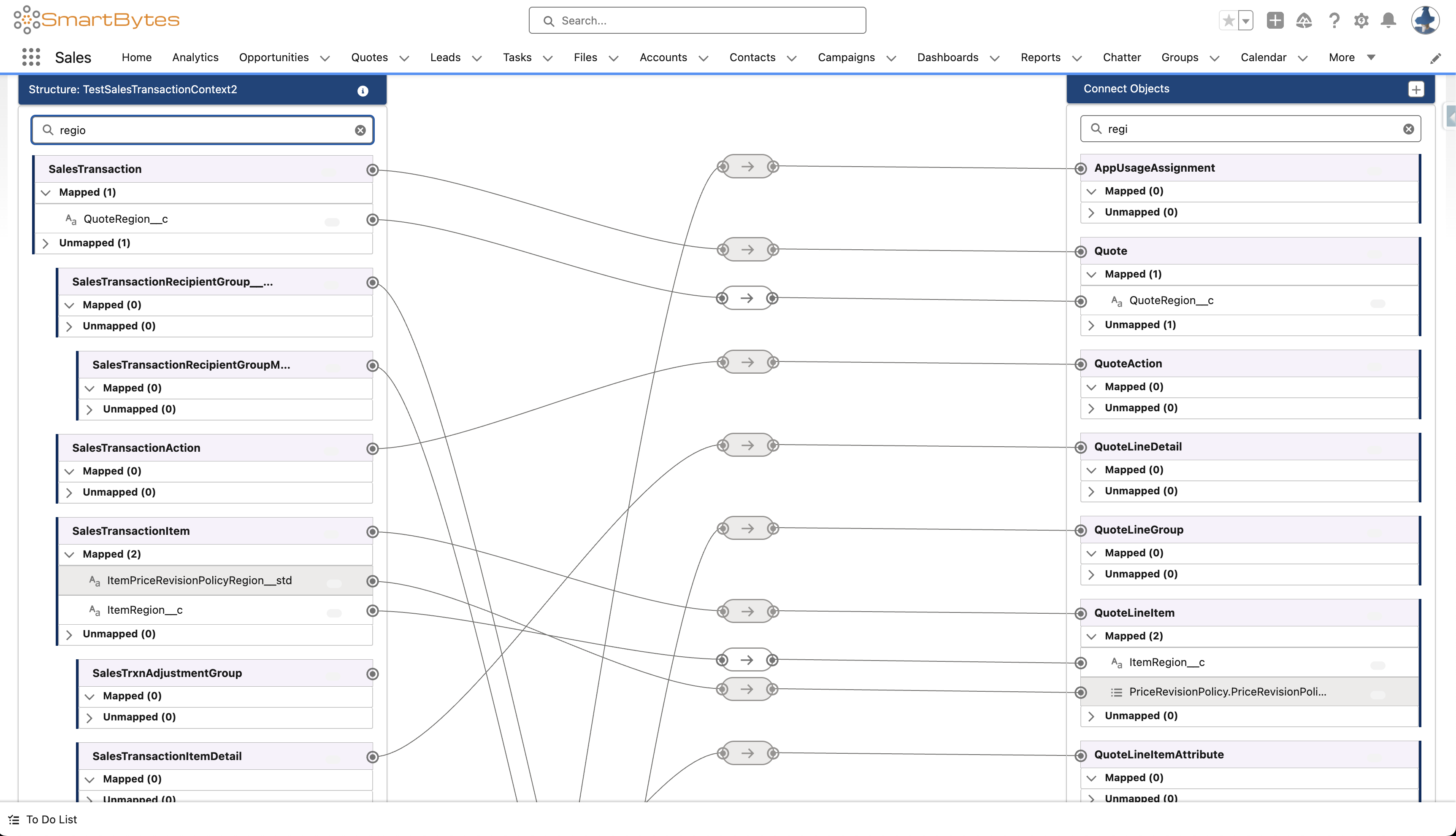
Step 3 - Give tags to the custom attributes (for eg., QuoteRegion__c and ItemRegion__c) and map those to the custom fields within QuoteEntitiesMapping.
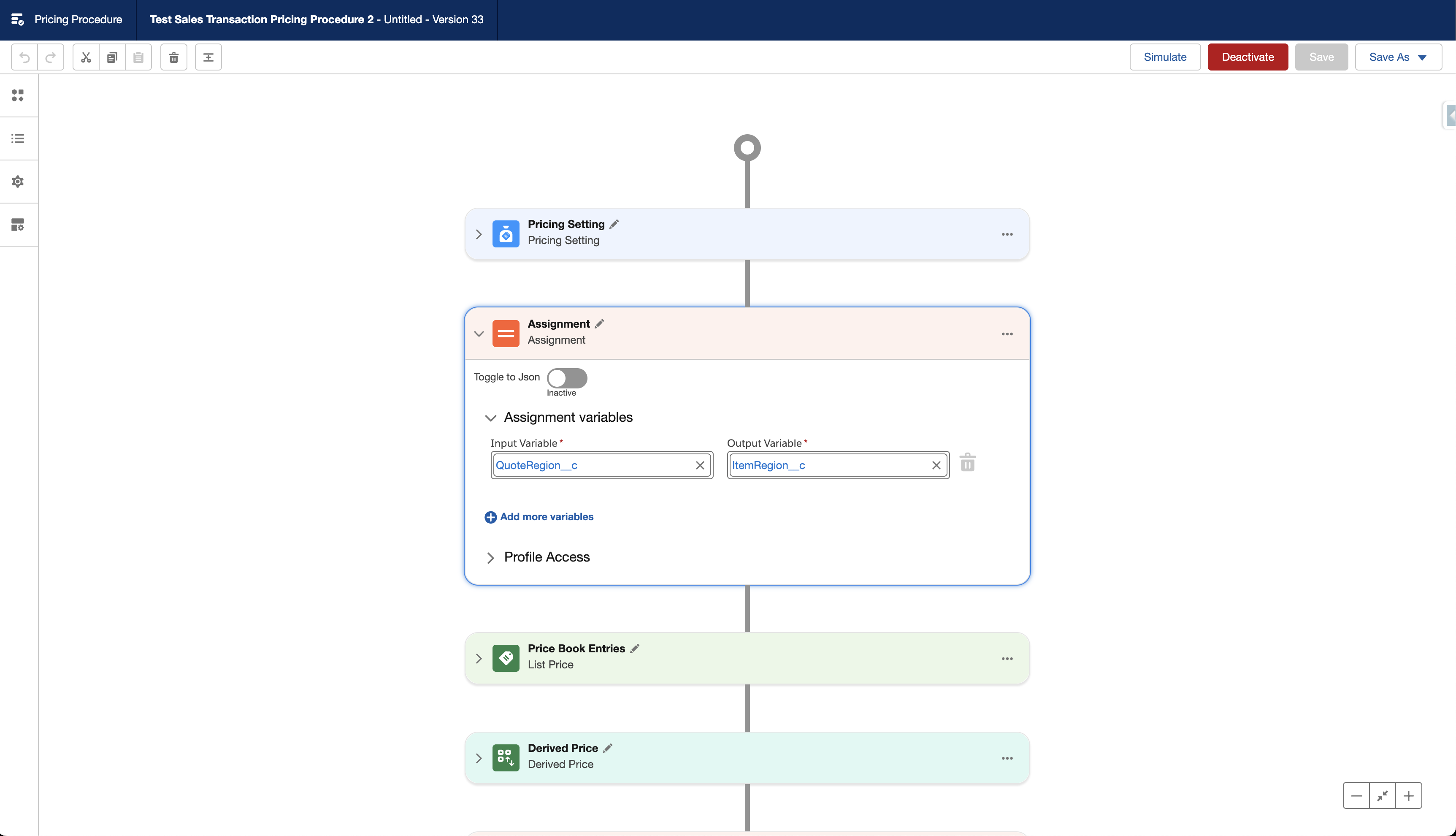
Step 4 - Add an assignment element within the currently used pricing procedure.
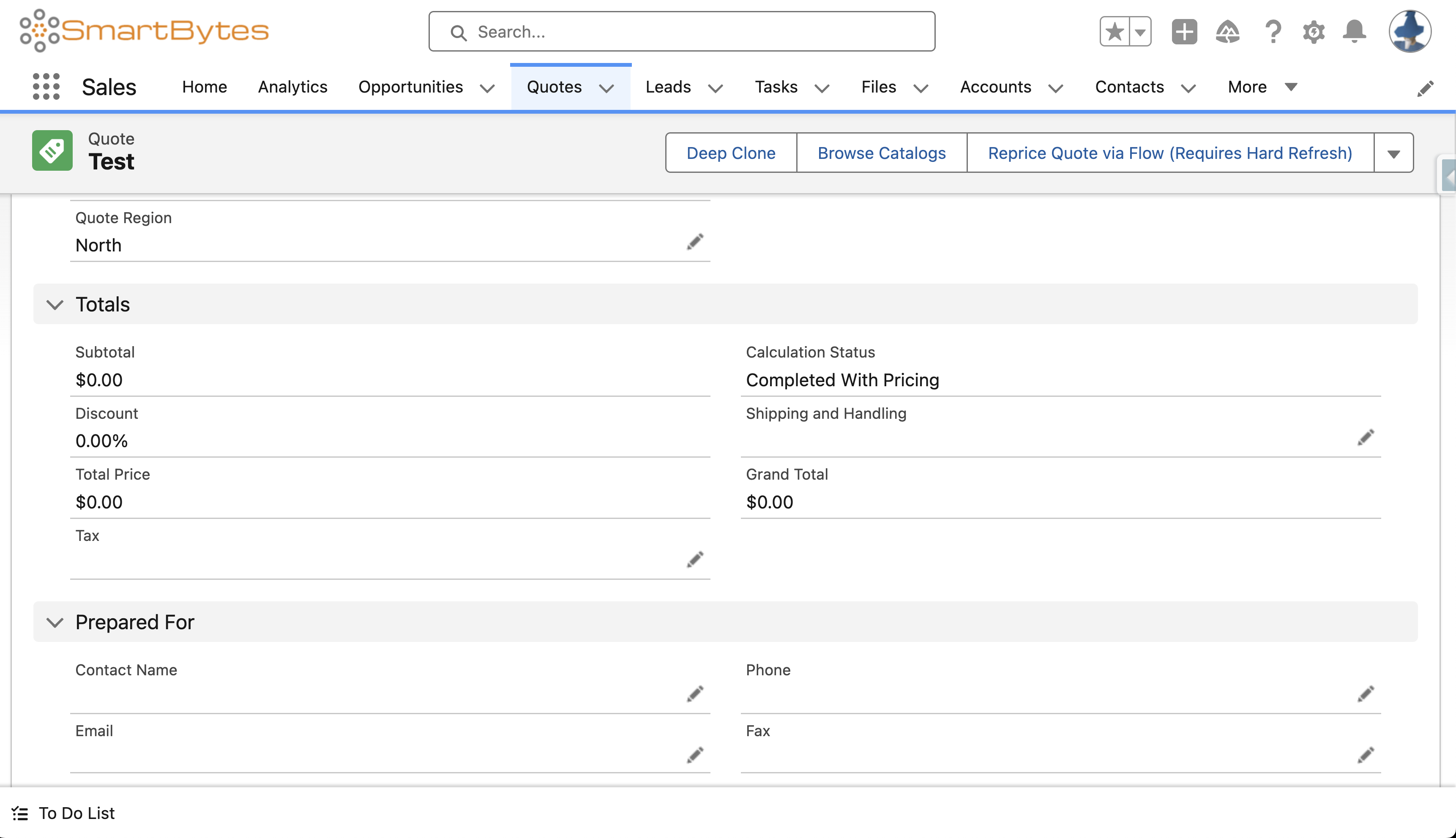
Step 5 - Update the quote’s field and click on Save.
Step 6 - Add a product to the quote and click on Save Quote.
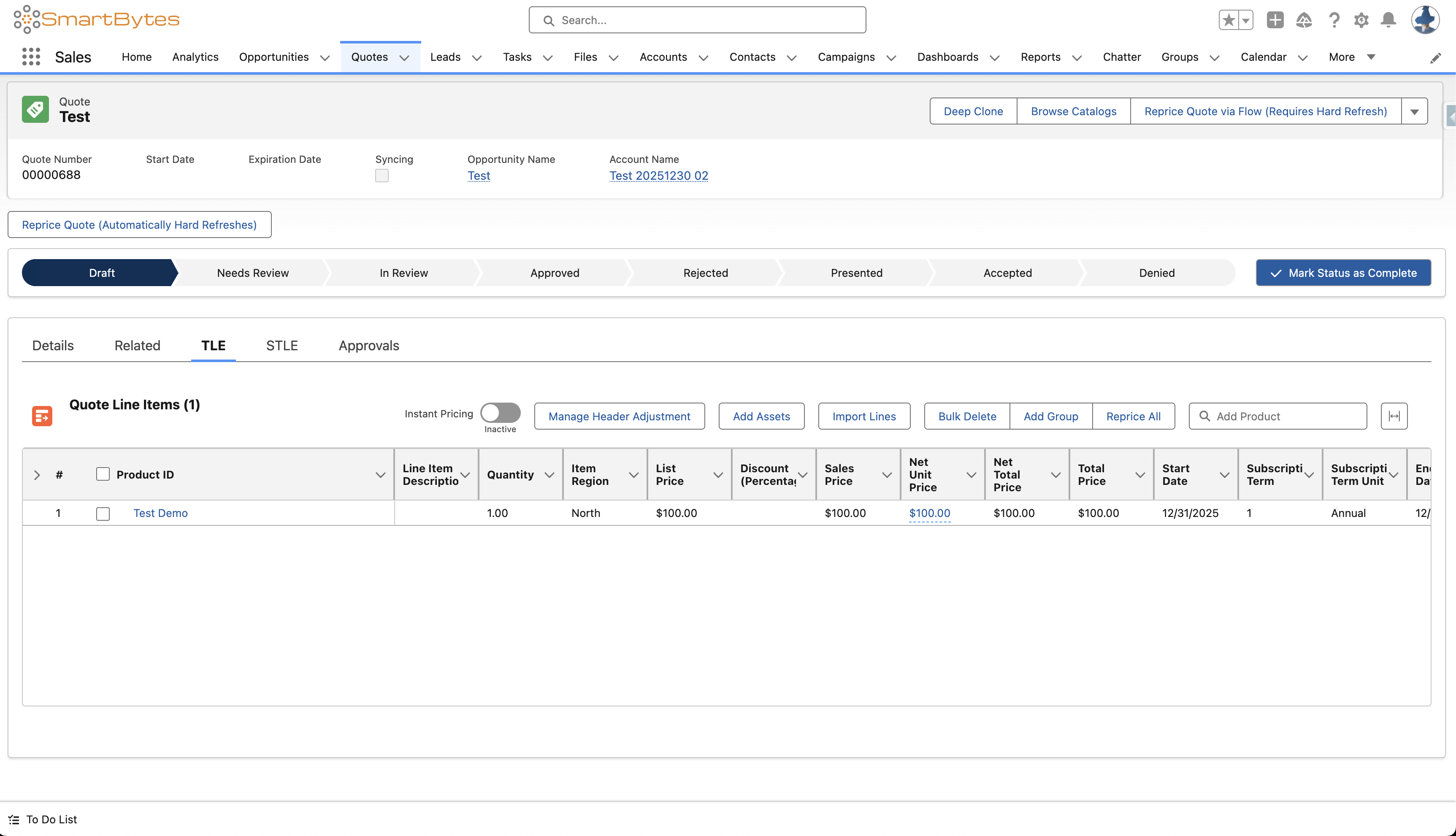
Note - If the quote’s field’s value is changed after products have been added, then the line items’ field’s value will not be updated automatically. The user will need to recalculate the quote (for eg., by clicking on Reprice All).
Knowledge Article Number
005239174
Did this article solve your issue?
Let us know so we can improve!
