組織を選択
Trailhead Playground のユーザー名とパスワードを確認する
Trailhead Playground は、Trailhead の課題を学び、達成するためのあなただけの環境です。Trailhead Playground へのアクセスは Trailhead によって管理されるため、通常は手動でログインする必要はありません。ただし、ユーザーは Trailhead Playground のユーザー名とパスワードを把握しておく必要がある場合があります。
アドバイス: ハンズオン Challenge でサポートが必要な場合、「充実した Trailhead ハンズオン Challenge のサポートエクスペリエンス」を参照すると探している情報を簡単かつすばやく見つけることができます。
ほとんどの場合、Trailhead Playground では、ユーザー名とパスワードを簡単に入手できます。まず、Trailhead Playground を立ち上げるために、任意のハンズオン Challenge で [起動] をクリックします。起動に成功すると、Playground に [Get Your Login Credentials (ログイン情報を取得する)] というタブが表示されます。「Playground に Playground Starter App がある場合 」セクションにある以下のステップに従ってください。
表示されない場合は、[ ] をクリックして、アプリケーションランチャーを起動してから、[Playground Starter] をクリックし、画面の説明に従います。 Playground Starter App がない場合は、「Playground に Playground Starter App がない場合」セクションに移動します。
重要: Trailhead Playground では、ユーザー名を絶対に変更しないでください。変更すると、Trailhead での作業の確認と、Challenge 完了時のバッジ/ポイントの付与ができなくなります。
Playground に Playground Starter App がある場合
Playground に Playground Starter App がある場合、以下のステップに従ってユーザー名を見つけ、パスワードをリセットします。
1. [Get Your Login Credentials (ログイン情報を取得する)] タブをクリックします。
2.ページに表示されるユーザー名をメモします。
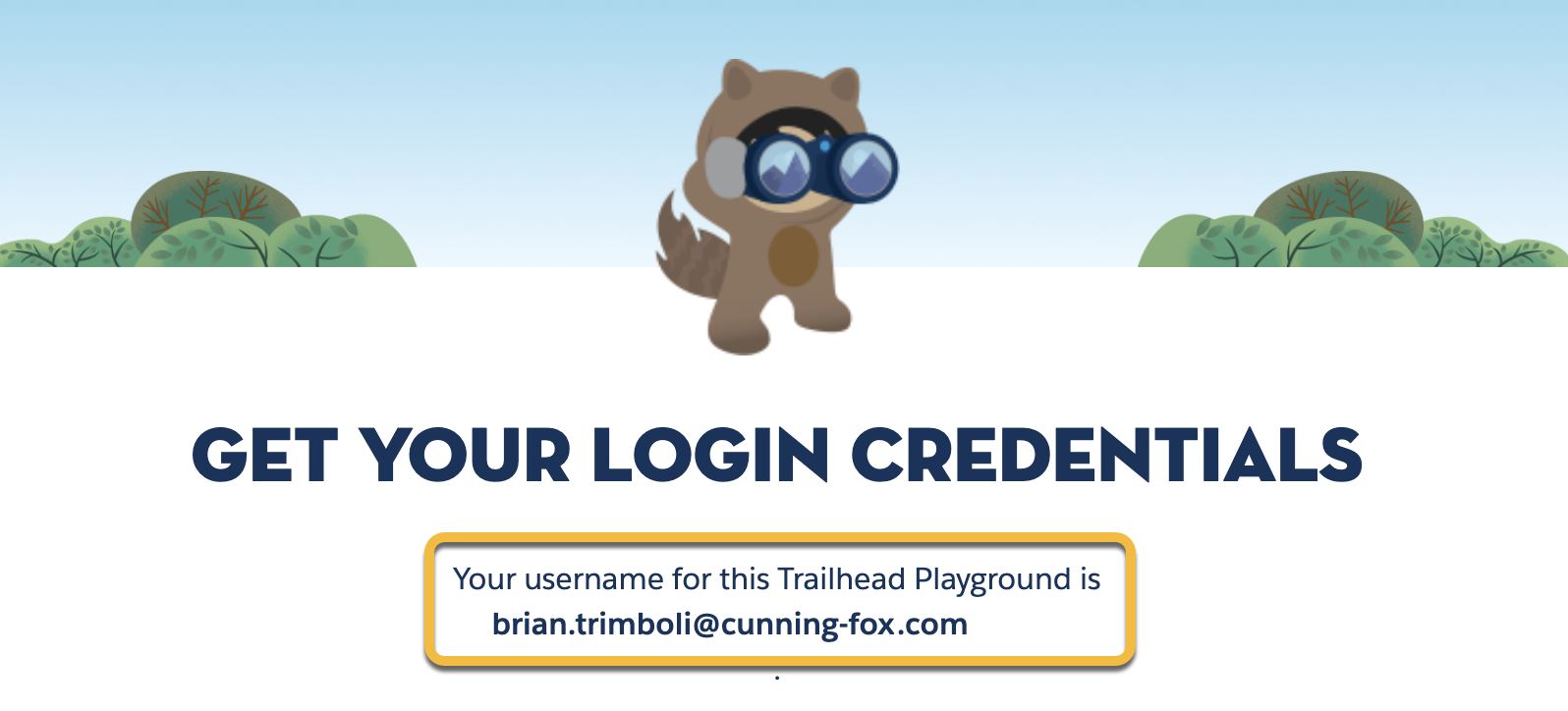
3.[パスワードのリセットする] をクリックします。ユーザー名に関連付けられたアドレスにメールが送信されます。
4.メールに記載されているリンクをクリックします。メールには、Trailhead Playground のユーザー名も記載されています。
5.新しいパスワードを入力し、確認して、[パスワードの変更] をクリックします。
Playground に Playground Starter App がない場合
以下のステップに従ってユーザー名を見つけ、パスワードをリセットします。
1. Trailhead の任意のハンズオン Challenge で、デフォルトのハンズオン組織をクリックし、ハンズオン組織を選択する画面が選択表示されたら、Trailhead Playground を選択します。[起動] をクリックします。
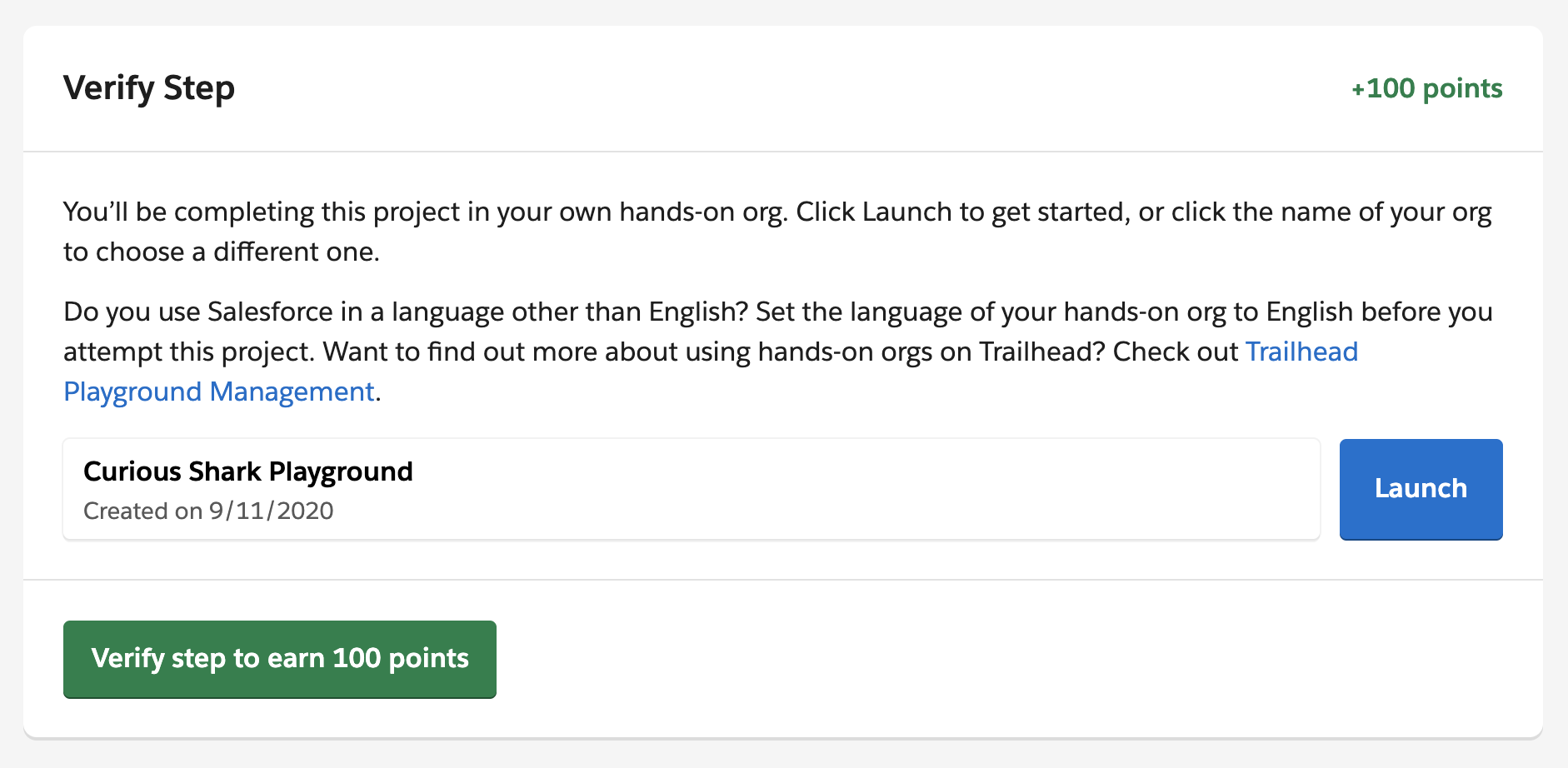
- Trailhead Playground 名を思い出せない場合:Trailhead の右上にある自分の名前の横のアバターをクリックし、[Hands-on Orgs (ハンズオン組織)] を選択すると、接続されているすべての組織が表示されます。
- ハンズオン Challenge が見つからない場合:プロジェクトはすべてハンズオンです。上のナビゲーションから [Learn (学ぶ)] > [Projects (プロジェクト)] の順に選択し、完了していないプロジェクトを選択します。ステップリストからリンクをクリックして、そのページの一番下までスクロールします。
2.右上にある [] をクリックし、[設定] を選択します。
3.[クイック検索] ボックスに「ユーザー」と入力し、[ユーザー] を選択します。
4.自分の名前 (A) の横にあるボックスをオンにします。ユーザー名 (B) をメモします。
5.[パスワードのリセット]、[OK] の順にクリックします。
6.ユーザー名に関連付けられたアドレスにメールが送信されます。メールが届いていない場合は、迷惑メールフォルダを確認してください。
7.メールに記載されているリンクをクリックします。
8.新しいパスワードを入力し、確認します。
9.[パスワードの変更] をクリックします。
これで、Trailhead Playground で使用するユーザー名とパスワードが揃いました!
この記事で問題は解決されましたか?
ご意見をお待ちしております。
