Vælg en organisation
How to Prepare For Your Exam Day

Congratulations on taking the next step in becoming a Salesforce certified professional!
- To learn how to prepare for the Salesforce certification exam taken online with a remote proctor, visit the How to Prepare For Your Online-Proctored Exam FAQ.
- To learn how to prepare for the Salesforce certification exam taken onsite at a testing center, visit the How to Prepare For Your Exam at a Testing Center FAQ.
If you need to request accommodations for a certification, in Trailhead Academy, go to your Trailhead Academy Account and scroll down to the bottom. Under Accommodations, please use the link to Request Accommodations and create a case with your request.
Taking Your Exam Online (Pearson OnVUE)
If you are taking your exam from home or another remote location using a webcam, you are taking an online-proctored exam through Pearson OnVUE.
Before your exam day:
- Review device, network, and environment requirements, see:
- Check that your ID meets requirements, see Salesforce Certification Exam ID Requirements.
- Run the OnVUE system test at least 24 hours before your exam.
- Disable all VPN software before launching the exam.
Taking Your Exam at a Testing Center
If you are taking your exam in person at a Pearson VUE testing center:
- Bring a valid government-issued photo ID that exactly matches your booking name.
- Arrive at least 15 minutes early for check-in. Keep in mind that personal items like phones, notes, and watches are strictly prohibited in the exam room.
- For full details, see How to Prepare For Your Exam at a Testing Center FAQ.
Not Sure Which Type You're Taking?
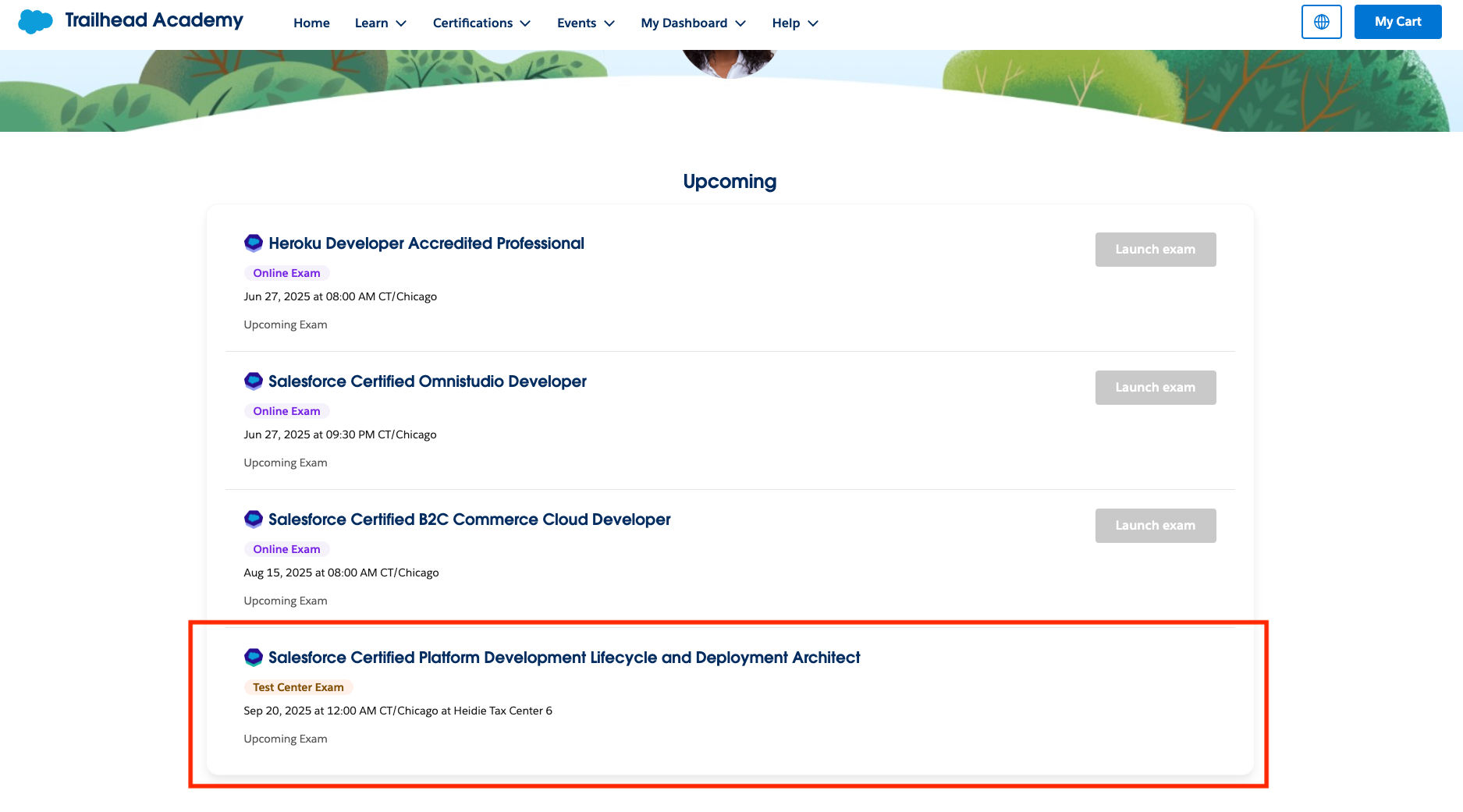
Log in to your Trailhead Academy account at https://trailheadacademy.salesforce.com/home to view your appointment details under the Upcoming section of the Trailhead Academy homepage, including the delivery type.
Løste denne artikel dit problem?
Giv os besked, så vi kan forbedre os!
