Seleziona un'organizzazione
How to Access Salesforce Certification Exam Receipts

Discover how to access exam receipts for Salesforce certification exams in Trailhead Academy and Webassessor.
Table of Contents
How to Access Salesforce Certification Exam Receipts in Trailhead Academy
How to Access Salesforce Certification Exam Receipts in Webassessor
How to Access Salesforce Certification Exam Receipts in Trailhead Academy
Below is the step-by-step process for accessing your exam receipts in the new certification experience via Trailhead Academy starting July 21, 2025.
-
Start by logging into Trailhead Academy with your Trailblazer ID.
-
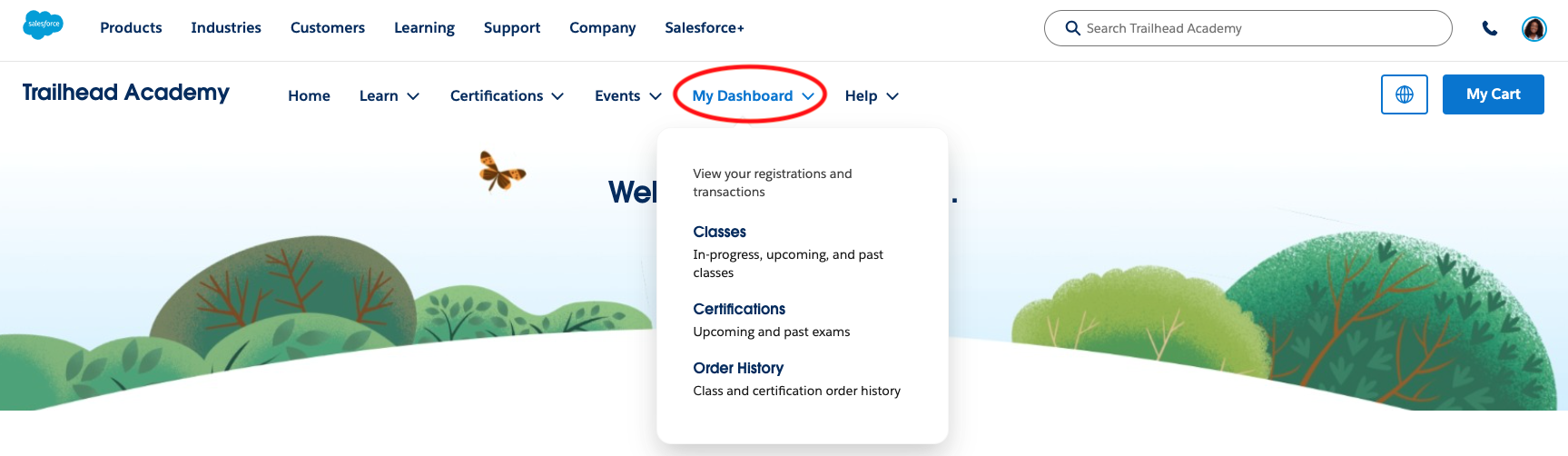
Click the My Dashboard tab.
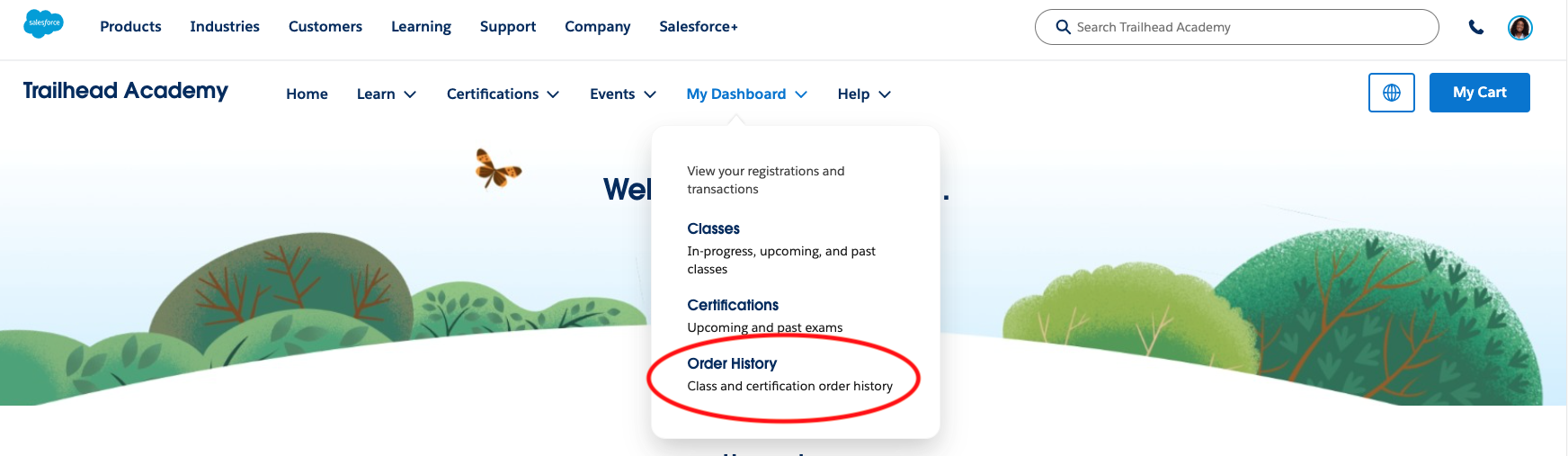
- Once you click into the My Dashboard tab, click Order History.
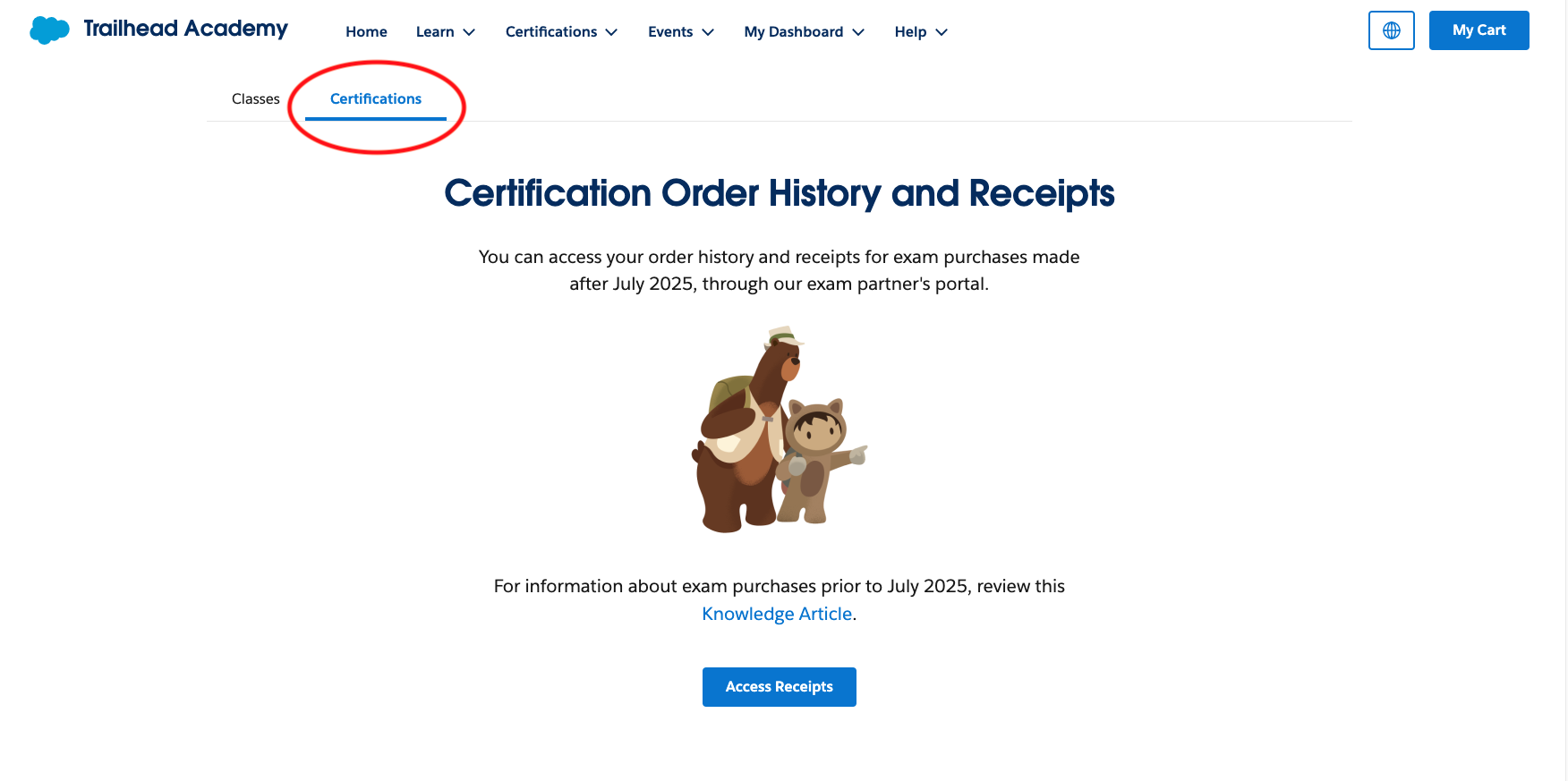
- Click the Certifications tab within the Order History page.
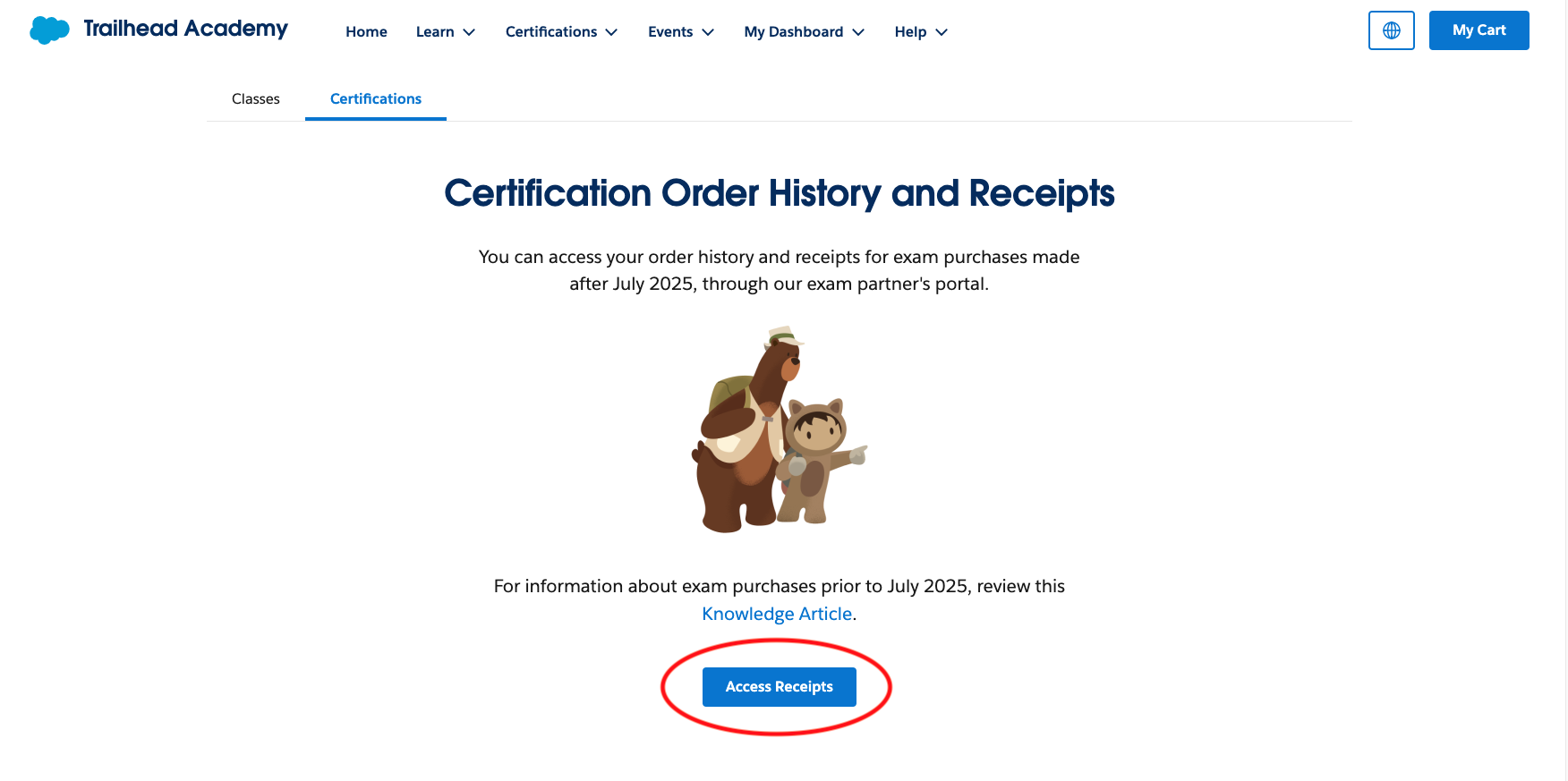
- Click Access Receipts to be taken to our testing platform partner, Pearson.
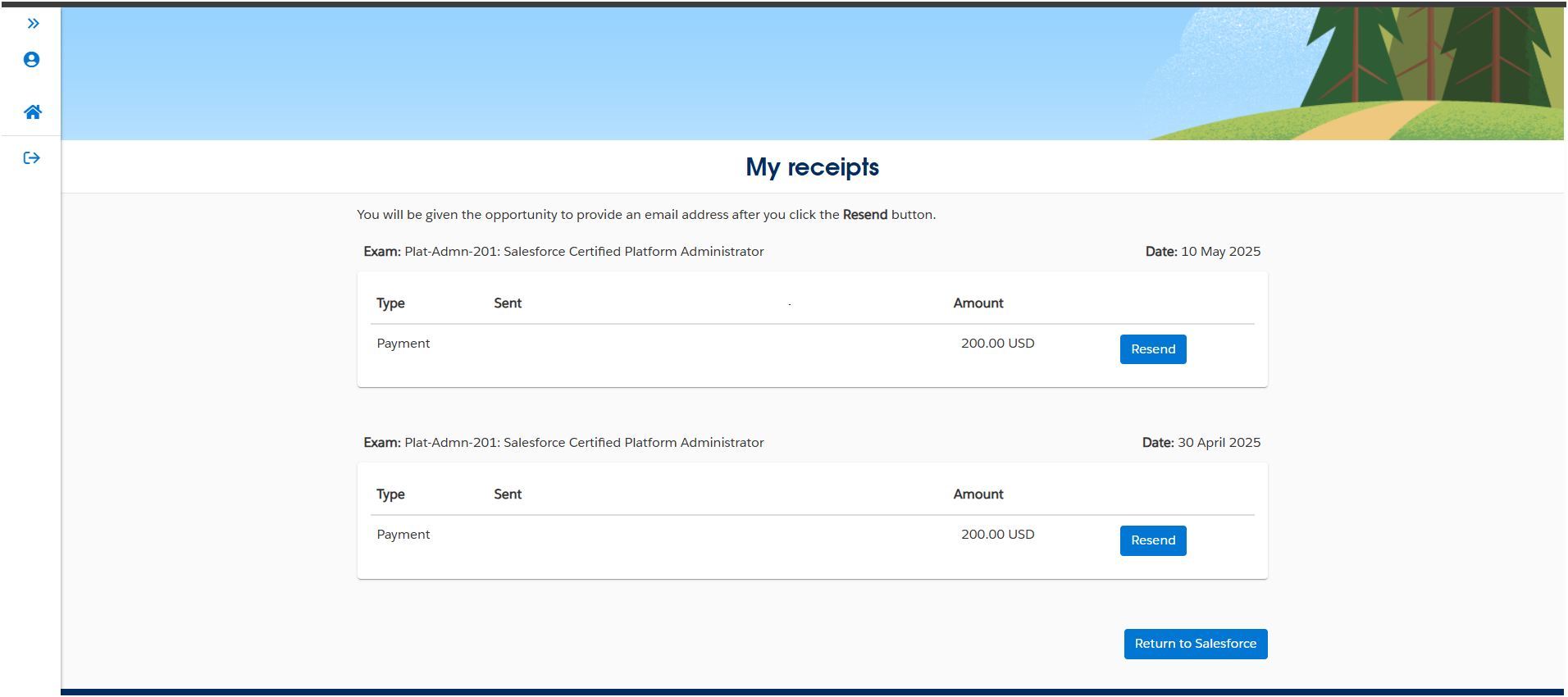
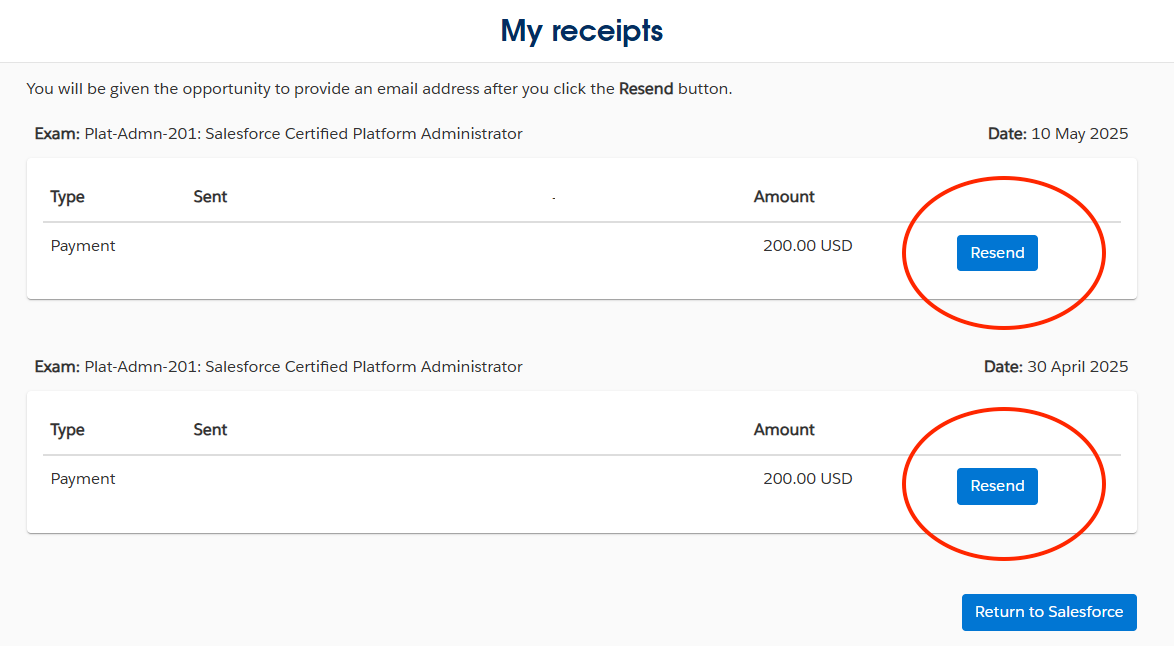
- You will be taken to Pearson’s My receipts page where you will have access to your order history and receipts for exam purchases made after July 2025.
- To receive an exam receipt, click Resend next to the relevant payment. The receipt will be sent to the email address associated with your Trailhead Academy Account.
How to Access Salesforce Certification Exam Receipts in Webassessor
Below is the step-by-step process for accessing Webassessor exam receipts from previous Salesforce certification exams.
-
Login to Webassessor.
-
Go to the Receipts tab.
-
For any exam in which you paid and did not use a voucher, you can select the exam’s registration date and generate its receipt.
Reach out to Kryterion support directly to access a particular Salesforce exam receipt.
Questo articolo ha risolto il problema?
Facci sapere, così possiamo migliorare!
