Vælg en organisation
Internal Server Error When Setting Up Optimize Predictions Under Einstein Forecasting
Udgivelsesdato: Mar 12, 2026
Beskrivelse
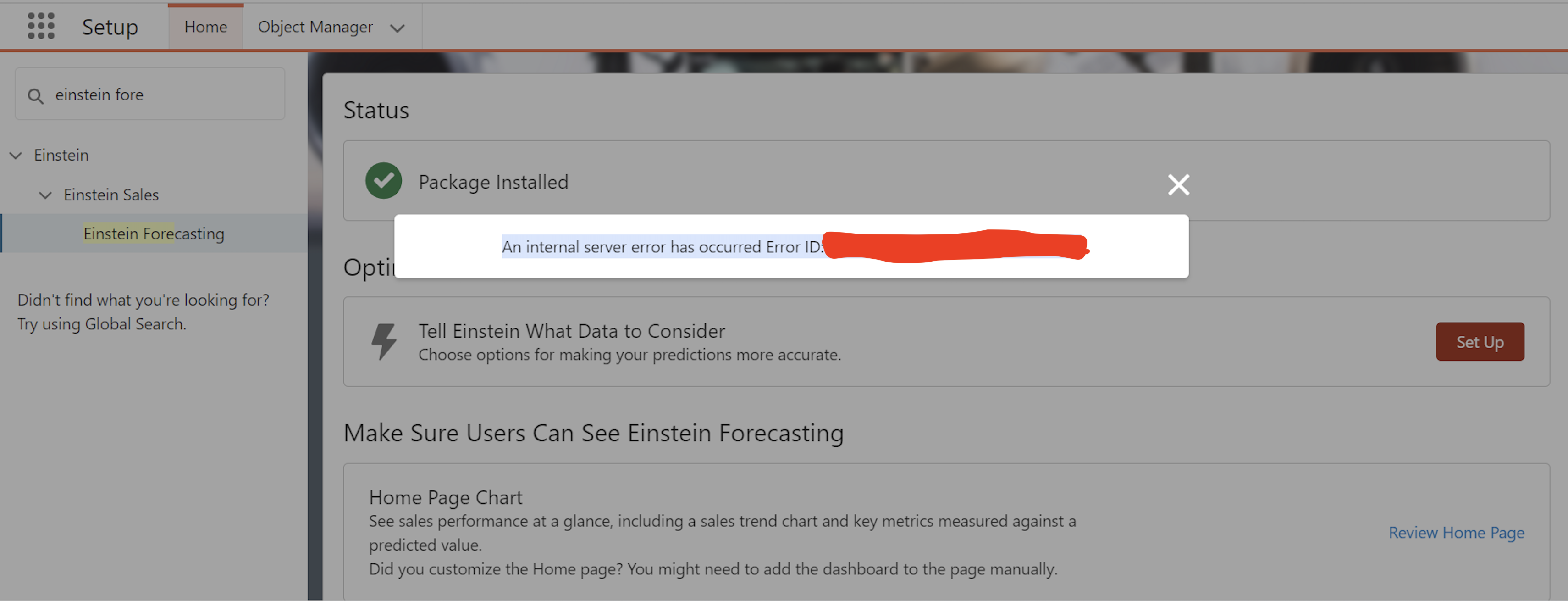
After enabling Einstein Forecasting, an internal server error occurs when attempting to configure “Tell Einstein What Data to Consider” under Optimize Predictions in Einstein Forecasting. The error message displayed is: “An internal server error has occurred. Error ID: xxxxxxxxxx-xxxxxx (-xxxxxxxxxx).”
Løsning
The issue occurs because two Global Picklists with the same Label and API Name exist in the Salesforce org. One picklist may have been created directly in the org while the other originates from a managed package, or both may be from managed packages. These picklists are currently used on the same entity(object) and were referenced while creating Forecasting Types, resulting in a conflict.
Recommended Action:
-
From Setup, search for Picklist Value Sets in Quick Find.
-
Verify whether any Global Picklists appear more than once with the same Label and API Name.
-
Rename the Label or API Name of one of the Global Picklists to ensure uniqueness.
-
Before deactivating or deleting a Global Picklist, ensure that it is not referenced by any Forecast Types. If it is in use, remove the related references or deactivate the associated Forecast Type accordingly.
Yderligere ressourcer
Understand How Einstein Creates Your Forecasting Prediction.
Considerations for Setting Up Einstein Forecasting
Vidensartikelnummer
005305367
Løste denne artikel dit problem?
Giv os besked, så vi kan forbedre os!
