Vælg en organisation
Unable to Delete a Custom Field in Salesforce Due to a Lightning Console App Reference
Udgivelsesdato: Oct 9, 2026
Beskrivelse
When you click the reference Update Console, it leads to the Lightning App Builder. This page contains many apps, making it difficult to find the app that uses the field.
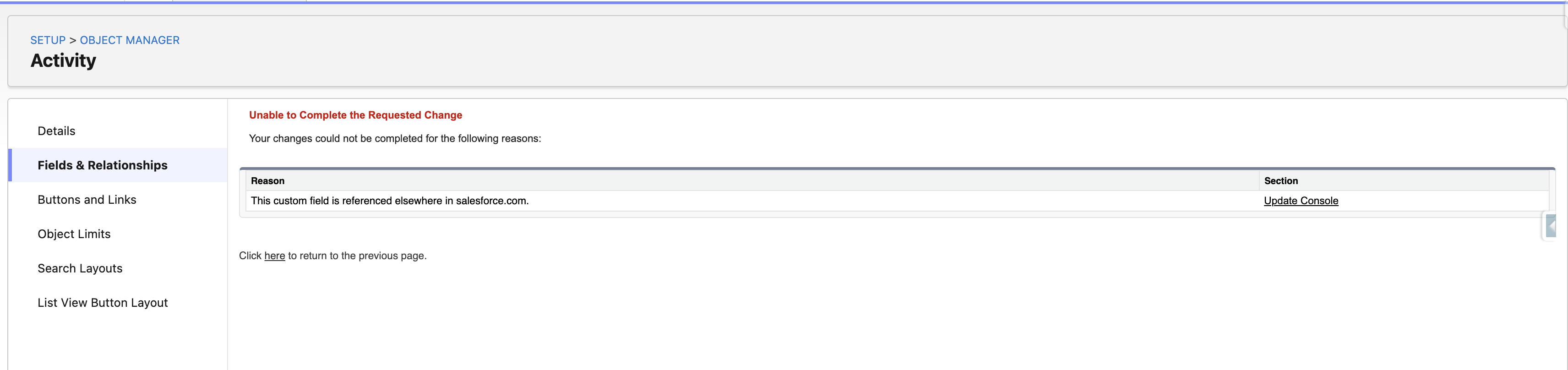
When attempting to delete a custom field (under any custom or standard object), you may receive the following error:
Løsning
This article explains how to find the Lightning Console app that references a custom field and prevents you from deleting it in Salesforce, and how to remove that reference.
Why the Custom Field Cannot Be Deleted
In this example, the Activity object has a custom field called Account__c. When we attempted to delete this field, we received the error: This custom field is referenced elsewhere in salesforce.com—>Update Console.
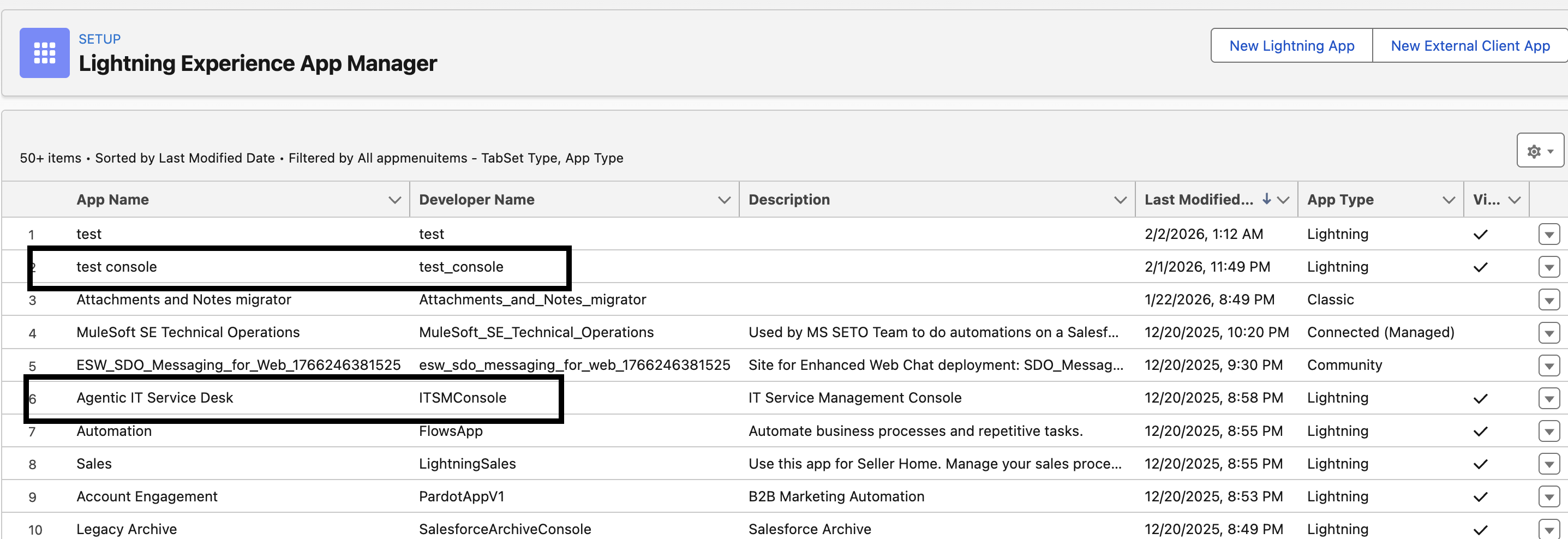
Clicking the Update Console link takes you to the App Manager. This location can be challenging to navigate. Look for an app that ends with the word "Console."
Find Apps That Use Console Navigation
If the app name does not include the word Console, you can find apps that use console navigation with the following query. The query returns the Id, navigation type, and developer name of every app whose navigation type is Console.
SELECT Id, NavType, DeveloperName FROM CustomApplication WHERE NavType='Console'
The following example shows two apps that use the Console navigation type. You can check for other apps that use console navigation as well.
Remove the Field Reference from the Console App
Once you have all the console app information, open the console apps one at a time and update the navigation rules.
- Choose a console app and click Edit.
- Click Navigation Rules.
- Choose the object under which you are trying to delete this field. In this example, the object is Activity, so we checked both Task and Event.
- Click the Subtabs radio button under Event to open the section.
- In Subtabs, search for the field that you are trying to delete. In this example, the field is Account__c.
- Replace this field with another field.
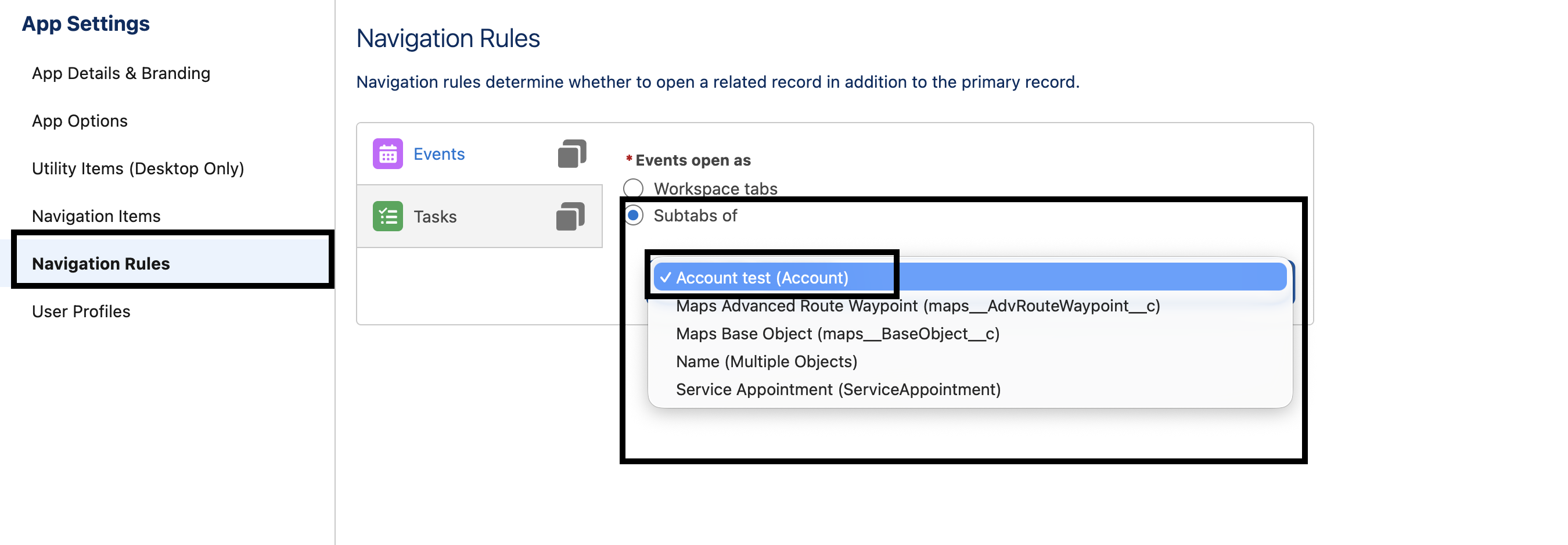
Once you replace the Subtabs reference to the affected field with another field, you can delete the field without any issues.
Yderligere ressourcer
Vidensartikelnummer
005305462
Løste denne artikel dit problem?
Giv os besked, så vi kan forbedre os!
