Seleccionar una organización
Salesforce Outlook Add-In Shows “To Relate This Event to Salesforce Records, First Save the Event” for Future Meetings
Fecha de publicación: Feb 2, 2026
Descripción
Users experience this issue while accessing the Salesforce Outlook Add-In from Outlook Web App (OWA) for future, already-saved meetings.
The issue can be reproduced with the following steps:
-
Log in to Outlook Web App (OWA).
-
Navigate to Outlook → Calendar.
-
Double-click on any future date to create a meeting.
-
Open the Salesforce Outlook Add-In.
-
Enter a meeting title and save the event.
-
Reopen the same meeting.
-
Open the Salesforce add-in again.
Despite the event being saved, the Salesforce sidebar continues to display the message:
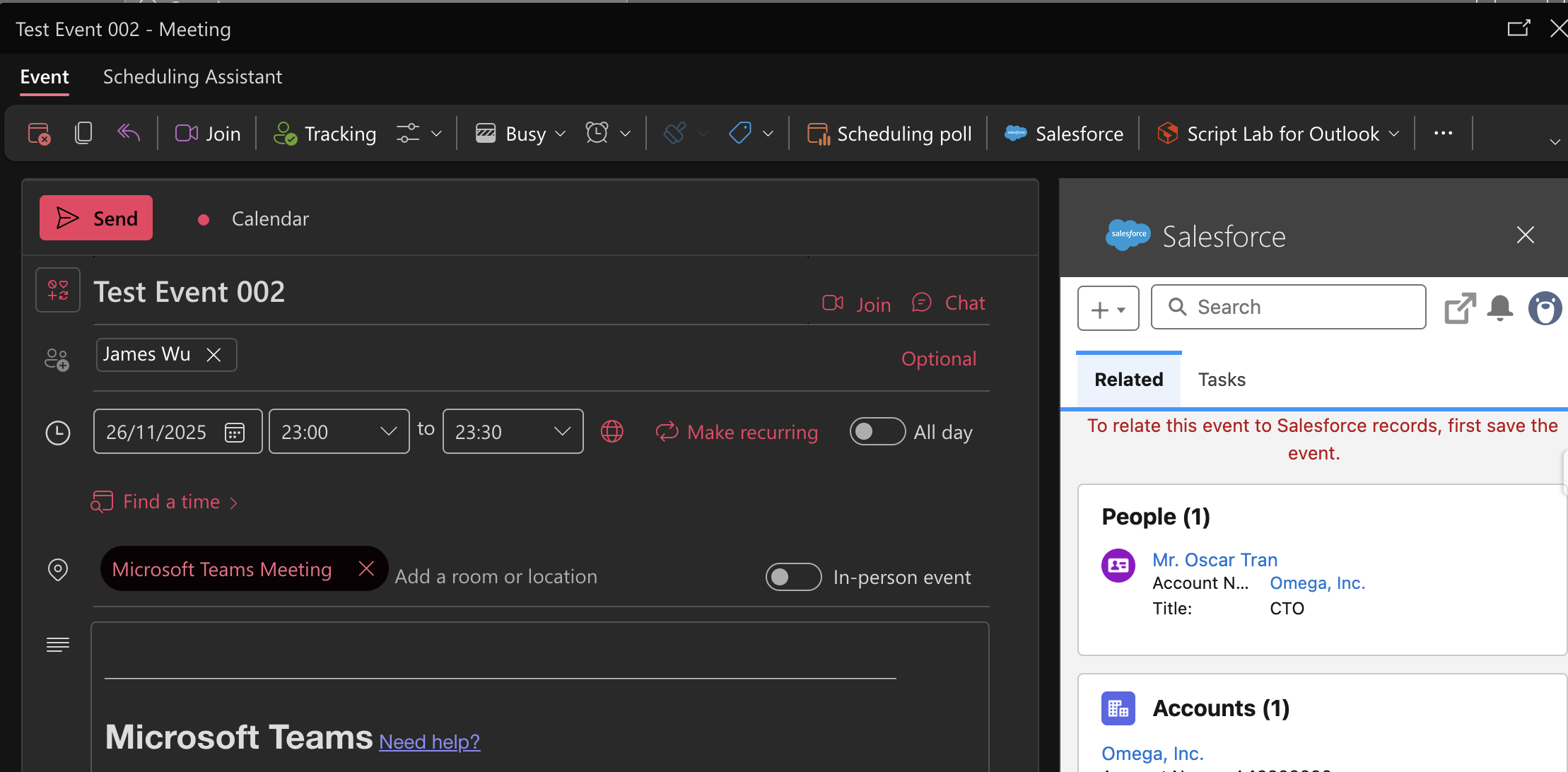
“To relate this event to Salesforce records, first save the event.”
This occurs because the event opens in Edit mode, not Read mode.
Solución
This is expected behavior. When a calendar event is opened in Edit mode, the Salesforce Outlook Add-In treats it as unsaved and displays the message accordingly.
Workaround / Recommendation:
-
Ask the customer to contact their IT team or Microsoft Support to check whether Outlook can be configured so that calendar events open in Read mode by default instead of Edit mode.
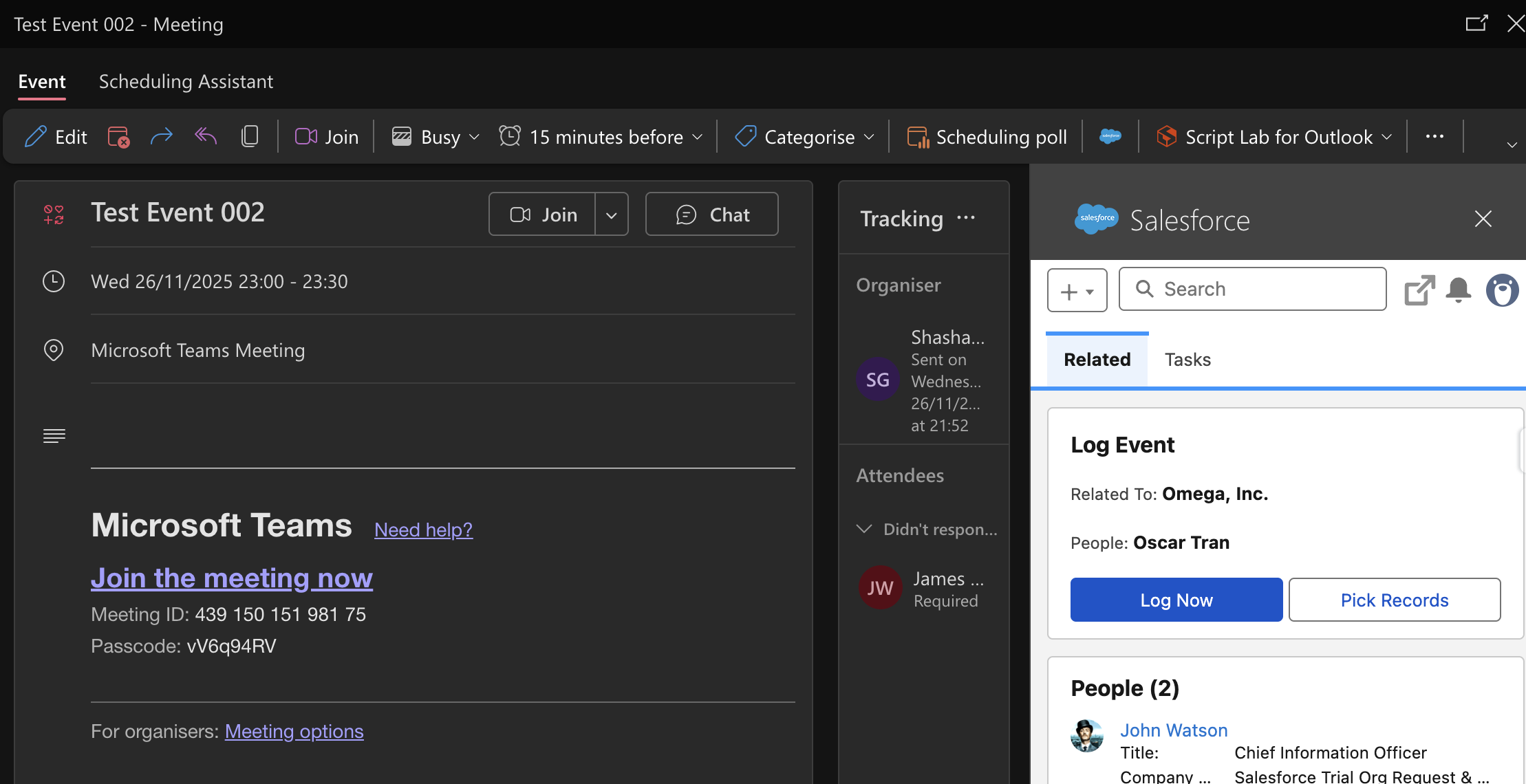
When the event is opened directly in Read mode, the Salesforce add-in functions as expected and allows the event to be related to Salesforce records.
Recent testing confirms:
-
✅ Event opened in Read mode → Salesforce add-in works correctly
-
❌ Event opened in Edit mode → Save message continues to appear
Número del artículo de conocimiento
005305512
¿Resolvió este artículo su problema?
¡Háganos saber cómo podemos mejorar!
