Valitse organisaatio
How to Report on Entity Definition and Field Definition Using a Salesforce Custom Report Type
Julkaisupäivä: Sep 8, 2026
Kuvaus
The Entity Definition represents the metadata of the standard or custom object of which the Field Definition or Entity Particle are components. By default, there is no standard report type available for these objects.
Ratkaisu
This article explains how to build a Custom Report Type so you can report on Entity Definition and Field Definition metadata in Salesforce, since no standard report type covers these objects by default.
Create the Custom Report Type
Follow these steps in Lightning Experience to create the Custom Report Type:
- In Setup, in the Quick Find box, enter Report Types, and select Report Types.
- On the Custom Report Types welcome page, click Continue.
- Click New Custom Report Type.
- Enter the report type details.
- Select the primary object as Entity Definition for your custom report type.
- Select Field Definition as the secondary object.
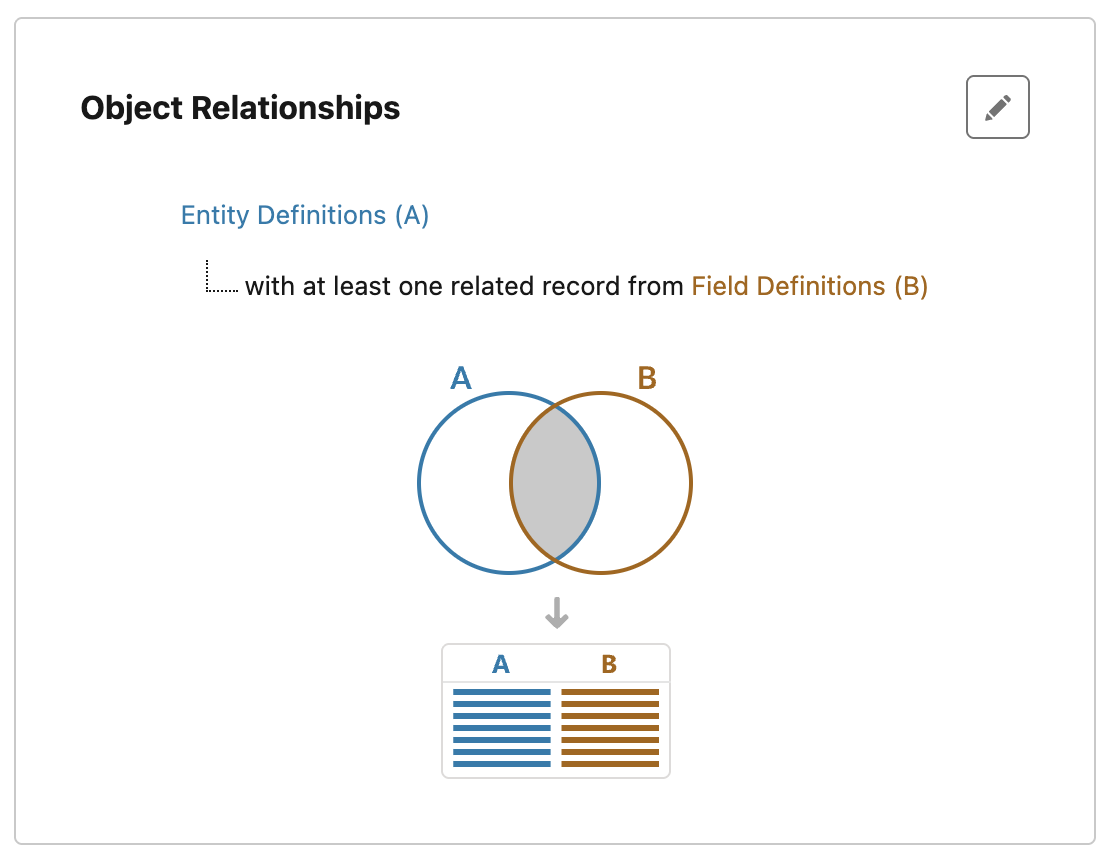
Generate a Report on Entity Definition and Field Definition
- From the Reports tab, click New Report.
- Select the report type created above, then click Create.
- Add the necessary fields and filters.
- Run the report and Save.
Known Limitations
This report returns all objects, including managed package objects, standard (out-of-the-box) objects that are not visible in the UI, history objects, and others.
Currently, this report does not support accurate data export. There may be a discrepancy between the number of records returned when the report is run and the number of records in the exported data. See this Known Issue.
Lisäresurssit
Knowledge-artikkelin numero
005316034
Ratkaisiko tämä artikkeli ongelmasi?
Anna palautetta, jotta voimme kehittyä!
