조직 선택
Remove Extra Context Tags to fix Quote Calculation Error
게시 일자: Mar 12, 2026
상세 설명
When users attempt to add products to or calculate a Quote, the system fails and displays the following error message:
Your quote was not updated. Cannot invoke "java.util.Map.get(Object)" because the return value of "java.util.HashMap.get(Object)" is null
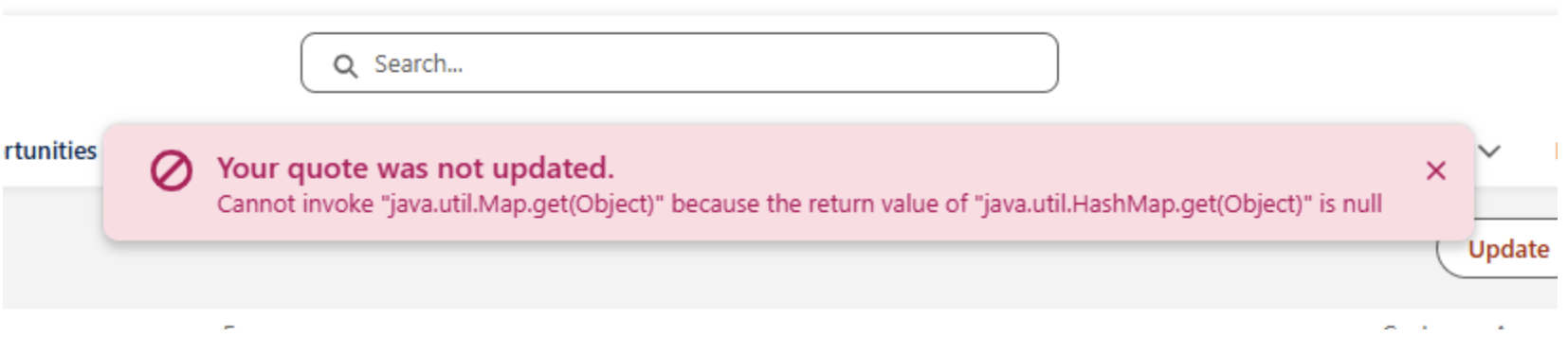
This occurs because the SalesTransaction Context Definition (CD) contains an unexpected attribute tag in the SalesTransaction node. If additional Node Tags exist, the calculation engine fails, resulting in this error. It will also be noticed that the CalculationStatus field on the Quote becomes PriceCalculationFailed.
솔루션
To determine if your Context Definition contained an extra tag:
-
Navigate to your Context Definitions from Setup.
-
Select your SalesTransaction CD.
-
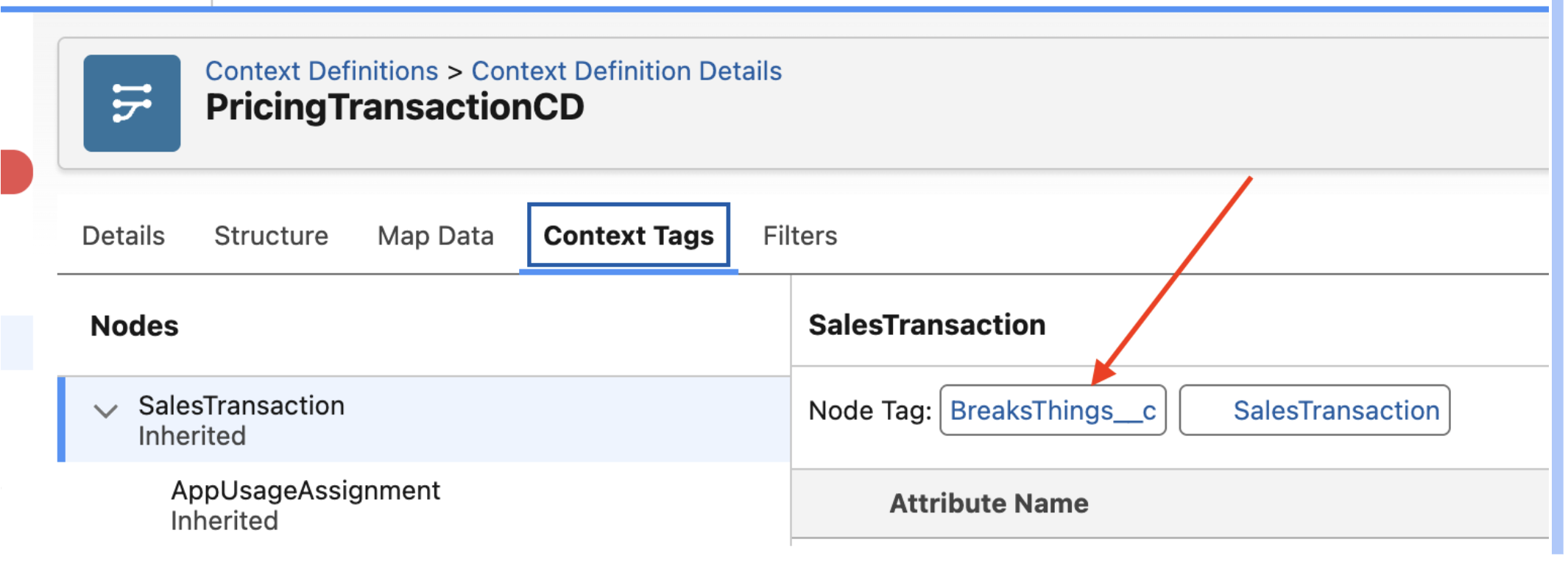
Click the Context Tags tab and select the SalesTransaction node.
-
Check the Node Tag list; any tag other than SalesTransaction must be deleted.
To remove the tag:
-
Click Deactivate on the Context Definition header.
-
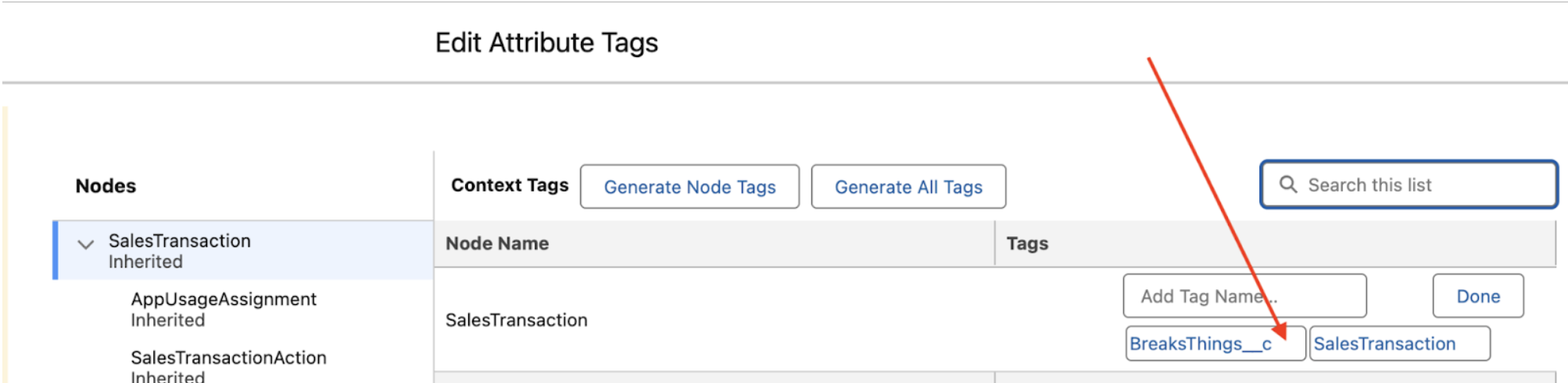
Click Edit, then navigate to the Edit Attribute Tags page.
-
In the left column, ensure SalesTransaction is selected.
-
In the Node Name section, locate the SalesTransaction tags.
-
Click the blank space on the far right side of the extra tag (the X to delete it is functional, but currently invisible).
-
Click Done, then click Save.
-
Activate your Context Definition.
Now, try calculating a Quote to confirm the error is resolved.
Knowledge 기사 번호
005316661
이 기사를 통해 문제를 해결했습니까?
개선을 위한 의견을 보내주세요.
