Velg en organisasjon
Approval Process Work Items List View Behavior and Filter Options
Publiseringsdato: Apr 30, 2026
Beskrivelse
Before we start discussing this, we recommend you review this complete article regarding Approval Work Items and Orchestration Work Items and View All Approval Work Items
In Salesforce Lightning, whenever a user wants to see the approval work items assigned to them, they can follow the steps below.
Løsning
Open the Approvals App
Use the Approvals app to view all approval work items.
- On the navigation bar, click .
- In the search box, enter approvals, and then select Approvals.
- The Approvals app opens.
- On the Home tab in the Approvals app, click the Review My Approval Work Items tile.
- The Assigned Approval Work Items list view opens.
- To see assigned and completed approval work items, from the dropdown list, select All Approval Work Items.
NOTE: The items shown in the list view depend on your access. If you don’t have access to see all approval work items, only approval work items that are currently assigned to you or that you completed are shown.
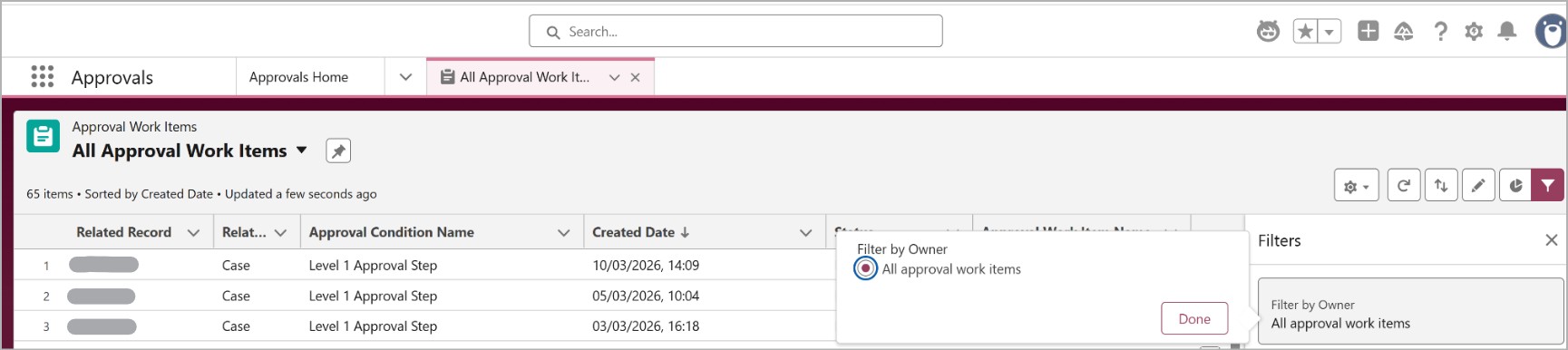
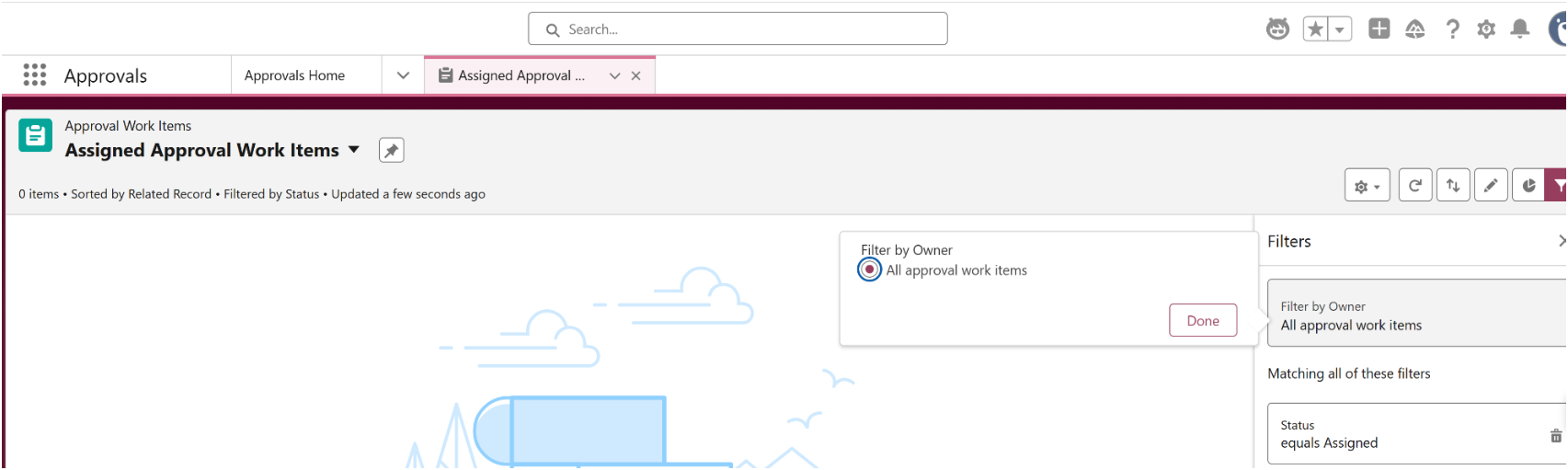
When the user opens All Approval Work Items list view and opens the filter panel, the user will notice the Filter by Owner field has only one option "All approval work items" and when the user opens Assigned Approval Work Items list view, the user will notice the same option in the Filter by Owner field which has only one option "All approval work items." The users might get confused here, as when we take other standard objects like Accounts, in the Filter by Owner field, it will have filters like "All Accounts" and "My Accounts" etc., which are based on the access and direct ownership by Owner field. However, it is not the same in the Approval Work Items object.
This is working as designed for Lightning. Unlike most standard objects, the ApprovalWorkItem entity does not have an Owner field; it has only Assigned to field. Instead, ownership is determined at the parent ApprovalSubmission level. If the user selects All Approval Work Items list view, they will see all the approval work items for which they have access, irrespective of the status assigned, approved, etc. However, if the user selects Assigned Approval Work Items list view, they'll only see the approval work items that are assigned to them. The "Assigned Approval Work Items" list view should be used to see items assigned to the current user (via direct assignment, queues, or delegation).
In short, even though the users see "All approval work items" as the only option in the Filter by Owner field of the Assigned Approval Work Items list view, it will still filter and show only the work items that are assigned to the current logged-in user based on the assignment via direct assignment, queues, or delegation. If needed, the user can add an additional filter based on the status which they would like to see.
All Approval Work Items List view filter options:
Assigned Approval Work Items List view filter options:
Note: In the Salesforce Classic there is a BUG for Filter By Owner, which is explained in the below Known Issue Ownership filters are broken for Classic view for Approval Work Item
Flere ressurser
Approval Work Items and Orchestration Work Items
View All Approval Work Items
Known Issue: Ownership filters are broken for Classic view for Approval Work Item
Knowledge-artikkelnummer
005316833
Hjalp denne artikkelen med å løse problemet ditt?
La oss få vite det slik at vi kan forbedre!
