組織を選択
Unable to Activate a Lookup Filter Using a Formula Field with Custom Permission Logic
公開日: Apr 15, 2026
説明
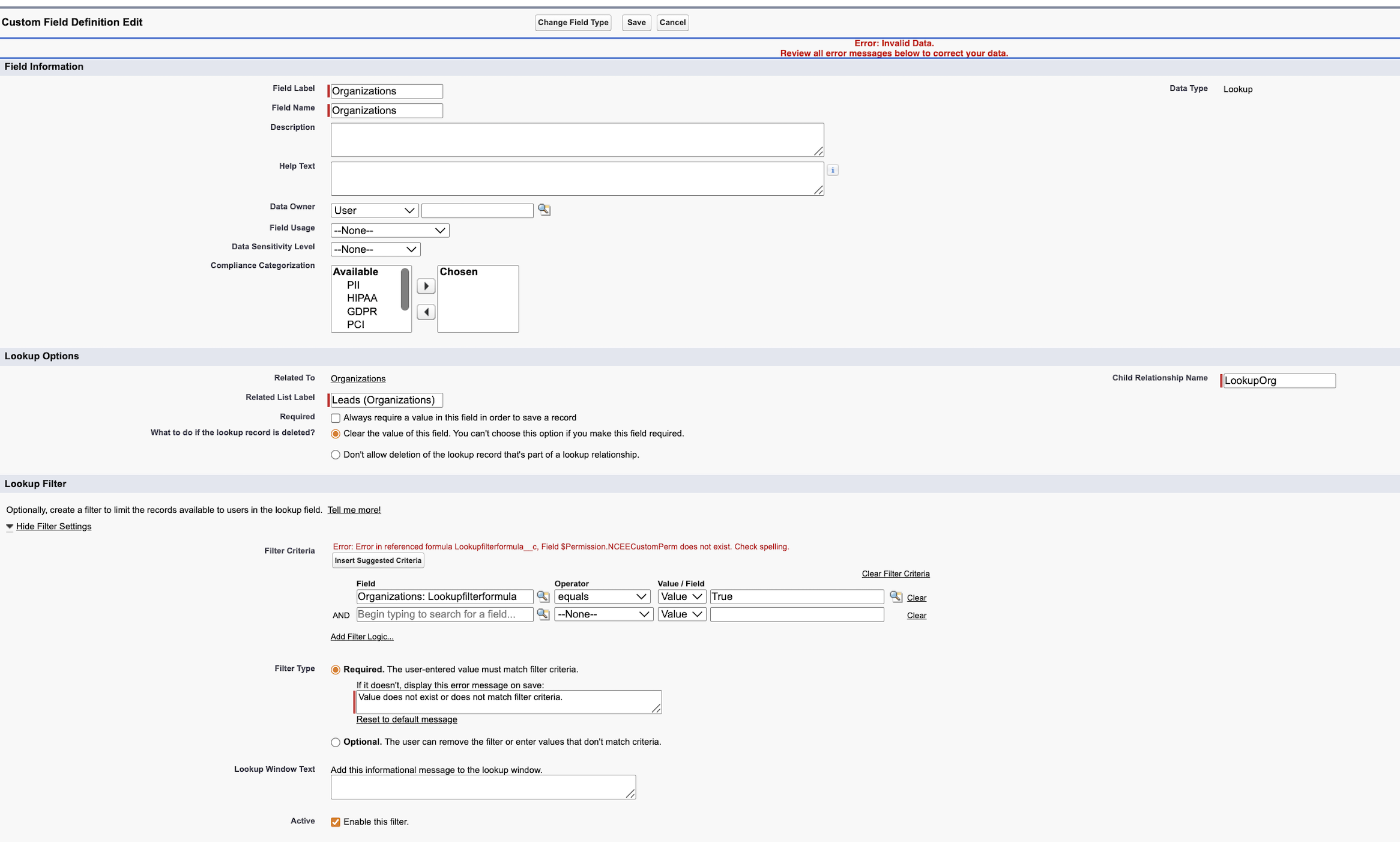
"Error message displayed when attempting to activate a Lookup Filter using a formula field that references a Custom Permission: 'The permission does not exist.'"
This issue affects admins configuring Lookup Filters on standard or custom objects in Salesforce Lightning Experience. It occurs when the filter's formula field references a Custom Permission using $Permission logic, triggering a platform-level validation error during activation.
解決策
Because Salesforce does not currently support activating Lookup Filters that directly reference Custom Permissions in formula field logic, the following workaround allows you to activate the filter while preserving your intended logic.
Steps to Resolve:
1. Temporarily change the formula value to a simple, standard value.
2. Successfully activate the Lookup Filter.
3. Update the formula back to your original logic (using the Custom Permission) after activation.
4. Test the Lookup Filter in your environment to ensure it correctly restricts records based on the Custom Permission as intended.
5. Perform the test in your other sandbox (deactivating and attempting to reactivate) to see if the behavior is consistent across your orgs.
その他のリソース
Reference Idea - https://ideas.salesforce.com/s/idea/a0B8W00000GdZTKUA3/usage-of-users-permission-sets-in-formulas-validation-rules-and-lookup-filters
ナレッジ記事番号
005317925
この記事で問題は解決されましたか?
ご意見をお待ちしております。
