Seleccionar una organización
Calculate the Rates Using Tier Rate for Usage in Revenue Cloud
Fecha de publicación: Apr 10, 2026
Descripción
In Revenue Cloud, the users are facing the issue that the tier rates are not being calculated correctly. Instead of calculating based on tiers, the rates are being calculated on range, and getting incorrect values.
Solución
1. Create a new version of the Negotiable Rating Procedure and add the "Tier-Based Rate Discount" Element with the recommended decision table 'Tier-based Rate Adjustment by Rate Card Entry ID'.
2. Activate the newly created version and change the Ratable Summary statue to 'New'. Or Create the new records from Quote.
3. Now on Usage Summary click on 'Calculate Rate' and observe the rates.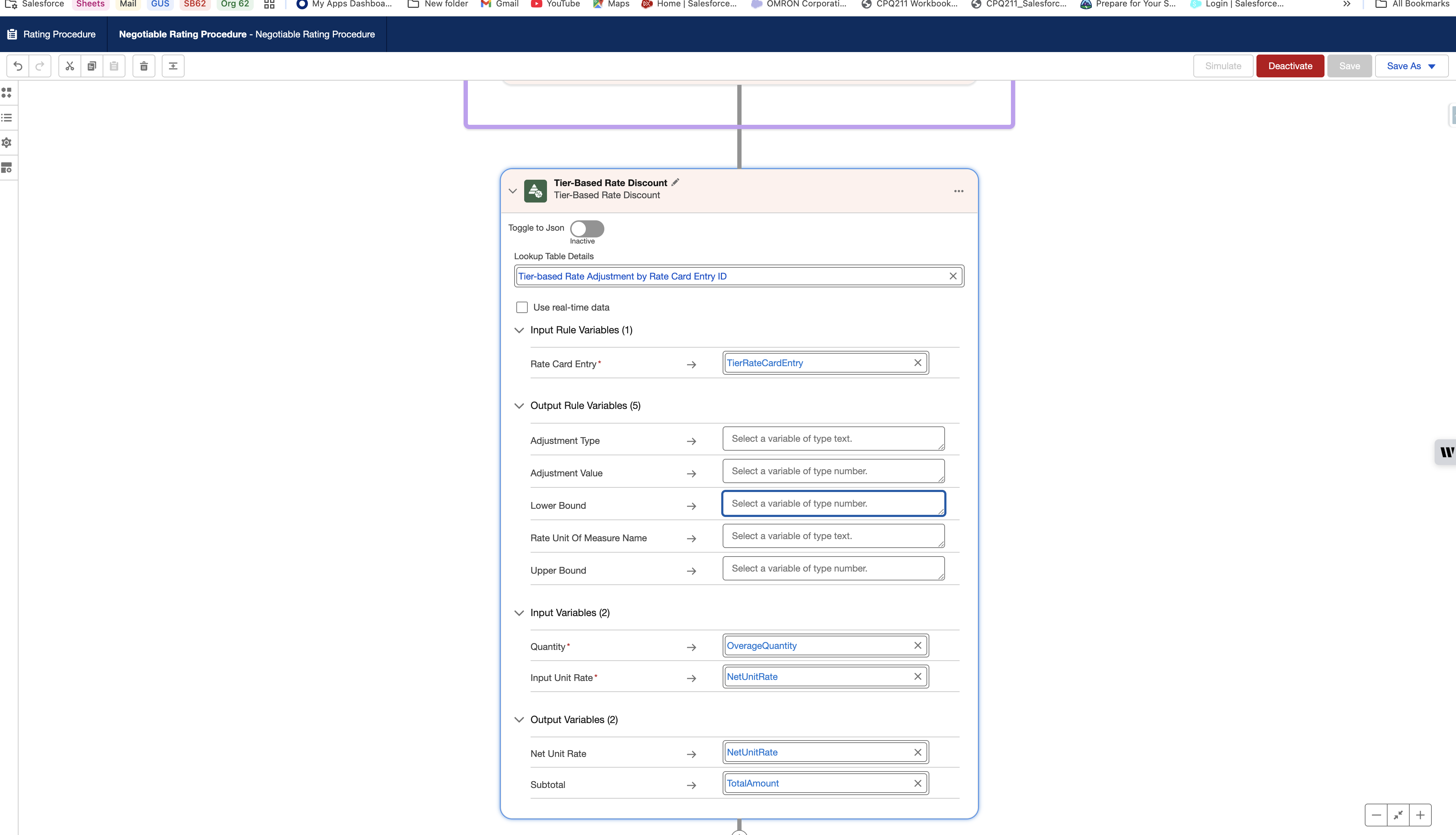
Recursos adicionales
Número del artículo de conocimiento
005318376
¿Resolvió este artículo su problema?
¡Háganos saber cómo podemos mejorar!
