Seleziona un'organizzazione
Calculate the Rates Using Tier Rate for Usage in Revenue Cloud
Data pubblicazione: Apr 10, 2026
Descrizione
In Revenue Cloud, the users are facing the issue that the tier rates are not being calculated correctly. Instead of calculating based on tiers, the rates are being calculated on range, and getting incorrect values.
Risoluzione
1. Create a new version of the Negotiable Rating Procedure and add the "Tier-Based Rate Discount" Element with the recommended decision table 'Tier-based Rate Adjustment by Rate Card Entry ID'.
2. Activate the newly created version and change the Ratable Summary statue to 'New'. Or Create the new records from Quote.
3. Now on Usage Summary click on 'Calculate Rate' and observe the rates.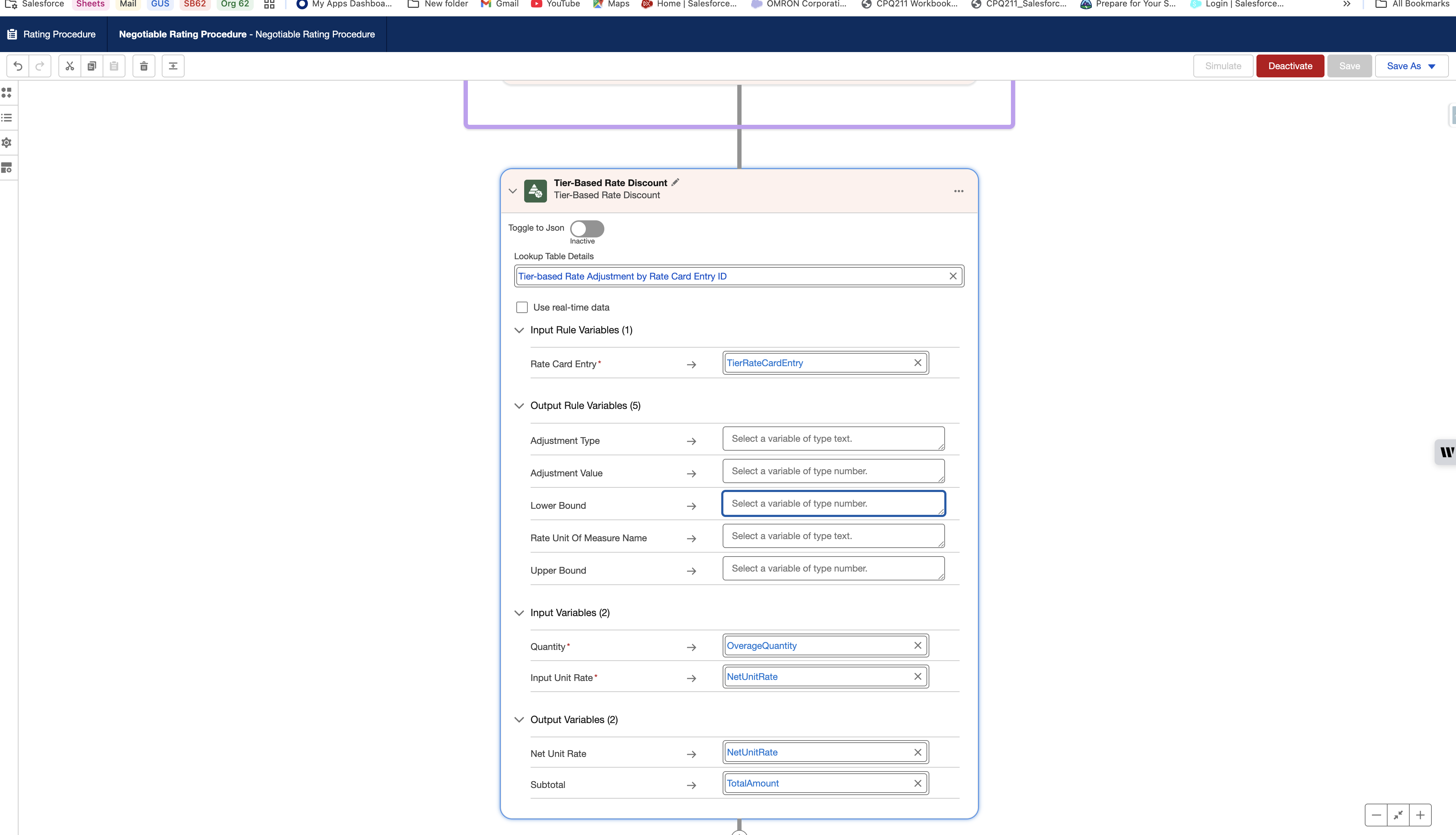
Risorse aggiuntive
Numero articolo Knowledge
005318376
Questo articolo ha risolto il problema?
Facci sapere, così possiamo migliorare!
