組織を選択
Calculate the Rates Using Tier Rate for Usage in Revenue Cloud
公開日: Apr 10, 2026
説明
In Revenue Cloud, the users are facing the issue that the tier rates are not being calculated correctly. Instead of calculating based on tiers, the rates are being calculated on range, and getting incorrect values.
解決策
1. Create a new version of the Negotiable Rating Procedure and add the "Tier-Based Rate Discount" Element with the recommended decision table 'Tier-based Rate Adjustment by Rate Card Entry ID'.
2. Activate the newly created version and change the Ratable Summary statue to 'New'. Or Create the new records from Quote.
3. Now on Usage Summary click on 'Calculate Rate' and observe the rates.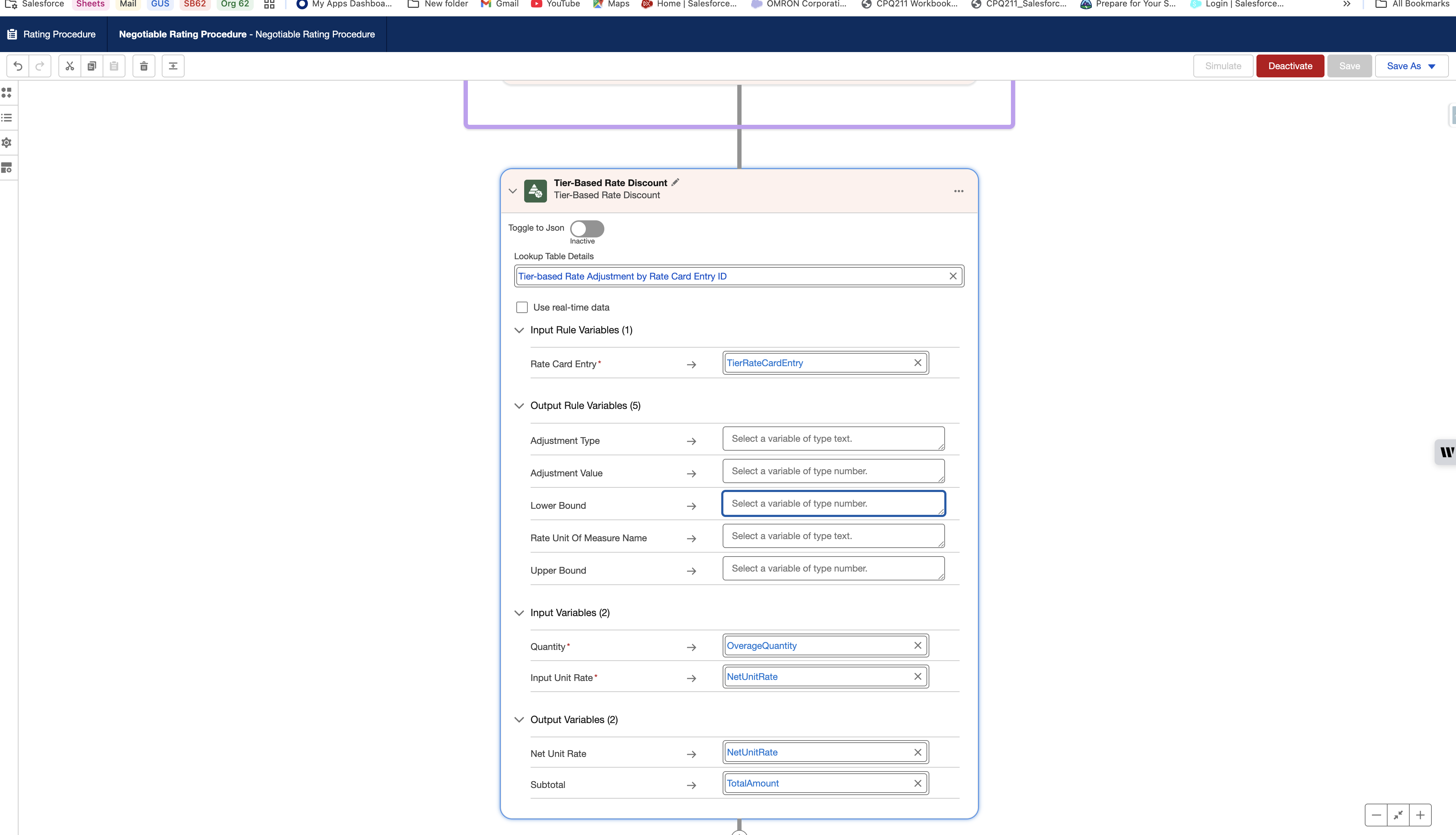
その他のリソース
ナレッジ記事番号
005318376
この記事で問題は解決されましたか?
ご意見をお待ちしております。
