Organisation auswählen
Error Cyclic relationships aren't supported in Tableau multi-fact data sources
Veröffentlichungsdatum: Apr 24, 2026
Beschreibung
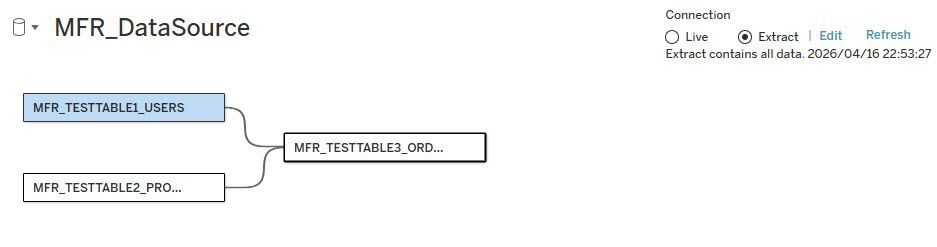
When editing a data source with multiple base tables using a multi-fact relationship, and attempting to reconnect the left-most base tables in the data model on the Data Source canvas, the following error may occur:
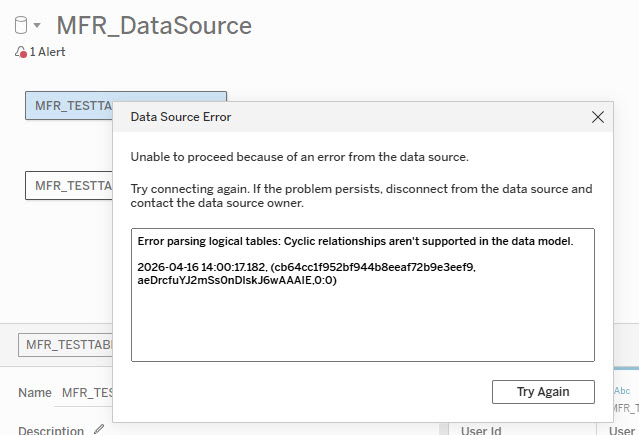
Unable to proceed because of an error from the data source. Try connecting again. If the problem persists, disconnect from the data source and contact the data source owner.
Error parsing logical tables: Cyclic relationships aren't supported in the data model.
Example:
-
Link base tables TABLE1 and TABLE2 in a multi-fact relationship data source.
-
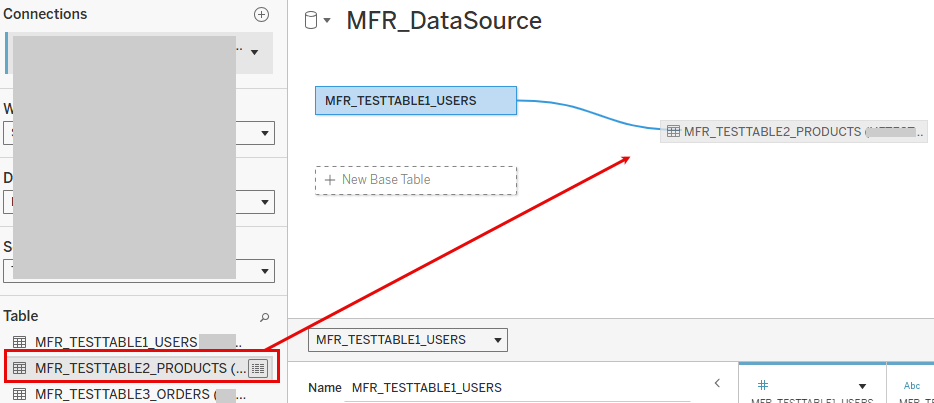
After removing TABLE3, connecting TABLE1 directly to TABLE2 on the canvas causes this error.
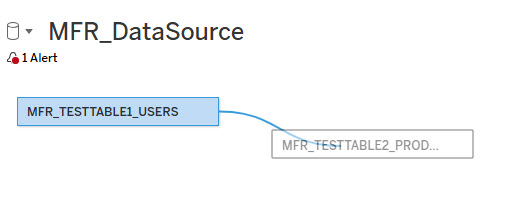
Error:
Product
-
Tableau Desktop
-
Tableau Server (Web edit)
-
Tableau Cloud (Web edit)
Cause
This issue in Tableau occurs when the data model creates a loop. The tables connect in a way that allows navigating from a table back to itself. For example:
- TABLE1 → TABLE2 → TABLE1
When editing multi-fact relation data sources, this usually happens if you connect multiple base tables in a way that creates a "bowtie" or circular relationship. Circular relationships are not supported.
For related information, see:
Lösung
To resolve this issue, use the following steps to restructure your data model in the existing data source edit screen:
-
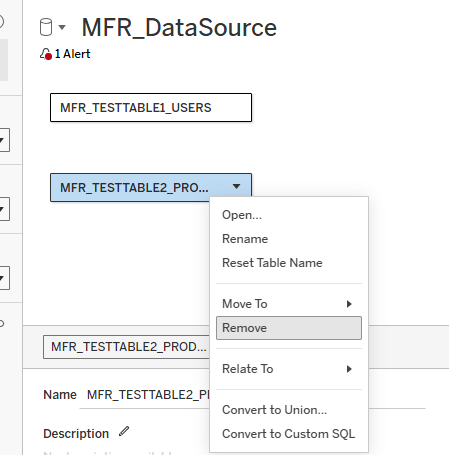
On the Data Source edit canvas, remove the base table that you intend to change to a normal related table.
-
Add the removed table back from the connection pane to the canvas, and try connecting it again. Ensure there is only one relationship path from an upstream table to a downstream table.
Zusätzliche Ressourcen
Nummer des Knowledge-Artikels
005318703
Konnten Sie Ihr Problem mithilfe dieses Artikels lösen?
Geben Sie uns Feedback, damit wir uns verbessern können.
