組織を選択
Tableau Prep: Oracle REGEXP Results Differ in Preview and Output
公開日: Apr 17, 2026
説明
The Regular Expression (REGEXP) functions are yielding inconsistent results when connected to Oracle database.
A significant variance exists between the data displayed within the Tableau Prep preview interface and the finalized flow output.
For example:
In Tableau Prep preview, the result for REGEXP_MATCH([Category],'^(?:.*?)(Su.*)$') of 'Office Supplies' is TRUE.
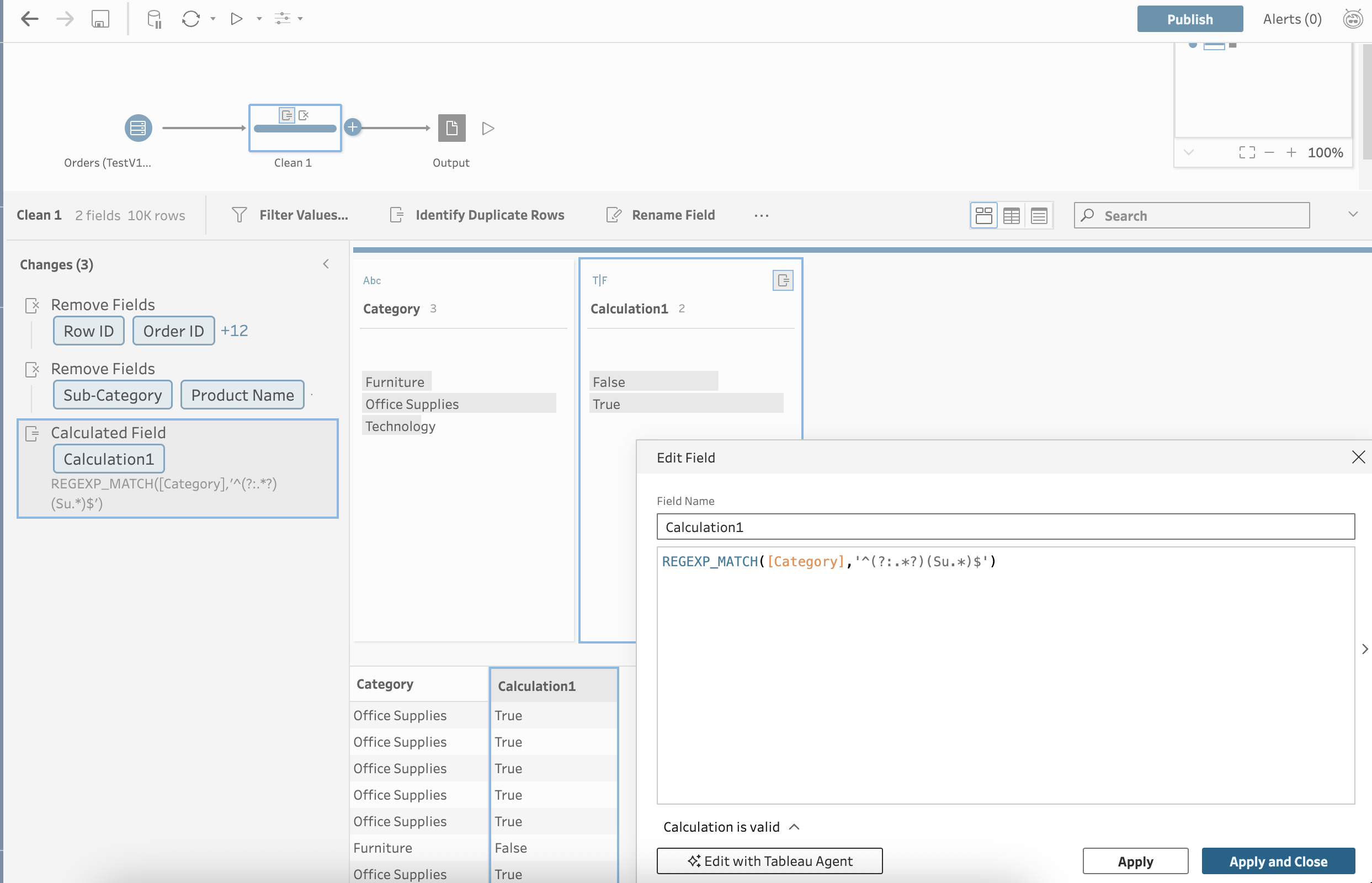
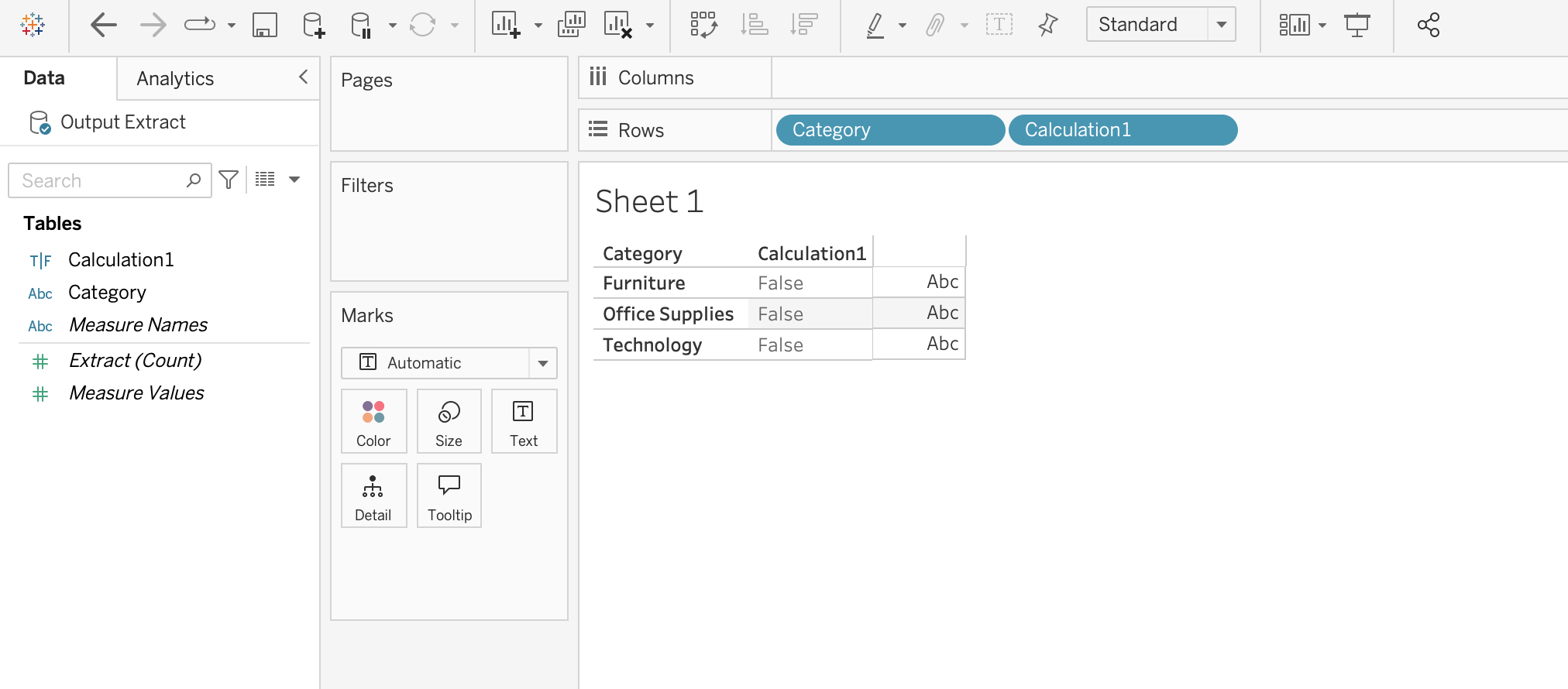
In the output, the result for REGEXP_MATCH([Category],'^(?:.*?)(Su.*)$') of 'Office Supplies' is FALSE.
解決策
During the design and validation phase, Tableau Prep utilizes a localized Hyper extract to render data previews.
Conversely, upon flow execution, the application translates regular expression logic into native SQL syntax, delegating the computational workload to the source database for full-scale processing.
Tableau Hyper extracts leverage the International Components for Unicode (ICU) library for regular expression evaluation—a robust open-source standard for C/C++ and Java.
In contrast, Oracle Database utilizes the POSIX Extended Regular Expression (ERE) standard, augmented by Perl-influenced extensions.
Consequently, identical patterns may yield disparate results due to these fundamentally different underlying syntactical engines.
To mitigate these discrepancies, use one of the following methods based on your use case
Option 1: Rewrite the regular expression patterns within POSIX Extended Regular Expression (ERE) standard.
For example:
- Original: REGEXP_MATCH([Category],'^(?:.*?)(Su.*)$')
- Revised: REGEXP_MATCH([Category],'Su')
Option 2: Replace REGEXP functions with string functions.
For example:
- Original: REGEXP_MATCH([Category],'^(?:.*?)(Su.*)$')
- Revised: CONTAINS([Category],'Su')
ナレッジ記事番号
005318706
この記事で問題は解決されましたか?
ご意見をお待ちしております。
