Seleziona un'organizzazione
dataloader.io CSV Import Error with Non-Latin Characters
Data pubblicazione: Jun 30, 2026
Descrizione
Issue
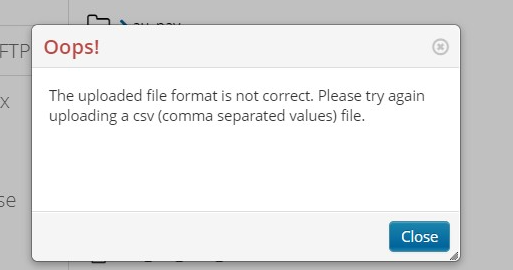
When using dataloader.io from MuleSoft, importing a CSV file with non-Latin characters may trigger the error: “The uploaded file format is not correct,” even if the file is a valid CSV.
Risoluzione
To resolve the error when importing a CSV with non-Latin characters using dataloader.io from MuleSoft, change your CSV file encoding to "UTF-8 with BOM". This encoding allows a bigger number of characters from other different alphabets.
To change the encoding, you will need to use a 3rd party application.
We don't recommend any particular application if not owned by MuleSoft, but just to provide a few examples, you can use "Visual Studio Code", "TextEdit", or "Notepad++" for this purpose.
In the links below, you can find information about how to change the encoding with those programs:
Numero articolo Knowledge
005318905
Questo articolo ha risolto il problema?
Facci sapere, così possiamo migliorare!
