Välj en organisation
Fixing Session Expiration Connection Errors in dataloader.io
Publiceringsdatum: Jun 30, 2026
Beskrivning
Cause
When you have a task that fails to run with this error this is, in most cases, related to the expired session of the secondary Salesforce connection that you are using for that task.
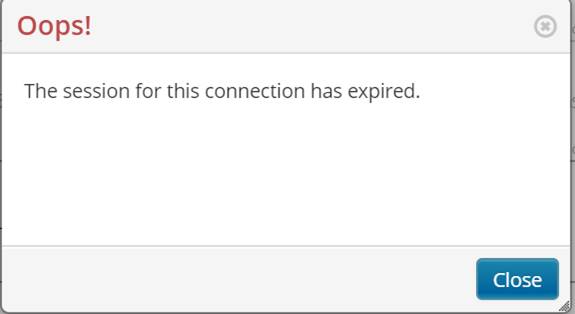
When you click on the error link you will observe the error "Oops! The session for this connection has expired."
You can find more information about the "Secondary Salesforce connection" on the article "Managing Salesforce Connections" (this is a feature available only for Enterprise subscriptions).
Lösning
Solution
The solution for the "The session for this connection has expired" message with dataloader.io is to refresh the connection session. To do this, please, follow the steps below:
- Check which user is set on this task by opening the task wizard (click on the pencil icon). In the wizard, the first field is the "Connection". Check on that field which username is selected, then click cancel (bottom right corner).
- Click on your username (top right corner) and then Settings.
- Go to the Connections tab (on the left menu).
- Click on New Connection > Salesforce.
- Depending on your Salesforce Organization settings, you might need to check the "I have a custom Salesforce domain" and then enter your domain (yourdomain.my.salesforce.com). Then click on Login with Salesforce.
- A pop up window will open where you will need to enter username and password for the same account which is set for the task (the one you validated on step 1). And then click on Log in.
- If the credentials are correct and the user configuration is correct too, you won't observe any change or message but the user session will be renewed.
After following the steps above, the task should start running properly again. In case it is still failing and any other connection is used on that task (like a FTP or SFTP) you should follow the same steps as above but for that other connection (New Connection > FTP/SFTP/Box/Dropbox > Enter credentials and any other needed detail to renew that connection too.
Knowledge-artikelnummer
005318986
Löste denna artikel ditt problem?
Berätta för oss vad vi kan förbättra!
