組織を選択
Marketing Cloud Engagement | Intelligence Reports - インテリジェンスレポートを使ったドメイン別バウンス率のピボットテーブル及び定期監視レポートの取得
公開日: May 15, 2026
説明
メール配信において受信クライアントのドメイン別バウンス率を簡易に確認する方法として、従来の Marketing Cloud Engagement レポートの場合、
①ドメイン別メールパフォーマンス
②すべてのドメインのメールパフォーマンスレポート
を利用し、集計した値が確認できます。
ただ、これらレポートは単体メールのみであるため、Marketing Cloud Engagement (MCE) のインテリジェンスレポートを活用することで、ドメイン別バウンス率を定期的に取得できます。
具体的には、必要な項目や条件を設定したピボットテーブルを作成し、その結果をメール、SFTP、Amazon S3、Google Drive などへ定期的に出力するよう設定します。これにより、MCE にログインすることなくレポートを取得できます。
※インテリジェンスレポートへのデータ反映には、最大 48 時間がかかります。
以下ピボットテーブル及びレポートの作成例を紹介します。
ピボットテーブルのアクセス方法 : ホーム画面から [Analytics Builder] - [インテリジェンスレポート] をクリック。画面上の [ピボットテーブル] をクリックし、[ピボットテーブルを作成] から新規作成
ピボットテーブル作成例 : 昨日のバウンス率が最も高かったドメイン順で可視化
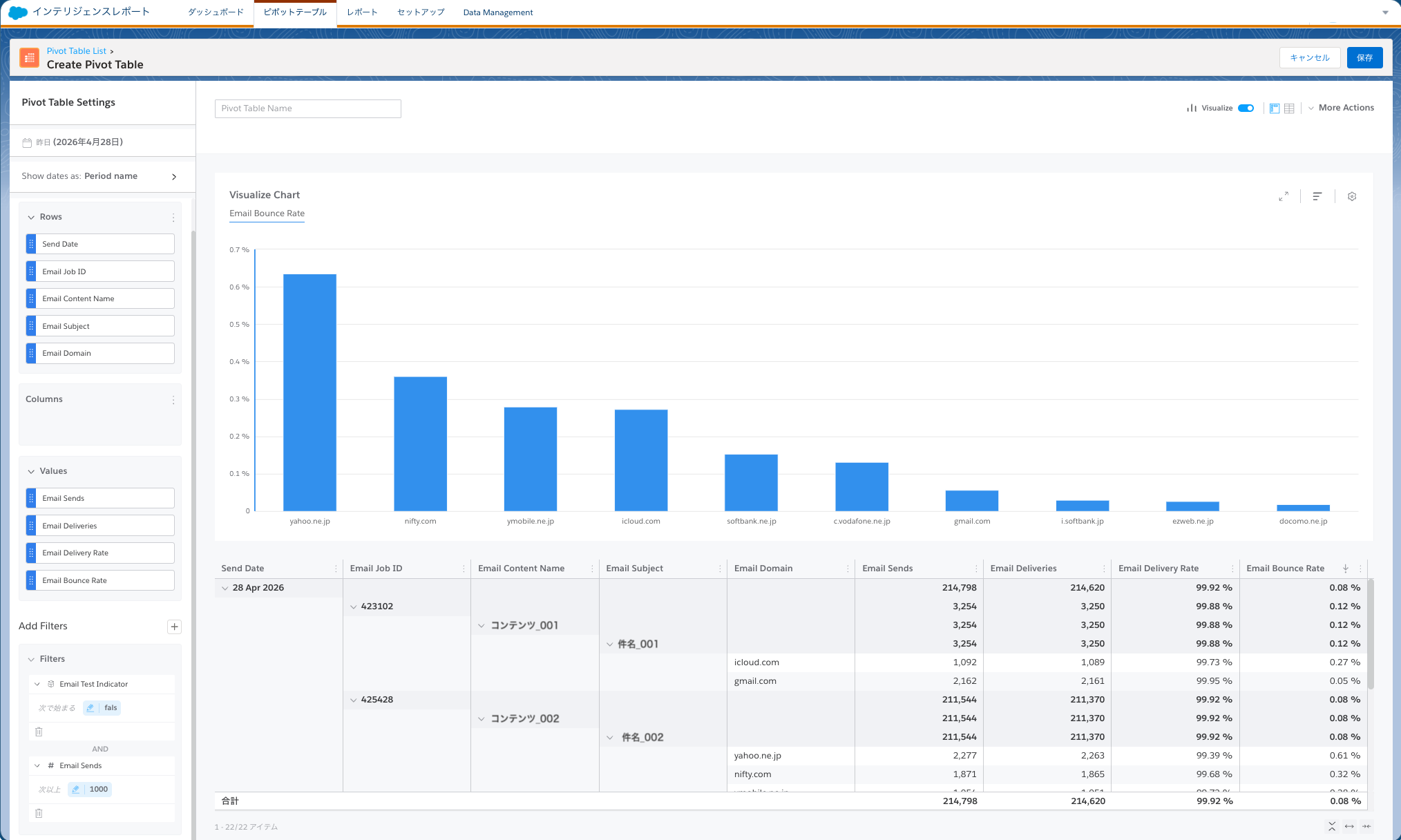
ディメンション
Send Date
Email Job ID
Email Content Name
Email Subject
Email Domain
メジャメント
Email Sends
Email Deliveries
Email Delivery Rate
Email Bounce Rate
フィルター
Email Test Indicator
Email Sends
※必要に応じて、ディメンションおよびメジャメント を参考し、ディメンションまたはメジャメントを追加してください。
レポートのアクセス方法 : ホーム画面から [Analytics Builder] - [インテリジェンスレポート] をクリック。画面上の [レポート] をクリックし、[レポートを作成] から新規作成
レポートの作成例
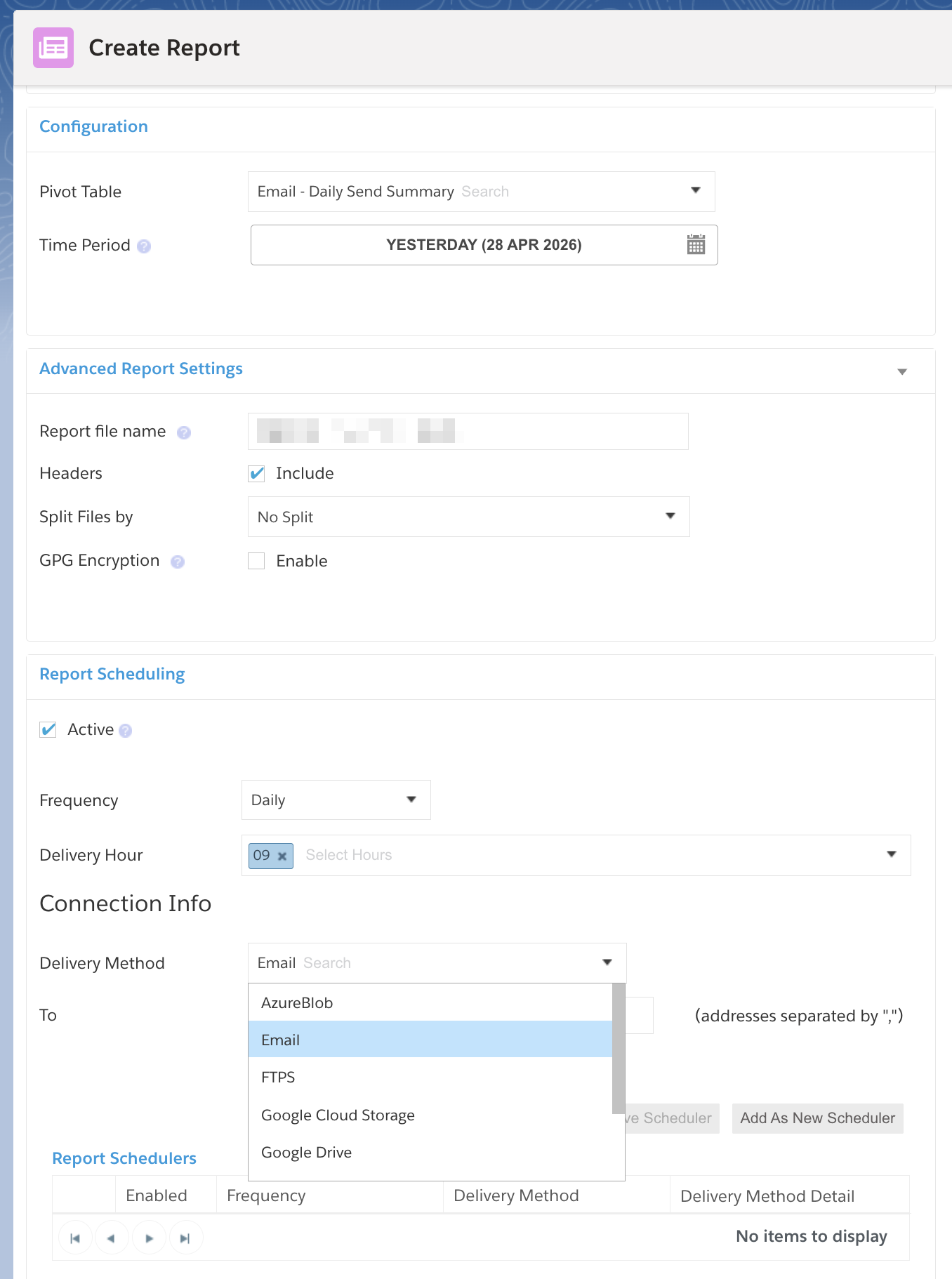
レポート作成時に、そのレポートの日時範囲や出力先 (例: メールアドレスなど) を指定することが可能です。
その他のリソース
ナレッジ記事番号
005321542
この記事で問題は解決されましたか?
ご意見をお待ちしております。
