Выбрать организацию
Salesforce Help Agent on help.salesforce.com
Дата публикации: Nov 11, 2026
Описание
Article Table of Contents:
Unlock More with Help Agent
Getting Started with Help Agent
How to Get Better Answers from Help Agent
Key Help Agent Features and Experiences
Additional Help Resource
Unlock More with Help Agent
Help Agent, powered by Agentforce, is an AI-enabled experience designed to help you get answers and guidance faster across your Salesforce journey.
Whether you're troubleshooting an issue, learning a new feature, managing support cases, or looking for personalized guidance, Help Agent connects you to trusted Salesforce resources in the moment you need them.
Help Agent is available across multiple Salesforce experiences, helping you stay productive without interrupting your workflow. In this article, you'll learn:
- What Help Agent can do
- Where you can access it
- Tips for getting better answers
- Key Help Agent features and experiences available today
Getting Started with Help Agent
Help Agent helps you quickly find answers, troubleshoot issues, and get personalized guidance using trusted Salesforce content and best practices. You can use Help Agent to:
- Get step-by-step guidance tailored to your task
- Ask questions and troubleshoot issues
- Learn about Salesforce features and best practices
- Discover relevant documentation and resources
- Manage support cases
Simply ask your question in natural language, just as you would with a teammate.
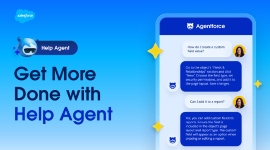
Looking for a quick overview? Check out this video on getting started with Help Agent.
Where to Access Help Agent
Depending on your experience, Help Agent is available in different locations, including:
- Salesforce Help
- Slack Help Center
- Informatica Help portal
- Rolling release: Inside the Salesforce product
Access methods and available features may vary across channels, including Salesforce Help, Slack Help Center, and Informatica Help Center.
How to Get Better Answers from Help Agent
Help Agent works best when your questions include clear details and context. Think of it like asking a teammate for help: the more specific your question is, the easier it is to provide accurate, actionable guidance. These examples and tips can help you get more useful answers faster.
Tips for Better Answers
| Tip | Why It Helps |
| Be specific about what you're trying to do. | Include the product, feature, or area you're working in so Help Agent can provide more relevant answers. |
| Include relevant context. | Share your role, what you've already tried, and any error messages improves troubleshooting accuracy. |
| Ask one question at a time. | Focused questions typically result in clearer, more complete answers. |
| Use action-oriented language. | Questions like “How do I…” or “I’m trying to…” help clarify your goal. |
| Request a preferred format if needed. | You can ask for step-by-step instructions, summaries, or troubleshooting guidance. |
| Refine your question if needed. | If the first response isn’t quite right, add more detail or clarify your request. |
Prompt Examples
| Scenario | Less Effective Prompt | Better Prompt | Why the Better Prompt Works |
| General question | “It’s not working.” | “I’m an admin and I’m getting an error when trying to activate a Flow in Setup. The error says ‘insufficient access.’ What should I check?” | Includes the user role, product area, specific action, and error message. |
| Feature help | “How do I add users?” | “How do I add a new user in Salesforce and assign them a Permission Set? I’m in a Sales Cloud org.” | Adds context about the task and environment. |
| Error troubleshooting | “I have an error.” | “I’m getting a FIELD_INTEGRITY_EXCEPTION error when saving an Opportunity. I’m using a custom validation rule. How do I debug this?” | Provides the exact error and relevant technical details. |
| Multi-question | “How do reports work and what are dashboards and can I export them?” | “How do I create a report in Salesforce and export it to Excel?” | Focuses on one task instead of multiple unrelated questions. |
| Integration issue | “My integration is broken.” | “My Salesforce-to-Slack integration stopped syncing Opportunity updates yesterday. I’m using the Salesforce for Slack app. What troubleshooting steps should I take?” | Explains the issue, timeframe, integration type, and expected behavior. |
Common Prompt Mistakes to Avoid
| Avoid This | Instead, Try This |
| Asking vague questions like “reports” or “permissions”. | Describe what you're trying to accomplish. |
| Combining multiple unrelated questions. | Ask one focused question at a time. |
| Leaving out error details. | Include the exact error message if available. |
| Assuming Help Agent knows your setup. | Describe your environment, integrations, or customizations. |
| Using broad statements like “it’s broken”. | Explain what changed and what behavior you're seeing. |
Why Clear Questions Matter
Help Agent grounds its answers in trusted Salesforce knowledge and contextual data. Clear, detailed questions help the system match your request to the most relevant guidance and resources. The more context you provide, the more personalized and actionable the response can be.
Key Help Agent Features and Experiences
Help Agent continues to expand across Salesforce experiences to provide faster, more connected support wherever you work. The following features highlight some of the ways Help Agent can assist with troubleshooting, case management, learning, and guided support experiences.
Slack Known Issues Now Available on Salesforce Help
Released October 2026
You can now view known Slack issues directly on Salesforce Help, making it easier to stay informed about reported issues, track their progress, and receive updates without contacting support.
- Find known issues faster: Search for reported Slack issues and view their current status to see if an issue you're experiencing has already been identified.
- Stay informed with updates: Report that you're impacted by a known issue and subscribe to email notifications to stay updated on its progress.
- Save time with self-service support: Access known issue details and status updates in one place, reducing the need to create a support case or contact support for updates.
Available to all customers through the Salesforce Known Issues page. No login is required to browse issues. To report impact or subscribe to notifications, sign in with your Trailblazer account and enable email notifications in your profile settings.
Enhanced Help Agent Experience in Slack Help Center
Released October 2026
Help Agent in the Slack Help Center has been enhanced to deliver more consistent, reliable, and context-aware support, making it easier to find answers and resolve issues.
- Get clearer, more consistent answers: Receive more structured and relevant responses that help you find the information you need.
- Enjoy smoother conversations: Help Agent better maintains context throughout your interactions, reducing unnecessary follow-up questions and keeping conversations focused on your needs.
- Access the same support capabilities: Continue to receive personalized assistance, create support cases, and connect with a human support agent when needed, all through the familiar Help Agent experience.
Available through Help Agent in the Slack Help Center with no additional setup or action required.
Self-Service Scheduling Now Available for Premier Onboarding and Expert Coaching
Released October 2026
Help Agent now makes it easier for eligible Premier and Signature customers to schedule, reschedule, and cancel 1:1 Premier Onboarding and Expert Coaching sessions, simplifying the scheduling experience and reducing back-and-forth coordination.
- Schedule sessions with ease: Book 1:1 Onboarding or Expert Coaching sessions directly through Help Agent once a Success resource has been assigned to your case.
- Manage your appointments: Easily reschedule or cancel existing sessions through Help Agent without the need for additional emails or manual coordination.
- Connect with the right expert: View available appointment times based on your assigned Onboarding Specialist, Success Guide, or Success Architect's calendar.
Available to eligible Premier and Signature customers through Help Agent's Onboarding and Feature Adoption experiences. Scheduling becomes available after a case has been created and a Success resource has been assigned.
Guided Onboarding Now Available for Financial Services Cloud
Released October 2026
Help Agent now offers personalized onboarding guidance for Financial Services Cloud (FSC) customers, helping you navigate setup, explore relevant capabilities, and get started with confidence.
- Get started with ease: Follow step-by-step guidance tailored to Financial Services Cloud, helping you navigate setup and identify the right next steps.
- Explore relevant capabilities: Receive guidance aligned with Financial Services Cloud use cases, including Agentforce capabilities when applicable.
- Simplify your onboarding experience: Access personalized setup guidance to reduce complexity, save time, and get the most out of Financial Services Cloud.
Available through Help Agent in the Salesforce Help Portal. Select Get Started from supported Salesforce Help pages or onboarding emails, or ask Help Agent, “Get started with Financial Services Cloud.”
Enhanced Slack Support with Help Agent
Released October 2026
Help Agent in the Slack Help Center now offers a more complete support experience, enabling customers to access personalized assistance, create support cases, and connect with a human support agent when additional help is needed.
- Get personalized support: Sign in to access AI-powered assistance tailored to your workspace and support entitlements.
- Create support cases with ease: Seamlessly create support cases directly through Help Agent when additional assistance is needed.
- Connect with a support agent: Escalate complex issues to a human support agent while preserving conversation context, eliminating the need to repeat information and helping streamline resolution.
Available through the Slack Help Center by selecting the Agentforce icon and signing in to your Salesforce account. FedRAMP customers will continue to be directed to Contact Us for support.
Agentforce Knowledge Re-Engagement During Escalation
Released October 2026
We’re testing intelligent knowledge re-engagement during escalations to help you resolve issues in the moment, reducing the need to wait on a support case.
- Intelligent, targeted support: When requesting a case creation, Agentforce may surface relevant knowledge solutions tailored to your specific issue. Engage with the suggested solution or continue with their escalation without additional conversation steps.
- Knowledge solutions not relevant? No worries - just indicate to Agentforce that you’d like to continue with case creation, and Agentforce will pick up where you left off.
Available to Standard and Premier users, testing pre-case and post-case knowledge re-engagement experiences. We’ll monitor customer experience and case deflection impact before determining whether to expand to a broader audience.
Personalized Adoption Guidance Expands to Agentforce
Released October 2026
Help Agent now offers personalized Adoption Guidance for Agentforce customers, making it easier to discover relevant capabilities, explore specific features, and take the next steps toward maximizing your Salesforce investment.
-
Discover new capabilities: Receive personalized recommendations aligned with your goals to help you identify which Agentforce features to explore next.
-
Get guidance tailored to your needs: Ask Help Agent questions like “How do I create a new opportunity?” or “How do I create a lead?” and receive feature-specific guidance and actionable next steps.
-
Make the most of Agentforce: Move beyond initial setup with relevant recommendations that help you explore additional capabilities and expand your use of Agentforce.
Available through Help Agent in the Salesforce Help Portal, with no additional setup required. Personalized Agentforce recommendations are available to Agentforce customers, while feature-specific guidance is available for supported features.
Adoption Guidance Expansion for Financial Services Cloud
Released September 2026
Adoption Guidance is expanding to Financial Services Cloud customers with personalized, goal-aligned recommendations that help customers discover the next features to adopt. Customers can also now access Adoption Guidance simply by asking natural-language questions like “What am I not using?” instead of finding and selecting a specific CTA.
- Discover what to use next: Get personalized feature recommendations aligned to your goals and current Salesforce usage.
- Ask naturally: Access Adoption Guidance conversationally without needing to find a specific entry point or CTA.
- Get more relevant guidance: Authenticated customers receive personalized recommendations, while unauthenticated customers can log in for personalization or continue with setup and best-practice guidance.
Available for Financial Services Cloud customers through Help Agent, with adoption prompts surfaced on relevant homepage and product experiences. Natural-language access to Adoption Guidance is available to authenticated and unauthenticated customers, with authentication required for personalized recommendations.
Agentforce Password Reset Action
Released September 2026
Agentforce can now trigger password resets directly within the conversation, helping customers resolve one of the organization’s top case drivers without navigating to a separate password reset experience.
- Resolve password issues faster: Customers can request a password reset conversationally or select the in-flow Reset Password CTA without navigating to login.salesforce.com.
- Reduce the need for Support: Self-service password resets are expected to deflect 150–300 password-related cases per month.
- Expand autonomous action: Agentforce can now take action on behalf of the customer, moving beyond providing guidance to helping complete the task.
Available for customers using Agentforce beginning September 2026. Password reset is available for Salesforce Core products and can be initiated by asking Agentforce directly or selecting the Reset Password CTA. Customers with broader access issues will still have a clear path to escalate to Support.
Note: The broader Agentforce experience supports multiple languages; the Password Reset action is limited to Salesforce Core products.
Simplified Onboarding for Sales & Service Customers
Released September 2026
New Sales and Service customers get a simplified onboarding experience tailored to their business goals, with guided steps to help them activate foundational features and get value from Salesforce faster. Eligible Agentforce customers will also receive guidance for setting up key Agentforce capabilities.
- Follow a simplified onboarding journey tailored to your selected business goal
- Get guided steps to activate foundational Sales and Service features
- Access additional onboarding guidance for eligible Agentforce capabilities, including Coworker, Pipeline Management Agent, Account Management Agent, and Service Assistant
Available for new Sales and Service customers through Help Agent and existing onboarding entry points, including Get Started experiences, product pages, onboarding articles, and onboarding emails. Eligible customers may also see a more prominent Get Started experience directly from the Salesforce homepage.
Agentforce Voice on 1-800-NO-SOFTWARE
Released August 2026
Agentforce Voice transforms Salesforce’s 1-800 experience by replacing traditional phone menus and triage with a conversational experience. Customers simply say what they need, and Agentforce helps resolve their request or connects them to the right person with their conversation context intact.
- Skip phone menus and triage, simply say what you need
- Get answers, guided troubleshooting, or connect directly to the right person
- Avoid repeating yourself when transferring to Support, your conversation context comes with you
Available now for English-language callers in the US and Canada who call 1-800-NO-SOFTWARE, with no additional action required.
Agent Script for Help Portal Agent
Released July 2026
Agent Script brings a more consistent and reliable Help Agent experience to help.salesforce.com, with smarter routing, persistent context, and a foundation for continued innovation.
- Get more consistent, high-quality support experiences through standardized and deterministic business logic
- Reach the right support channel with intent-based routing based on your entitlement
- Keep conversation context across topics and authentication without losing your place
Available for customers using Help Agent on help.salesforce.com. The new experience will roll out automatically through a controlled, phased release with no action required from customers.
Agentforce Case Refactor
Released May 2026
Agentforce Case Refactor streamlines the case creation experience into a faster, more intuitive flow that allows customers to review and edit all case details before submission directly within Help Agent.
- Create support cases faster with a simplified, guided experience
- Review and edit case details, severity, and org information before submitting
- Reduce inaccuracies and improve support outcomes with smarter severity recommendations and contextual org selection
Available for all customers through Help Agent with no additional setup required. Multi-tenant users will see a contextual org picker, while single-tenant users will experience a cleaner streamlined flow.
Agentforce Agent-Led Onboarding (MVP)
Released April 2026
A proactive, expert-guided onboarding experience delivered through the Help Agent to help Sales and Service Cloud customers activate key features faster — and reduce attrition driven by lack of adoption.
- Proactively guide new customers: Engages primarily Standard Success Plan customers with structured, step-by-step onboarding journeys surfaced directly in Help and product pages.
- Drive measurable adoption lift: Projected to increase product adoption scores by up to 3.9 points for engaged customers, based on Premier onboarding benchmarks.
- Reduce attrition and support load: Designed to address the 14% annual attrition rate among Standard customers and prevent an estimated ~225 success-related cases annually.
Available for Sales and Service Cloud customers (primarily targeting Standard Success Plan and SMBs) beginning April 2026. Customers can access onboarding guidance proactively through Help Home prompts, relevant product pages, My Success Plan feature cards, and contextual email transfers — or reactively by expressing onboarding intent in a Help Agent conversation.
Help Agent Inside the Salesforce Platform
Released April 2026
Get instant, contextual support directly inside your Sales and Service Cloud org — without leaving your workflow.
- Stay in flow: Search knowledge, open cases, start live chat (where enabled), and submit feedback from a persistent side panel embedded in Core.
- Reduce friction: Eliminate context switching between the Help Portal and your org, making it faster to get answers and take action.
- Drive smarter support: Context-aware responses improve answer relevance and are designed to reduce time-to-resolution for common “how do I” and configuration questions.
Available for Sales Cloud and Service Cloud customers in MVP orgs starting April 2026 via the existing Help Menu (?) icon. The Help Agent opens as a persistent side panel within the Core UI experience. Phased roll out, Enterprise and Unlimited Editions to come.
Enhanced Help Agent Experience on Salesforce Help
Released March 2026
A redesigned Help Agent experience on Salesforce Help provides a more intuitive and flexible support experience across Help pages.
- Improved discovery and access to Help Agent throughout your troubleshooting journey
- Prompt suggestions that make it easier to start conversations
- Flexible conversation experiences, including expanded chat views
- A more consistent support experience across Salesforce portals.
Available for authenticated and unauthenticated users across supported Help experiences and languages.
Agentforce on Informatica Help
Released December 2025
Get AI-powered answers directly from Informatica documentation to resolve questions faster and with less effort.
- Find answers from Informatica Knowledge Base articles, how-to content, and product documentation
- Reduce time spent searching across multiple support resources
- Access seamless routing to Informatica Support when additional help is needed
Available for visitors on Informatica Help experiences. Responses are grounded in Informatica content to provide trusted, relevant guidance.
Agentforce Case Management
Released December 2025
Manage support cases conversationally to find information, avoid duplicate cases, and take action faster.
- Find open or past cases related to similar issues
- Reduce duplicate case creation by surfacing existing support activity
- Comment on, escalate, or reopen cases directly through conversational interactions
Available for authenticated users on help.salesforce.com.
Agentforce for Renewals
Released October 2025
Get faster, clearer answers to renewal questions with personalized support and guided assistance.
- Access answers to common renewal questions
- View important contract details in one place
- Connect with your assigned Renewal Manager when additional assistance is needed
Available for customers interacting with Help Agent during the renewal process.
Additional Help Resource
If Help Agent cannot fully resolve your issue, you can ask to be connected to a live support engineer or open a case. Check out this article for additional information:
How to Get Support from Salesforce Help
Номер статьи базы знаний
005321798
Эта статья решила вашу проблему?
Оставьте свой отзыв, чтобы мы могли стать лучше!
