組織を選択
Unable to Find a Site Setting "Extract Refresh and Flow Run monitoring"
公開日: Jul 6, 2026
説明
Site admins with a Data Management Add-on license can control the site setting "Extract Refresh and Flow Run monitoring".
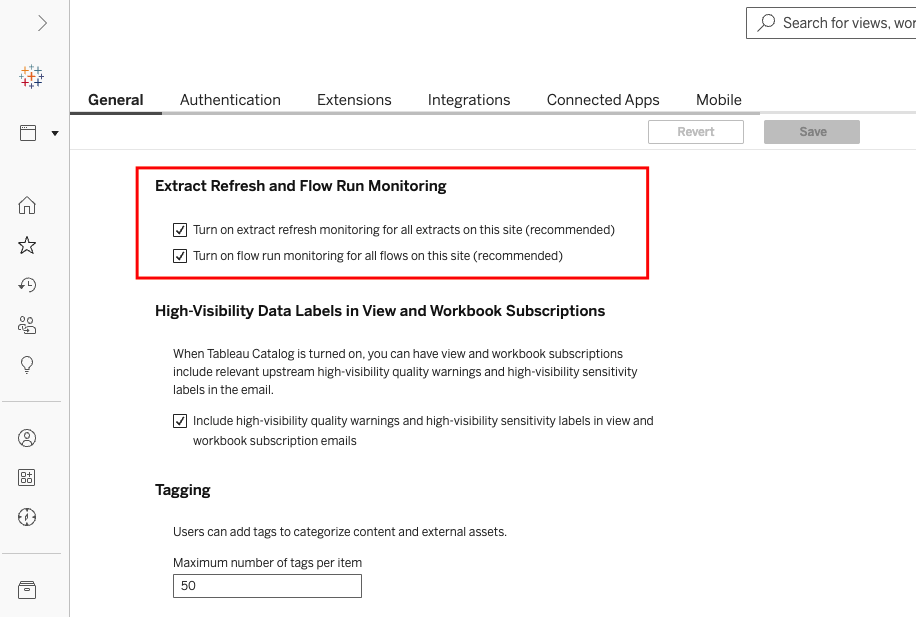
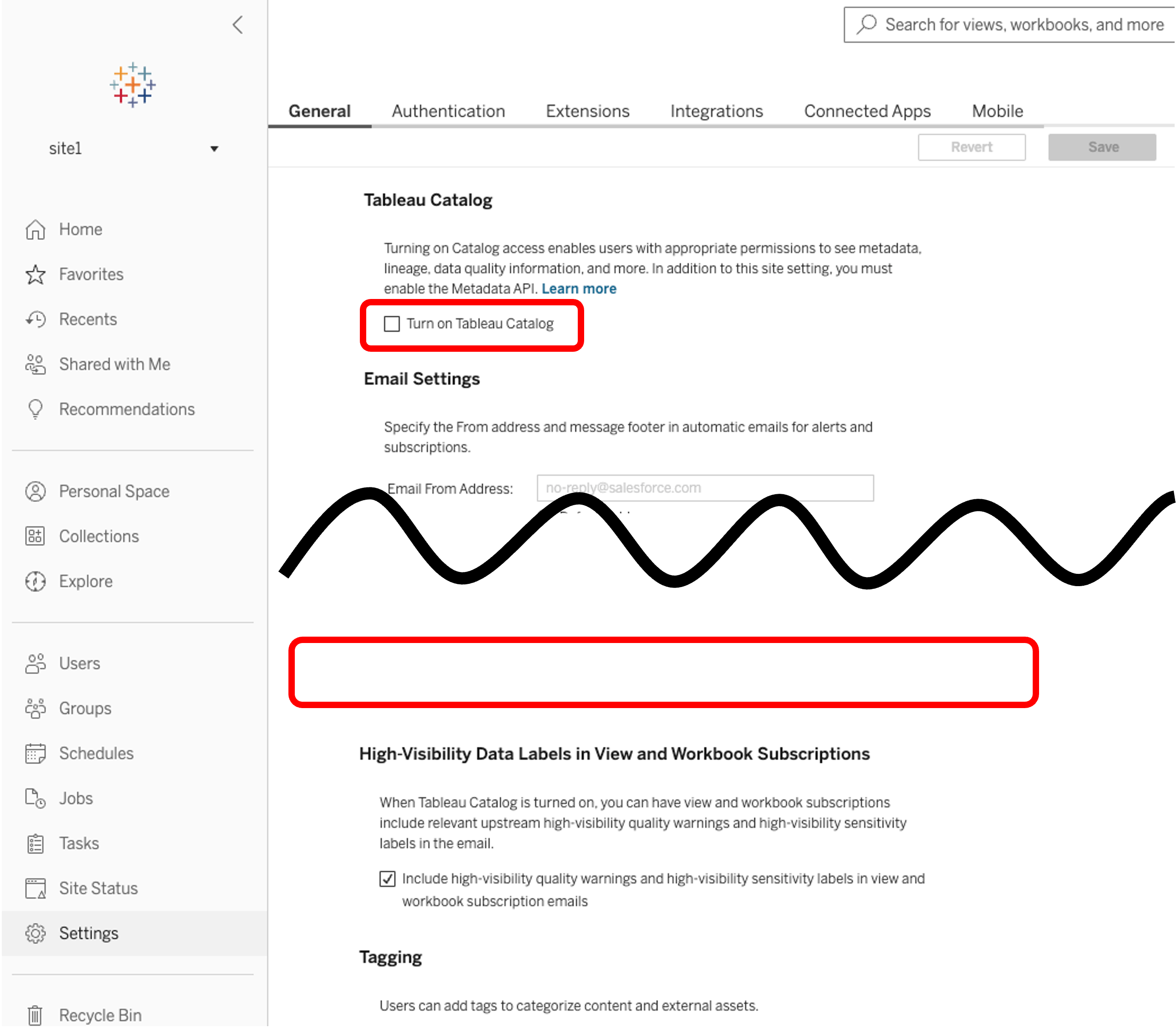
However when a specific site is turned off "Enable Tableau Catalog", the setting section does not appear in the site settings.
Products
- Tableau Server
- Tableau Cloud
Cause
Because the site setting "Extract Refresh and Flow Run monitoring" is a feature of Tableau Catalog, so if Tableau Catalog is disabled in the site, users are unable to set the setting.
解決策
Check whether the 'Tableau Catalog' feature is enabled in the site settings of the affected site and enable the 'Tableau Catalog' feature in the site settings if it is disabled:
- Move to Settings > General Tab
- Move to Tableau Catalog Section
- Check whether Turn on Tableau Catalog enabled
その他のリソース
Online Help
- Set a Data Quality Warning
https://help.tableau.com/current/online/en-us/dm_dqw.htm
ナレッジ記事番号
005384936
この記事で問題は解決されましたか?
ご意見をお待ちしております。
