Seleccionar una organización
Field Service - Understanding the Gantt Row Limit Error in Classic Dispatch Console
Fecha de publicación: Jun 24, 2026
Descripción
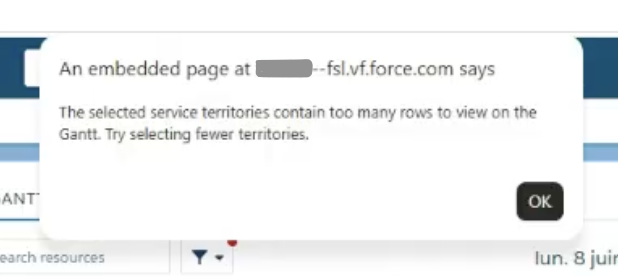
When loading territories on the Gantt in Classic Dispatch Console, a message appears "The selected service territories contain too many rows to view on the Gantt. Try selecting fewer territories".
Solución
Why the error occurs:
- The Gantt row limit error appears when the number of rows in the Classic Dispatch Console Gantt view exceeds 500.
- Each row on the Gantt represents a Field Service licensed service resource having Field Service Scheduling license with an associated STM. All STM types (Primary, Secondary, Relocation) count toward the 500-row limit.
Why the limit exists:
- This limit is enforced to avoid the performance impacts on the Classic Dispatch Console.
- This limit is an official platform limit documented under Field Service Limits and Limitations.
How to resolve it:
- To reduce the number of rows below 500, try selecting fewer service territories when loading the Gantt in the Classic Dispatch Console.
- Alternatively, if your organization requires to load more than 500 service resources on the Gantt, consider migrating to the Field Service Scheduling Console which provides a seamless, accessible dispatching experience by focusing on usability, productivity, and high performance.
Recursos adicionales
Número del artículo de conocimiento
005386554
¿Resolvió este artículo su problema?
¡Háganos saber cómo podemos mejorar!
