Seleccionar una organización
Field Service Lightning (FSL) Mobile: Quote Preview Fails with 'This Page Isn't Available' Error After Successful Quote Creation
Fecha de publicación: Jun 15, 2026
Descripción
When Field Service Lightning (FSL) Mobile technicians attempt to create quotes using the Document Builder feature in the FSL Mobile app, they receive the error: "This page isn't available. Your Salesforce admin can help with that." This issue occurs when the required Field Service Document Builder Standard and Field Service Document Builder Mobile permission sets are not assigned to the technician or contractor user record, even the quote creation has been successful in the backend.
Scenario
A mobile technician for a coffee equipment services company attends a customer site and uses the FSL Mobile app to generate a repair quote via Document Builder. The administrator has already enabled quote creation for Mobile Technicians in FSL Settings, and the technician successfully taps through the quote creation flow. The quote is created and saved in Salesforce. However, immediately after creation, when the FSL Mobile app attempts to navigate to the quote preview screen, the following error appears:
"This page isn't available. Your Salesforce admin can help with that. "
The quote record exists in Salesforce and is visible to administrators, but the technician on the mobile device cannot view or interact with the preview. Retrying does not resolve the issue. The root cause is that the FSL Mobile app is unable to render the Quote preview page — either due to missing permission sets needed for the preview action, or a navigation/rendering issue within the app after quote creation.
Symptoms
When this issue is present, technicians observe the following behavior:
- The quote creation flow completes successfully — the quote record is created in the Salesforce backend
- Immediately after quote creation, the FSL Mobile app displays the error: "This page isn't available. Your Salesforce admin can help with that." instead of the quote preview
- The created quote record is visible in Salesforce (via desktop or admin view) but the mobile preview fails to render
- Retrying or navigating back and forward does not resolve the preview error
- The issue affects contractor or technician user types attempting to view the post-creation quote preview in FSL Mobile
Solución
Cause
The quote preview failure occurs after successful quote creation. The FSL Mobile app creates the quote record but is unable to navigate to or render the preview screen. This is caused by one or more of the following:
- Field Service Document Builder Standard permission set is not assigned to the user — without this, the app cannot render the post-creation quote preview page
- Field Service Document Builder Mobile permission set is not assigned to the user — required for mobile-specific quote display actions
- The FSL Mobile app does not have the necessary permissions to open the Quote standard action page ("New Quote is a standard action" in the error refers to the preview navigation action, not the creation step)
- Document Builder is enabled and creation works, but the preview rendering is blocked due to insufficient user permissions on the Quote object or page layout
Note: Because the quote is created successfully, this is not a data loss issue. The quote record can be retrieved by an administrator or via the Salesforce desktop experience. However, the technician on mobile cannot view or share the quote preview until the permission issue is resolved.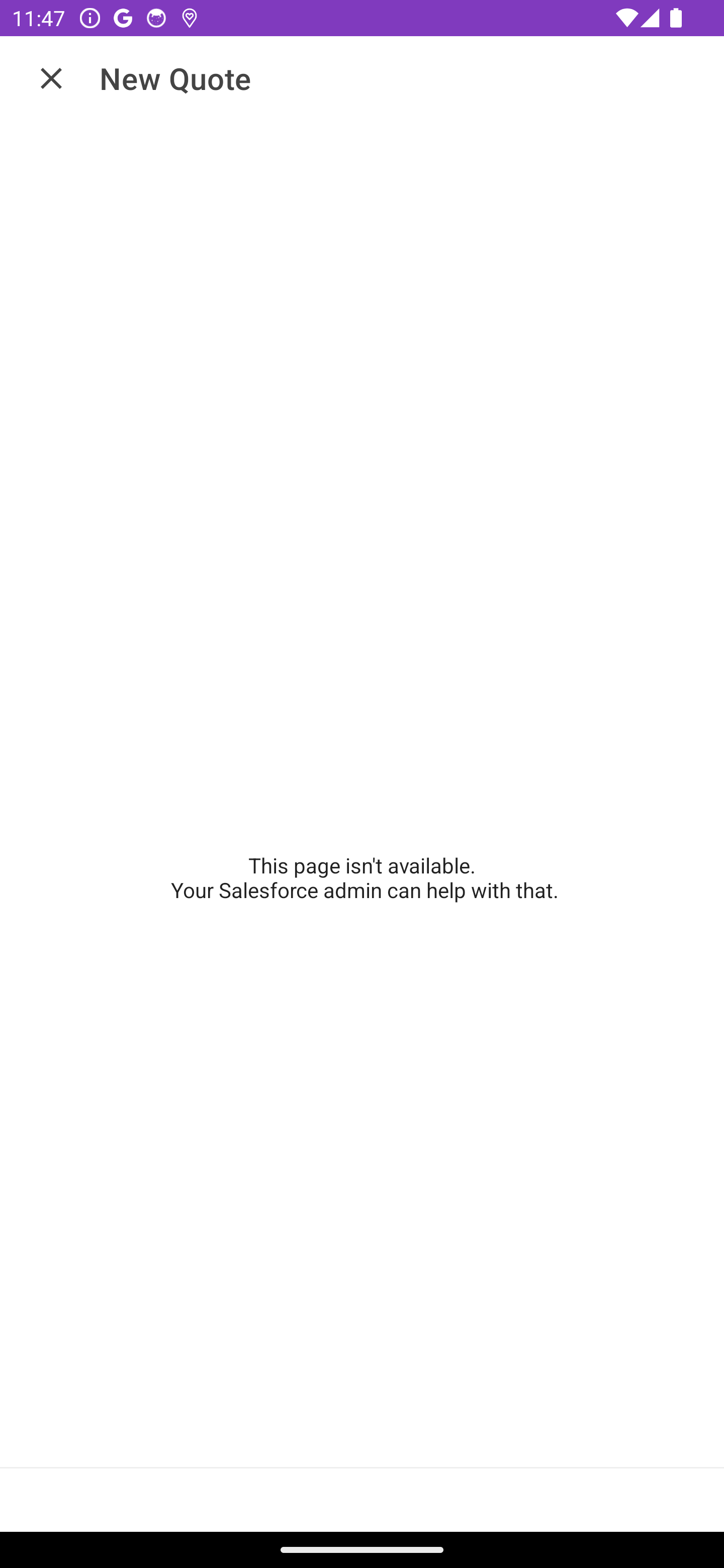
Resolution
To resolve the quote preview error in FSL Mobile, follow the steps below. The quote has already been created in Salesforce — these steps address the preview display failure by ensuring the required Document Builder permission sets are assigned and the mobile session is refreshed.
Step 1: Verify Document Builder is Enabled at the Org Level
Before assigning permission sets, confirm that Document Builder is activated for the org:
- Navigate to Setup
- In the Quick Find box, search for Document Builder
- Open Document Builder settings
- Confirm that Document Builder is toggled On
Document Builder must be enabled at the org level for both quote creation and the post-creation preview to function correctly.
If Document Builder is not enabled at the org level, enable it before proceeding. Without this setting enabled, quote creation will not work for any user regardless of permission sets.
Step 2: Assign the Required Permission Sets to the Technician User
Both permission sets are required for the quote preview to render in FSL Mobile. Assign them to the affected user:
- Navigate to Setup > Users
- Locate and open the affected technician or contractor user record
- Click Permission Set Assignments
- Click Edit Assignments
- Add the following two permission sets:
- Field Service Document Builder Standard
- Field Service Document Builder Mobile
- Click Save
Note: Both permission sets are required. Assigning only one of the two will not resolve the issue.
Step 3: Verify Field-Level Security (Optional but Recommended)
To rule out field-level security as a contributing factor:
- Review the user's profile or permission sets to confirm read and write access to the Quote object
- Verify access to required quote fields such as Amount, Status, and ExpirationDate
- Use the View Profile or Permission Set Detail page to audit object and field permissions if needed
Step 4: Test the Fix in FSL Mobile
After completing the permission set assignments, the technician must refresh their session:
- Have the technician fully log out of the FSL Mobile app (do not just minimize or background the app)
- Log back in to the FSL Mobile app to refresh the session and load updated permissions
- Navigate to a work order or service appointment
- Create a new quote and confirm the preview displays correctly after creation
Known Limitations
- The quote record is created in Salesforce even when the preview fails — the data is not lost.
- Permission set changes require a full logout and login cycle in the FSL Mobile app to take effect. Simply refreshing the app is not sufficient.
- Document Builder must be enabled at the org level before quote creation and preview functions for any user.
- Some quote preview features may require additional Field Service licenses or add-on permissions beyond the standard permission sets.
Número del artículo de conocimiento
005386637
¿Resolvió este artículo su problema?
¡Háganos saber cómo podemos mejorar!
