Sélectionner une organisation
Field Service Gantt View: "Current Route" Checkbox Hidden Due to FSL.Hide Actual Routes from Resource Map Custom Permission
Date de publication: Jun 30, 2026
Description
In Field Service, the Gantt view displays route and resource information. The Current Route checkbox is a UI control used to display and interact with route-related data for service resources.
In some cases, one user can see this checkbox while another user with an identical profile, permission sets, permission set groups, and license cannot. This discrepancy occurs because custom permissions assigned at the profile level are managed separately from permission sets and permission set groups, and may not surface during standard permission comparisons.
In some cases, one user can see this checkbox while another user with an identical profile, permission sets, permission set groups, and license cannot. This discrepancy occurs because custom permissions assigned at the profile level are managed separately from permission sets and permission set groups, and may not surface during standard permission comparisons.
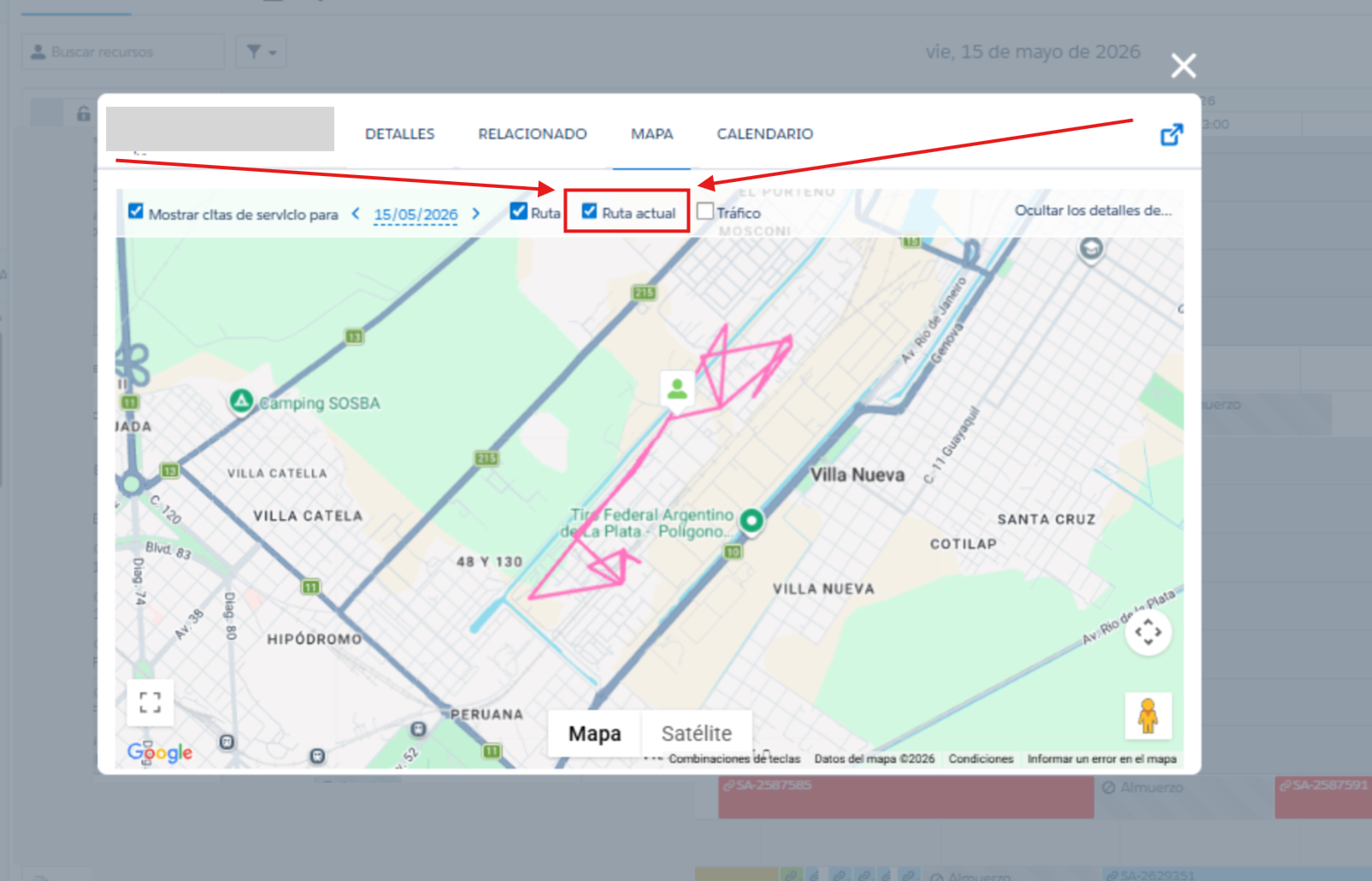
Symptoms
You may observe one or more of the following:
- One user can see the Current Route checkbox in the Field Service Gantt view
- Another user with the same profile, permission sets, permission set groups, and license cannot see the checkbox
- Both users appear to have identical access in Setup, but the Gantt UI behaves differently
Résolution
To restore visibility of the Current Route checkbox:
- Navigate to Setup → Profiles
- Open the profile assigned to the affected user
- Scroll to the Custom Permissions section
- Locate
FSL.Hide Actual Routes from Resource Map - Disable this custom permission
- Click Save
- Ask the user to refresh the browser or log out and log back in
- Verify the Current Route checkbox is now visible in the Gantt view
If the custom permission is not present in the profile, verify that:
- Field Service is installed in the org
- The custom permission exists in the org
Verification
- Log in as the affected user (or use the Login As feature if available)
- Open the Field Service Gantt view
- Confirm the Current Route checkbox is visible
- If multiple users were affected, verify visibility for each user
Numéro d’article de la base de connaissances
005386911
Cet article a-t-il résolu votre problème ?
Dites-nous ce que nous pouvons améliorer !
