Vælg en organisation
Error While Configuring a Bundle or Adding Products via Browse Catalog
Udgivelsesdato: Jun 16, 2026
Beskrivelse
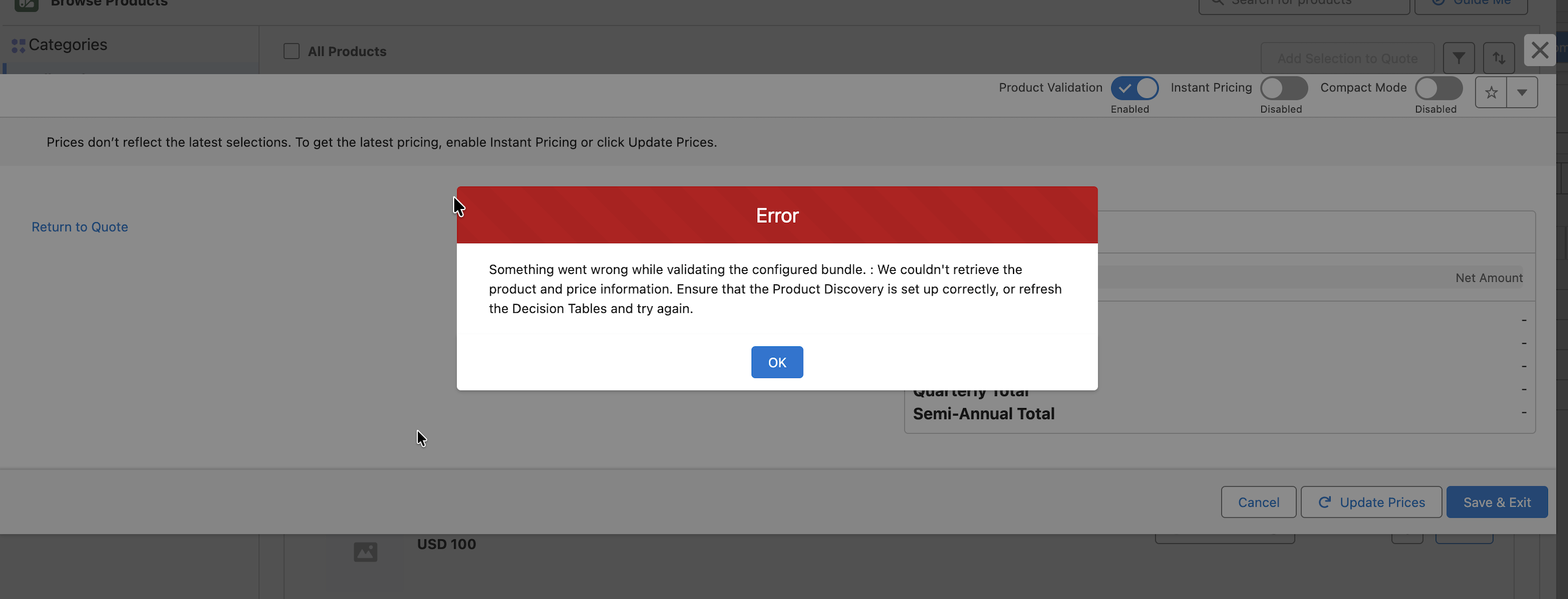
When configuring a bundle or adding products through Browse Catalog, the above error may be displayed even when Product Discovery is configured correctly and Decision Tables have been refreshed.
The issue occurs when the quote already contains one or more Quote Line Item records, and at least one of those Quote Lines is associated with a Product that has an inactive Price Book Entry.
Løsning
To resolve the issue:
- Review the existing Quote Line Item records on the affected Quote.
- Identify any Quote Line associated with a Product that has an inactive Price Book Entry.
- Remove the affected Quote Line Item record(s) with inactive Price Book Entries.
- Retry adding or configuring the required product through Browse Catalog.
After removing the Quote Line Item associated with the inactive Price Book Entry, the bundle configuration and product addition process should complete successfully.
Vidensartikelnummer
005387188
Løste denne artikel dit problem?
Giv os besked, så vi kan forbedre os!
