Välj en organisation
Manage Omni-Channel Tab Duplication Disconnects in Amazon Connect
Publiceringsdatum: Jun 18, 2026
Beskrivning
When you're using the Salesforce Contact Center with Amazon Connect (SCC-AC) integration for Amazon Connect Chat and Messaging, reps might experience dropped live chats when duplicating browser tabs. Because the integration uses a client-side mechanism to manage rep status, logging into a new tab logs the rep out of their previous tab. This triggers a logout event that disconnects the Amazon Connect session, terminating the live chat for the end user. In these instances, the rep's interface may falsely appear active, but the customer won't receive their messages anymore.
While reps frequently need to duplicate tabs to view complex console components side-by-side during long conversations, admins and reps must rely on specific Omni-Channel configurations to prevent chat interruptions.
Recommended Configuration Options & Rep Workarounds
To maintain a stable workflow, use one of two Omni-Channel login configurations in Omni-Channel Settings.
Important: If you use SCC-AC, don't use the Automatically log agents in to Omni-Channel in the new window or tab setting, as it immediately drops the active chat session when a rep duplicates a tab.
Option 1: Don't automatically log reps in
The most seamless and stable configuration is setting the login behavior to Don't automatically log agents in to Omni-Channel on a new window or tab.
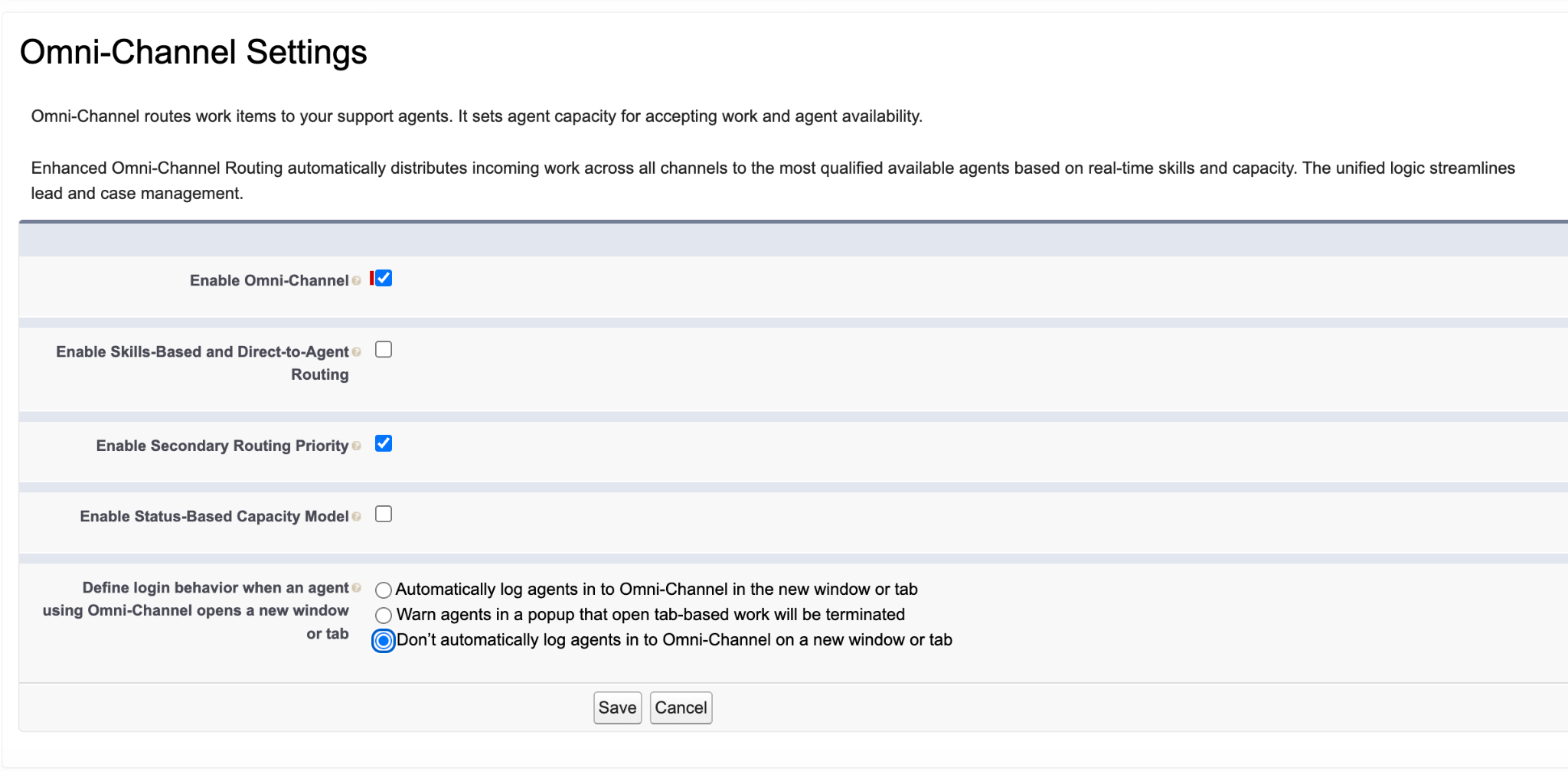
When a rep duplicates a tab with this setting selected, the system doesn’t prompt a popup or automatically log them into the new tab. The new tab remains in an offline status, while the original tab maintains the active live chat connection without any interruption.
Option 2: Warn reps in a popup
Large global organizations often use multiple instances and regions, which might require turning on a warning popup. If your organization uses the Warn agents in a popup that open tab-based work will be terminated setting, service reps must follow a strict workaround.
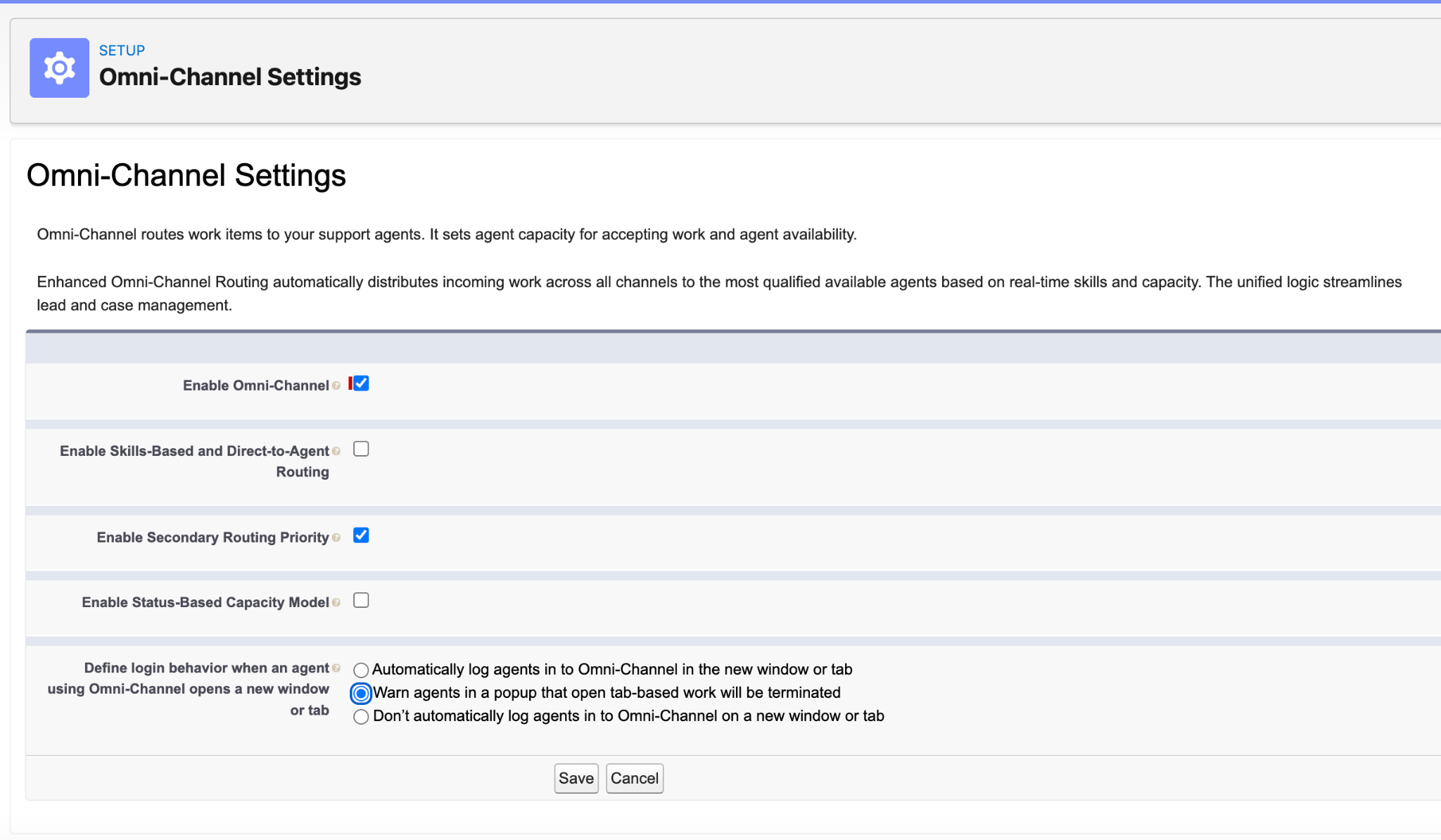
When this setting is turned on, duplicating a tab triggers a warning popup asking the rep if they want to Continue or Cancel logging into Omni-Channel on the new console. Service reps must select Cancel to remain logged into their original active tab and ensure the new tab stays offline.
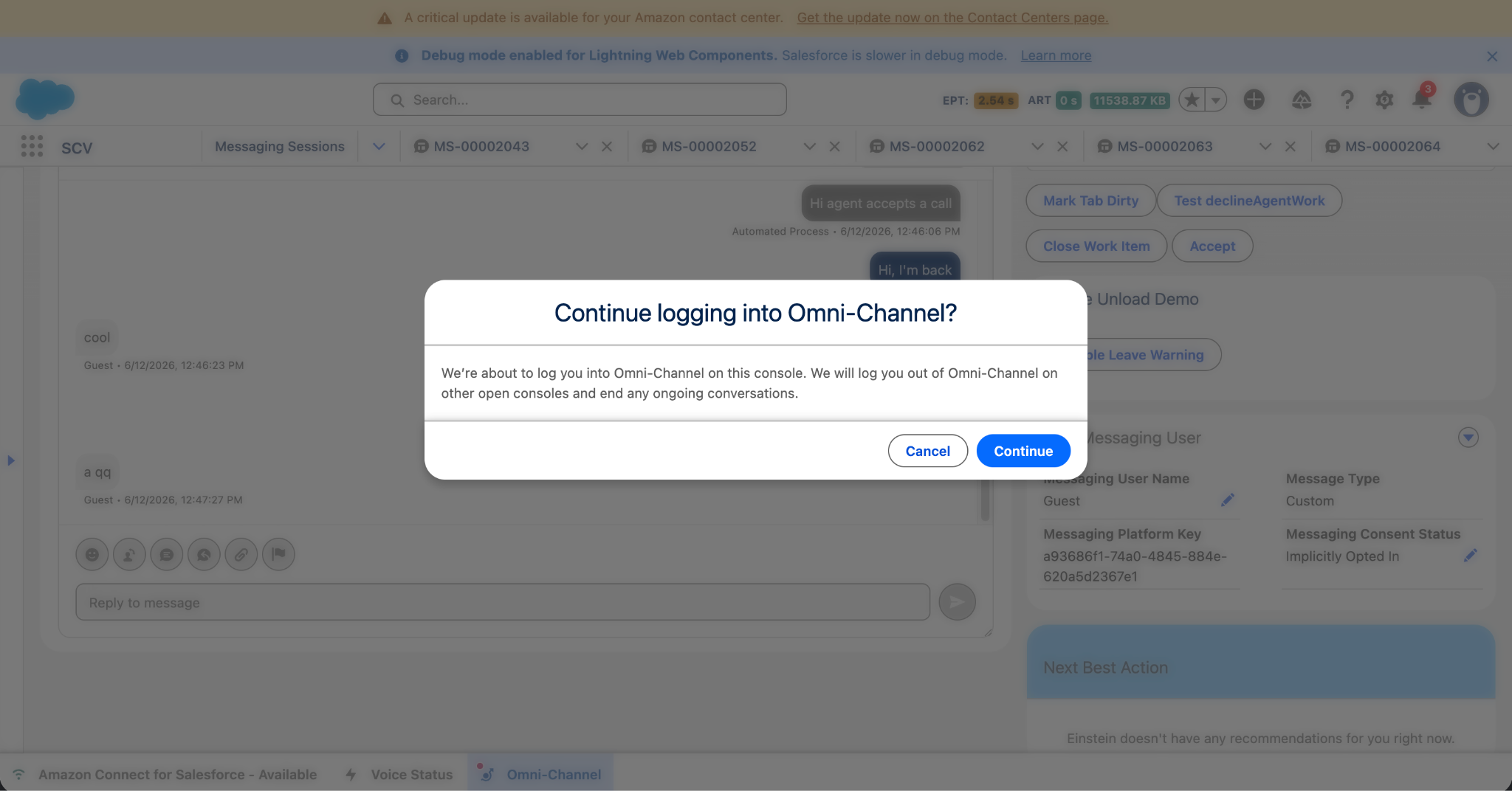
Important: If service reps select Continue, the system logs them into the new tab and logs them out of the old tab, permanently ending the live chat session with the end user.
See Also
Salesforce Help: Enable and Configure Omni-Channel
Knowledge-artikelnummer
005387372
Löste denna artikel ditt problem?
Berätta för oss vad vi kan förbättra!
