組織を選択
Agentforce Employee Agent Not Joining Chat or Immediately Transferring to Human
公開日: Jun 19, 2026
説明
Symptoms
- Agentforce Employee agent does not join the chat session
- The Agentforce immediately attempts to transfer to a human agent upon chat initiation
解決策
Resolution Steps:-
- Verify Omni-Flow setup
- Confirm that the Omni-Flow is properly configured for routing
- Check Messaging Channel configuration
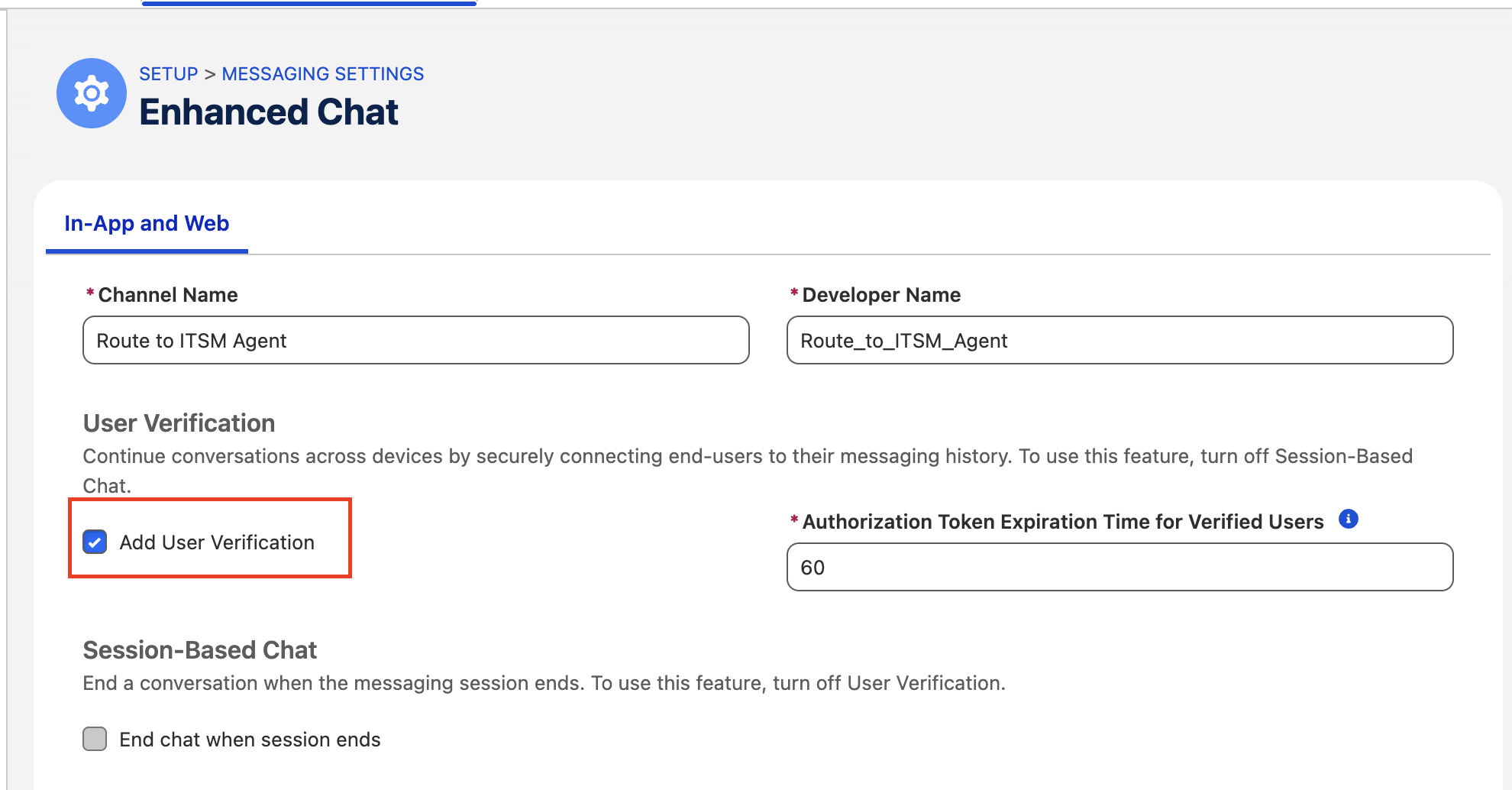
- On the Messaging Channel, ensure Add User Verification is checked
- On the Messaging Channel, ensure Add User Verification is checked
- Check Experience Cloud Embedded Messaging component
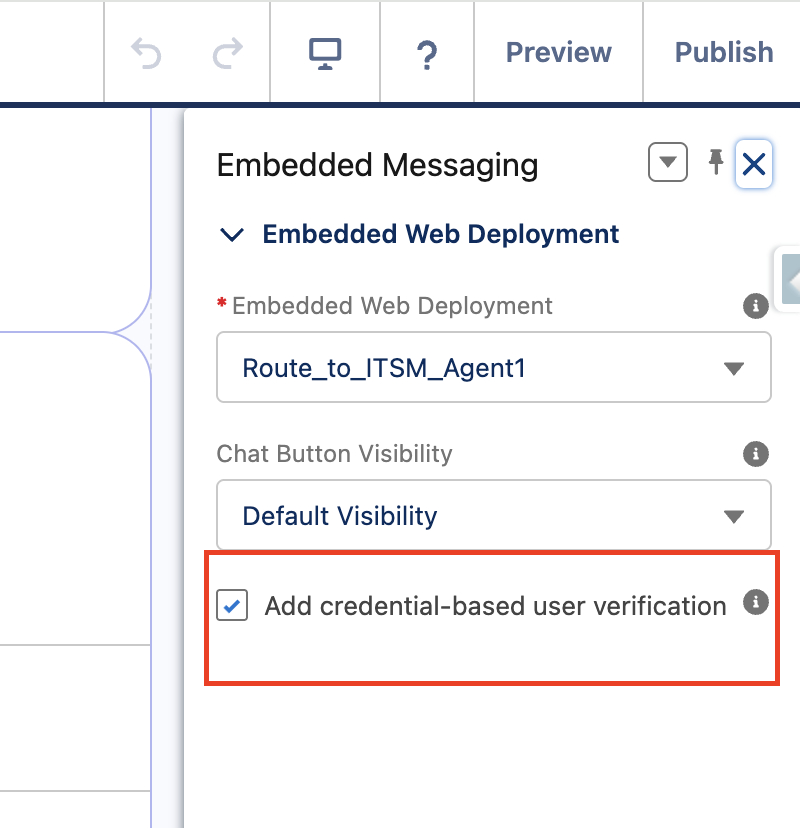
- On the Experience Cloud site's Embedded Messaging component, ensure Add credential-based user verification is checked
- On the Experience Cloud site's Embedded Messaging component, ensure Add credential-based user verification is checked
- Clear stale Messaging Users
- Navigate to App Launcher → Messaging Users
- On the List View, ensure you are viewing All Messaging Users (create a new List View if needed)
- Attempt to delete all Messaging Users
Note: You may receive a message stating there are open connections — check back in 10 minutes. The goal is to close old/outdated Messaging Sessions, not necessarily to delete every Messaging User record.
- Retry connection
- After clearing stale sessions, attempt to reconnect through the Experience Cloud site
ナレッジ記事番号
005387414
この記事で問題は解決されましたか?
ご意見をお待ちしております。
