組織を選択
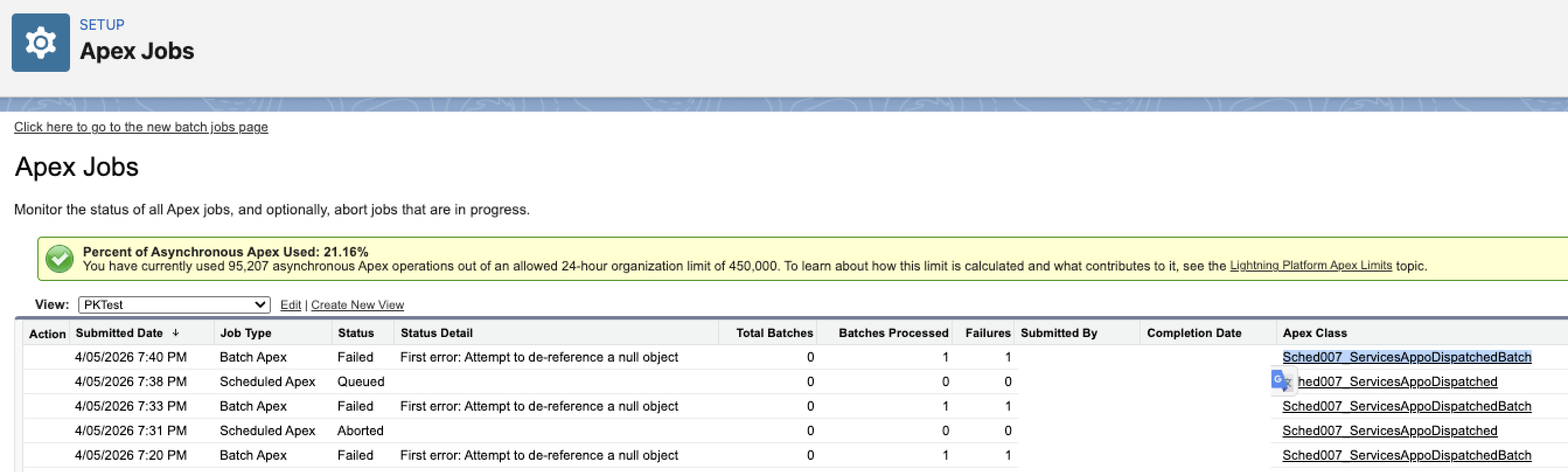
FSL Scheduled Dispatch Batch Job Fails on Auto-Run with Error message - Attempt to de-reference a null object
公開日: Jun 24, 2026
説明
When Sched007_ServicesAppoDispatchedBatch is scheduled via Setup → Scheduled Jobs (Apex) rather than through Field Service Settings, the FSL Automator Config custom setting is not properly initialized in the batch job context.
The manual "Run Now" button in FSL Settings initializes this config correctly, which is why it succeeds while the auto-scheduled job fails.
解決策
Always reschedule FSL dispatch batch jobs only through Field Service Settings. Rescheduling via Setup → Scheduled Jobs (Apex) will cause this failure.
- Navigate to Setup → Scheduled Jobs and identify any instances of
Sched007_ServicesAppoDispatchedBatch - Delete all existing scheduled instances of this job from the Scheduled Jobs page
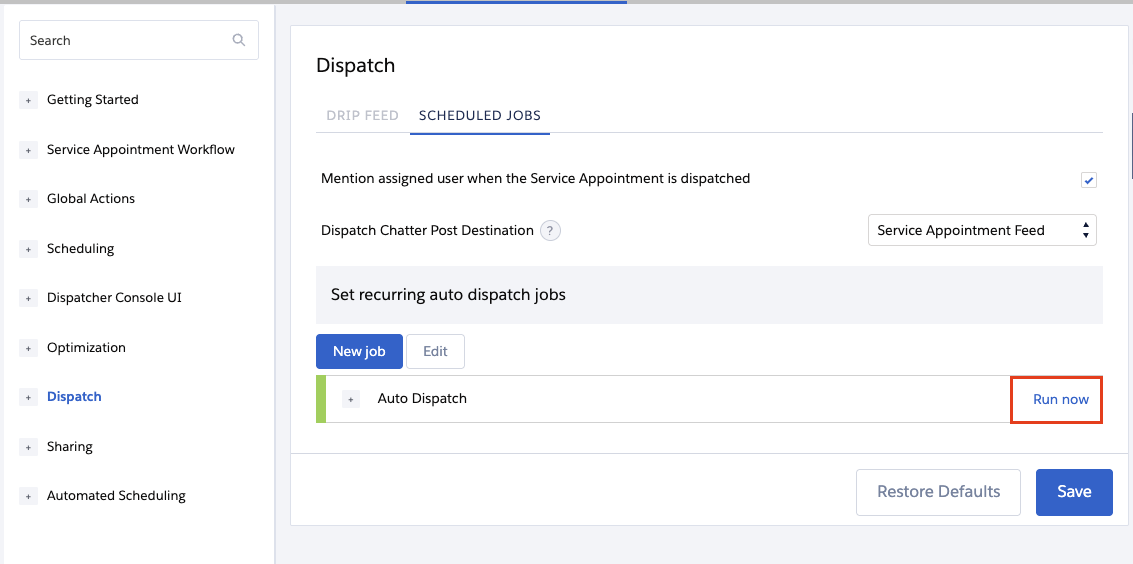
- Navigate to Field Service Settings from App Launcher → Dispatch → Scheduled Jobs > Run
- Locate the dispatch job and reschedule it from this page using an active System Administrator user
- Verify the job runs successfully at its next scheduled time
ナレッジ記事番号
005387490
この記事で問題は解決されましたか?
ご意見をお待ちしております。
