조직 선택
An unexpected error occurred while enabling SSO in one of the Tableau Cloud sites
게시 일자: Jun 23, 2026
상세 설명
The user encountered an unexpected error while enabling SSO on a Tableau site.
Steps:
- Go to Tableau Cloud > Settings > Authentication
- Try to add New Configuration
- Choose SAML/SSO authentication type
- Enter the necessary credentials and configuration details, and the system immediately returns error:
ErrorAn unexpected error occurred while processing your record. Try again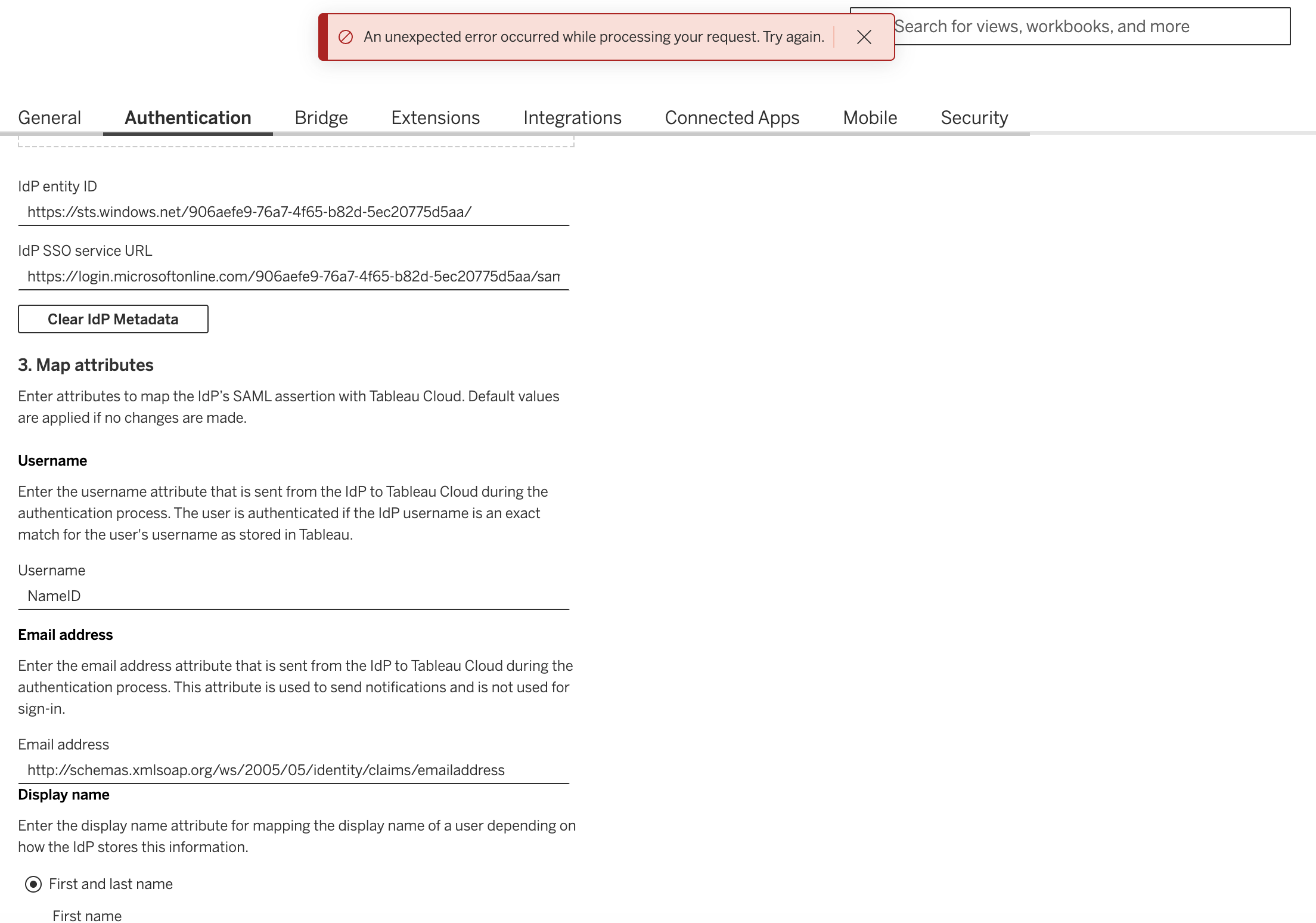
Cause:
Invalid XML metadata file.
This is shown in the Cloud log files:
2026-06-15 16:59:23.464 +0000 16 (sitename,username@company.com@TABID_WITH_MFA,1XwfqEW5QPuu58HtG94EFg,0989a43e8514d8e564a830898b17abd8, ajAva7VTb2jRiCak41T8bQAAAKg,b39c2a81a9147bce6f5d3045079b1eec) catalina-exec-20 vizportal: WARN com.tableausoftware.core.error.TableauExceptionHandlerExceptionResolver - Unhandled exception type: org.springframework.web.client.HttpClientErrorException$BadRequest with message: 400 Bad Request on POST request for "http://tabcld-sso-api.tabcld-tia.svc.mesh.sfdc.net:7442/private/api/createOrUpdateSAMLConfiguration": "{"displayableMessage":"Invalid XML","requestId":"0989a43e8514d8e564a830898b17abd8, ajAva7VTb2jRiCak41T8bQAAAKg","sessionCorrelationId":"IJL1Q6sRQi","exceptionClass":"","error":"Bad Request","timestamp":"2026-06-15T16:59:23.460+00:00","status":400}"
솔루션
- Review the XML file trying to be uploaded:
- Edit the file with any text editor and fix any possible invalid characters or get a new one.
- Try to upload it again
Knowledge 기사 번호
005387529
이 기사를 통해 문제를 해결했습니까?
개선을 위한 의견을 보내주세요.
