組織を選択
Anypoint Studio 7.26 Update Not Available Through Default Update Site
公開日: Jul 7, 2026
説明
While trying to update your Anypoint Studio installation to version 7.26, but the update is not listed or found when checking for updates through the default update sites. You may have successfully updated to previous versions (e.g., from 7.24 to 7.25) using your existing Studio configuration.
For the initial update *to* Anypoint Studio 7.26, the required update site URL may not be pre-configured in earlier Studio versions. While the update site for 7.26 is correctly deployed, it needs to be manually added to your current Studio installation to enable the update. From Anypoint Studio 7.26 onwards, this specific update site URL will be set by default.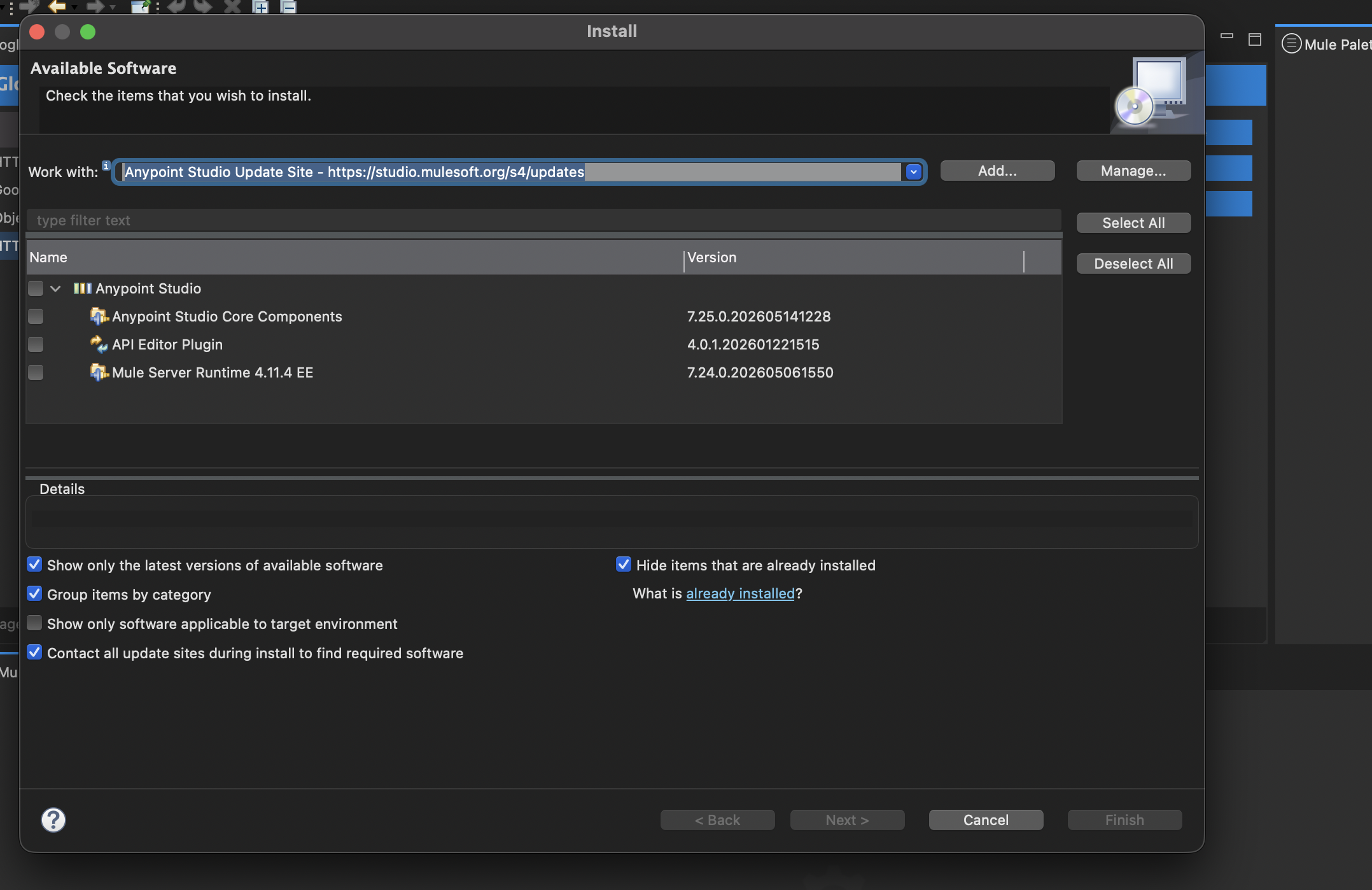
解決策
To update your Anypoint Studio to version 7.26, you must manually add the correct update site URL to your existing Studio installation:
1. Open Anypoint Studio.
2. Navigate to Help > Install New Software....
3. In the "Work with:" field, click the Add... button.
4. In the "Add Repository" dialog:
For "Name:", enter a descriptive name, such as Anypoint Studio 7.26 Update Site.
For "Location:", enter the following URL:
```
```
5. Click Add.
6. Once the repository is added, select it from the "Work with:" dropdown.
7. Anypoint Studio 7.26 components should now be listed. Select the desired components (typically "Anypoint Studio" or "Mule Runtime ESB") and proceed with the installation as usual.
8. Follow the prompts to complete the update and restart Anypoint Studio
Attaching screenshot for reference.
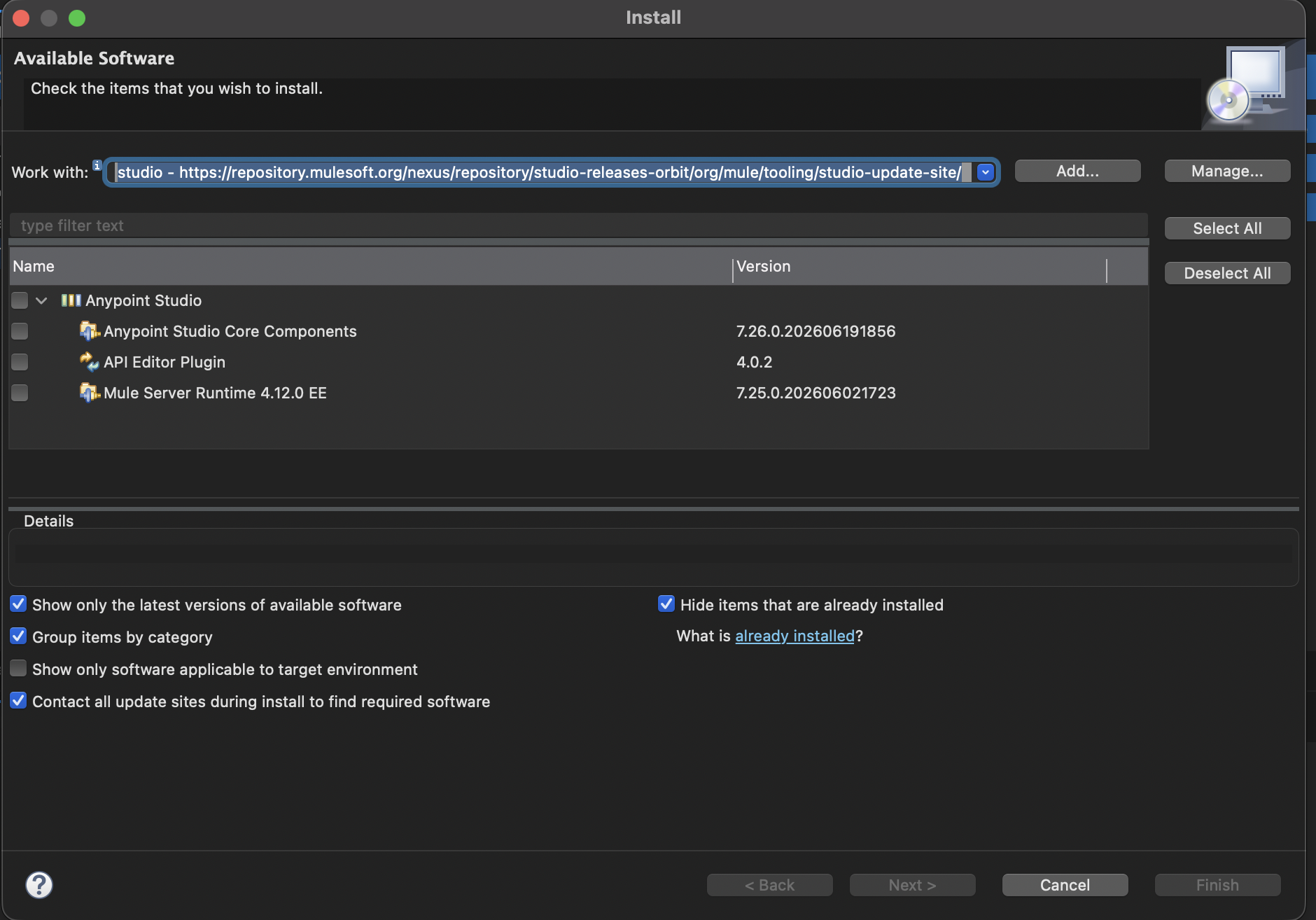
Attaching screenshot for reference.
その他のリソース
Applies To :
Anypoint Studio versions prior to 7.26, when updating *to* Anypoint Studio 7.26.
ナレッジ記事番号
005388589
この記事で問題は解決されましたか?
ご意見をお待ちしております。
