Velg en organisasjon
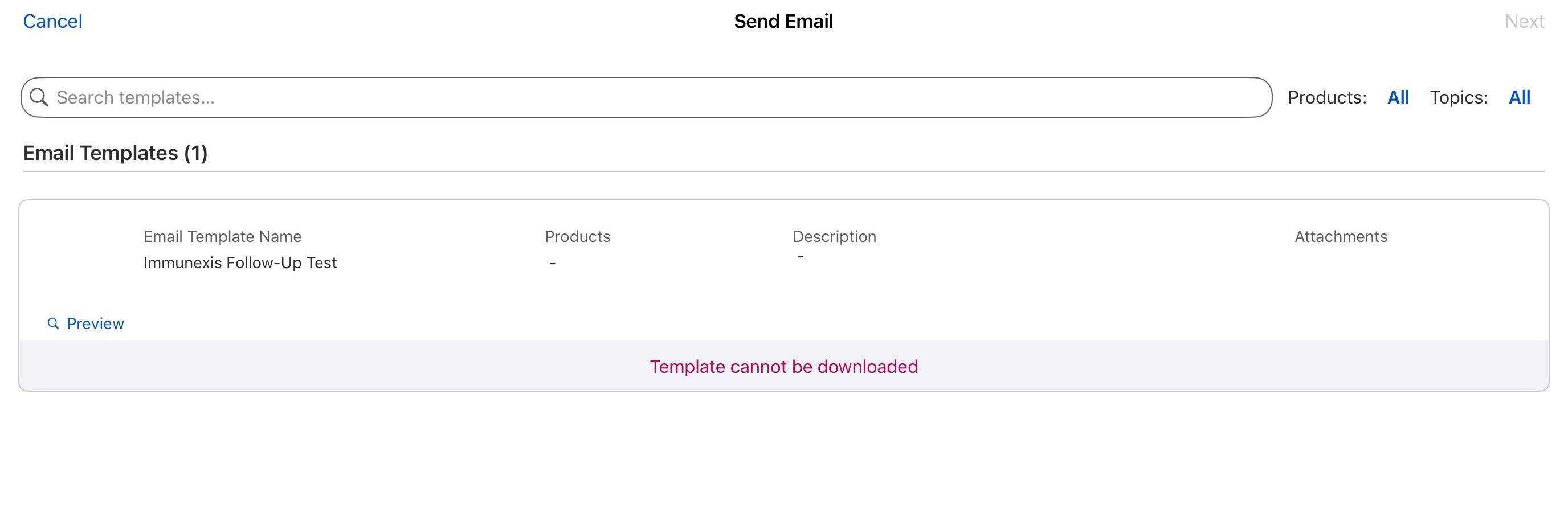
Encountering the Error "Template Cannot Be Downloaded" When Using the Send Email Action
Publiseringsdato: Jul 13, 2026
Beskrivelse
When a user attempts to send an email using the Send Email action, the operation fails and displays the following error: "Template cannot be downloaded."
This issue can occur when the Object Metadata Cache configuration for the email template-related objects is not configured with the recommended attachment download methods.
Løsning
Update the Object Metadata Cache configuration for the following objects:
- ContentDocumentLink - Set the attachment download method to Background.
- LifeSciEmailTmplSnapshot - Set the attachment download method to Cache.
After saving these changes, retry the Send Email action and verify that the email template downloads successfully and the email can be sent without errors.
Reference
For more information about configuring the Object Metadata Cache for Life Sciences Cloud, refer to the following documentation:
https://help.salesforce.com/s/articleView?id=ind.lsc_email_dbschema_metadata.htm&type=5
Knowledge-artikkelnummer
005388817
Hjalp denne artikkelen med å løse problemet ditt?
La oss få vite det slik at vi kan forbedre!
