Выбрать организацию
404 Error Clicking 'Go to Tableau Cloud' in Tableau Bridge
Дата публикации: Jul 31, 2026
Описание
When attempting to navigate to Tableau Cloud using the Tableau Bridge client on Windows, an HTTP Status 404 error is displayed in the web browser, preventing successful authentication and site redirection.
Symptoms
- Double-click the Tableau Bridge icon in the Windows system tray.
- Click the Go to Tableau Cloud link in the popup window at the bottom right of the screen.
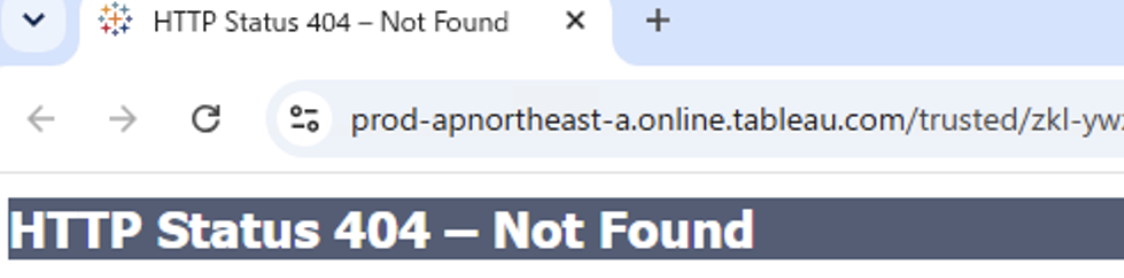
- The web browser opens with the following error message:
HTTP Status 404 - Not Found - The address bar displays a Trusted Ticket URL format similar to:
https://<pod>.online.tableau.com/trusted/<ticket>/t/<site_name>/?:redirUrl=... - Direct sign-in to Tableau Cloud via a web browser (https://online.tableau.com) works normally.
Cause
This issue occurs when the authentication token stored internally within the Tableau Bridge application becomes invalid or mismatched with Tableau Cloud. Deleting the connected client entry from Tableau Cloud and re-authenticating Tableau Bridge resolves the error by issuing a fresh authentication token.
Решение
To resolve the issue, delete the connected client from the Tableau Cloud connected clients list and re-sign in to Tableau Bridge to renew the authentication token.
Step 1: Clear Connected Clients in Tableau Cloud
- Open a web browser and sign in directly to Tableau Cloud.
- Click the user profile icon in the top-right corner and select My Account Settings.
- Scroll down to the Connected Clients section.
- Locate the host name of the affected Tableau Bridge client in the list and click Delete.
Step 2: Re-authenticate Tableau Bridge
- Close the Tableau Bridge application on the client machine.
- Reopen Tableau Bridge.
- Sign in to Tableau Cloud using valid credentials.
- Verify that Tableau Bridge shows a connected status.
- Click Go to Tableau Cloud in Tableau Bridge and confirm that the site opens successfully without the 404 error.
Дополнительные ресурсы
For more information, see Access Sites Directly from Connected Clients in Tableau Help.
If you are experiencing an "Internal 500 Error" or "This Page Isn't Working" when clicking the same link, please see Known Issue W-19840957.
Номер статьи базы знаний
005389441
Эта статья решила вашу проблему?
Оставьте свой отзыв, чтобы мы могли стать лучше!
