組織を選択
[Tableau Server] Custom Sign-In Logo Overlaps Error Message on Sign-In Page
公開日: Jul 31, 2026
説明
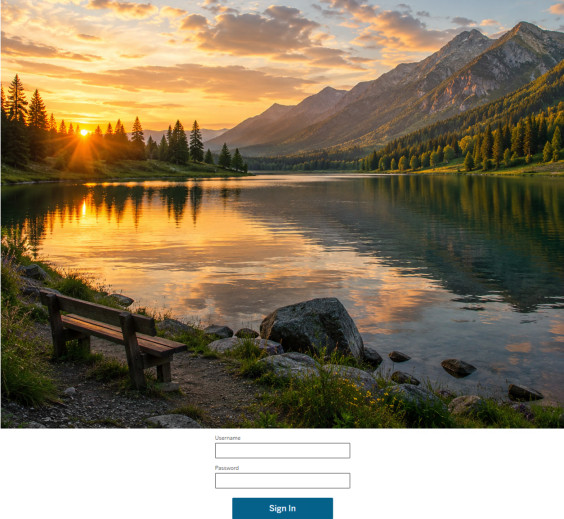
When a custom sign-in logo is configured using tsm customize --signin-logo with a wide or tall image, the logo overlaps and obscures the error message displayed to users on the sign-in page (e.g., on /wg/saml/logout/index.html). As a result, error messages may be overlapped by the logo, although they remain accessible to users.

Cause:
The Tableau Server sign-in page layout does not automatically scale or constrain the custom sign-in logo to fit within the page's UI elements. When an oversized image is used, the logo container expands and overlaps the adjacent button or error message div on the page, particularly on pages such as the SAML logout page (
The Tableau Server sign-in page layout does not automatically scale or constrain the custom sign-in logo to fit within the page's UI elements. When an oversized image is used, the logo container expands and overlaps the adjacent button or error message div on the page, particularly on pages such as the SAML logout page (
/wg/saml/logout/index.html).Note: While Tableau documentation (https://help.tableau.com/current/server/en-us/cli_customize.htm) states the maximum size for --signin-logo is 3000×3000 pixels, this refers to the technical file size limit only. The sign-in page UI does not responsively resize the image, so large dimensions will cause layout overlap issues.解決策
Resize the custom sign-in logo to a smaller dimension before applying it via
Suggested dimensions: 128×128px or smaller (square is recommended) for consistent rendering across different browsers and screen sizes.
tsm customize. The recommended approach is to use a square or near-square image that fits within the sign-in page layout.Suggested dimensions: 128×128px or smaller (square is recommended) for consistent rendering across different browsers and screen sizes.
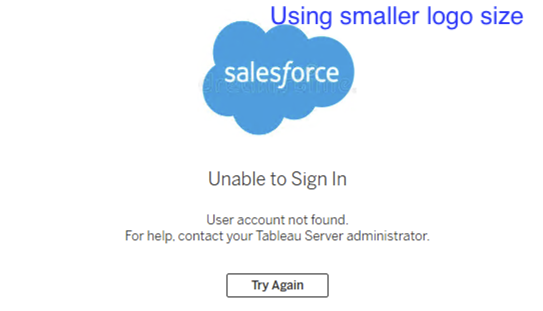
To update the logo with a resized image, run:
tsm customize --signin-logo "<path-to-resized-logo>"
tsm pending-changes apply
After applying, verify that the sign-in error messages are no longer obscured.
ナレッジ記事番号
005390250
この記事で問題は解決されましたか?
ご意見をお待ちしております。
