Seleccionar una organización
Tableau Prep Builder: VARBINARY and BINARY Columns Silently Excluded During Data Ingestion
Fecha de publicación: Jul 30, 2026
Descripción
When connecting Tableau Prep Builder to a relational database (such as Microsoft SQL Server) that contains VARBINARY or BINARY columns — either directly or through a Virtual Connection — the affected columns do not appear in the field list.
No error message or warning is displayed. The only indicator is that the field count in Tableau Prep Builder is lower than the total column count in the source table.
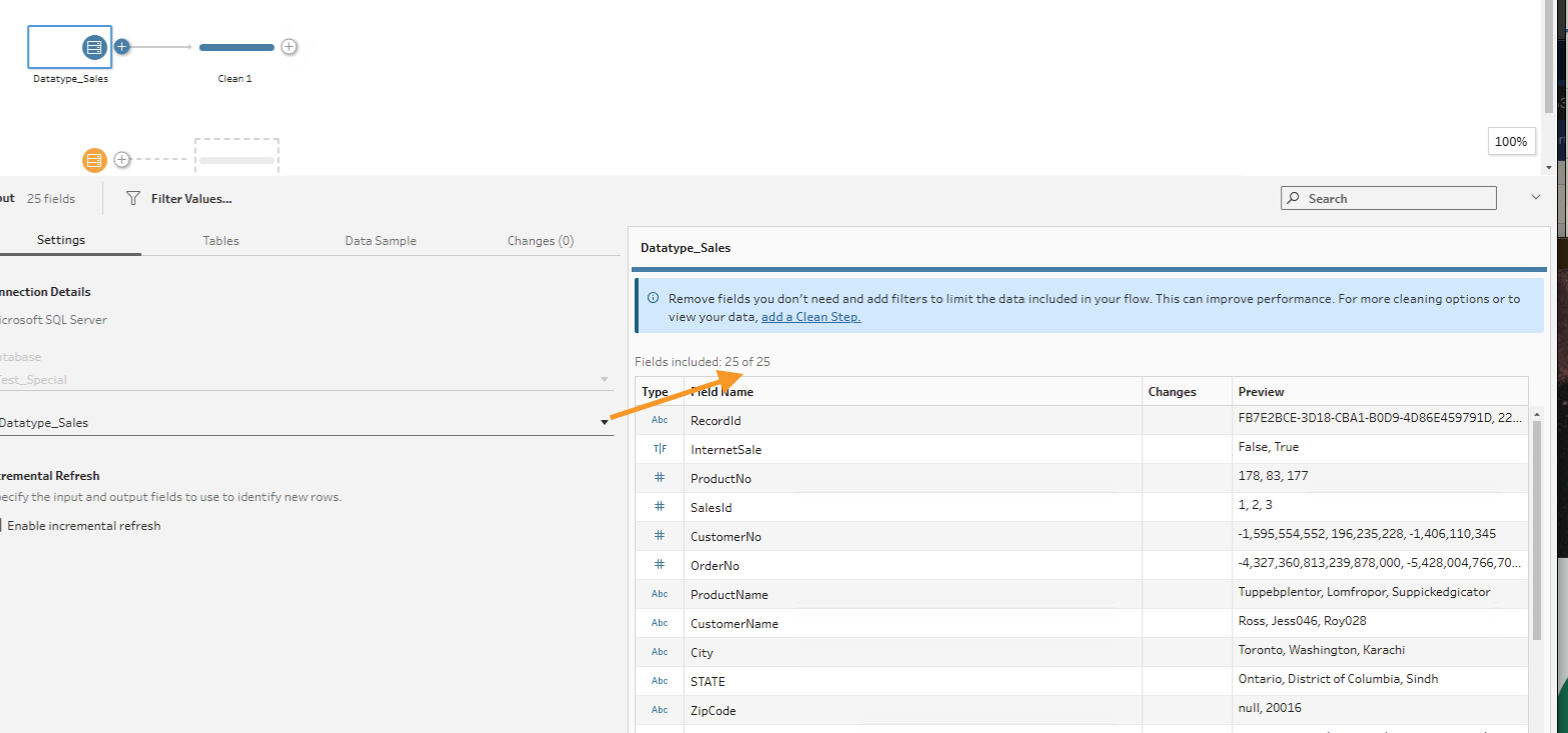
The same columns appear normally in Tableau Desktop, where they display as hexadecimal string values.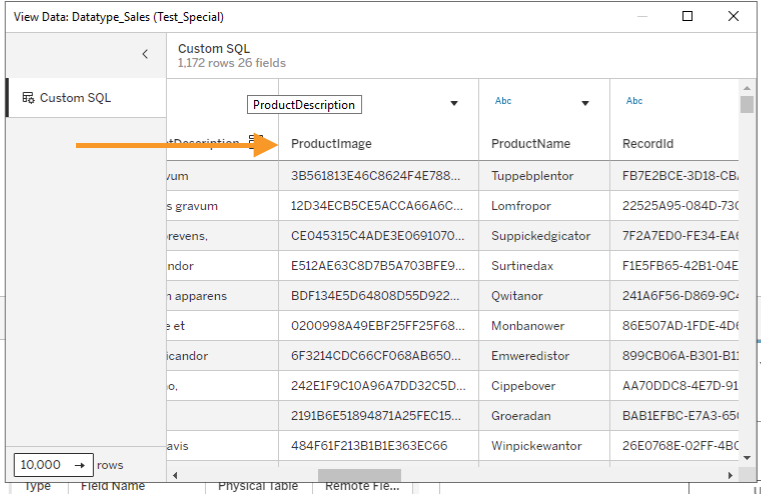
Binary types can be used to store data such as images, PDFs, or video files, for instance.
Tableau Prep Builder does not support VARBINARY or BINARY data types at the connector level. During data ingestion, these unsupported data types are silently excluded rather than passed through or converted.
Tableau Desktop renders VARBINARY and BINARY values as hexadecimal string representations without interpreting or processing the underlying binary data. Tableau Prep Builder uses a different ingestion pipeline that excludes unsupported data types at the connector level rather than passing them through. This architectural difference explains why the same column appears in Desktop but not in Prep Builder.
Solución
As a possible workaround, customers may consider the following options:
Option 1
Use custom SQL to convert the data to a supported data type
https://help.tableau.com/current/prep/en-us/prep_connect.htm#use-custom-sql-to-connect-to-data
Option 2
Change the datatype in the database before connecting Tableau to the table.
Número del artículo de conocimiento
005390299
¿Resolvió este artículo su problema?
¡Háganos saber cómo podemos mejorar!
