Выбрать организацию
MCP Global Access Control Policy Blocks UI Elements Due to Missing 'ui://' Allowlist
Дата публикации: Jul 31, 2026
Описание
The MCP Global Access Control policy is applied to allowlist certain tools/list and tools/call in an MCP Instance under API Manager, however, this blocks the resources/read as seen in the error below.
{
	"jsonrpc": "2.0",
	"id": 7,
	"error": {
		"code": -32008,
		"message": "Unable to access",
		"data": "Access denied to: ui://business-groups/app.html"
	}
}
CAUSE
The MCP Global Access Control policy, by design, enforces Allow/Block rules on various resource types, including resources/read, prompts/get, tools/list, and tools/call. It also filters responses for resources/list and prompts/list. User interface (UI) elements are categorized as resources and are therefore subject to these access control rules. If your policy does not include an explicit Allow rule for ui:// patterns, these UI elements will be implicitly blocked, leading to errors or unexpected behavior in your application's user interface.
Решение
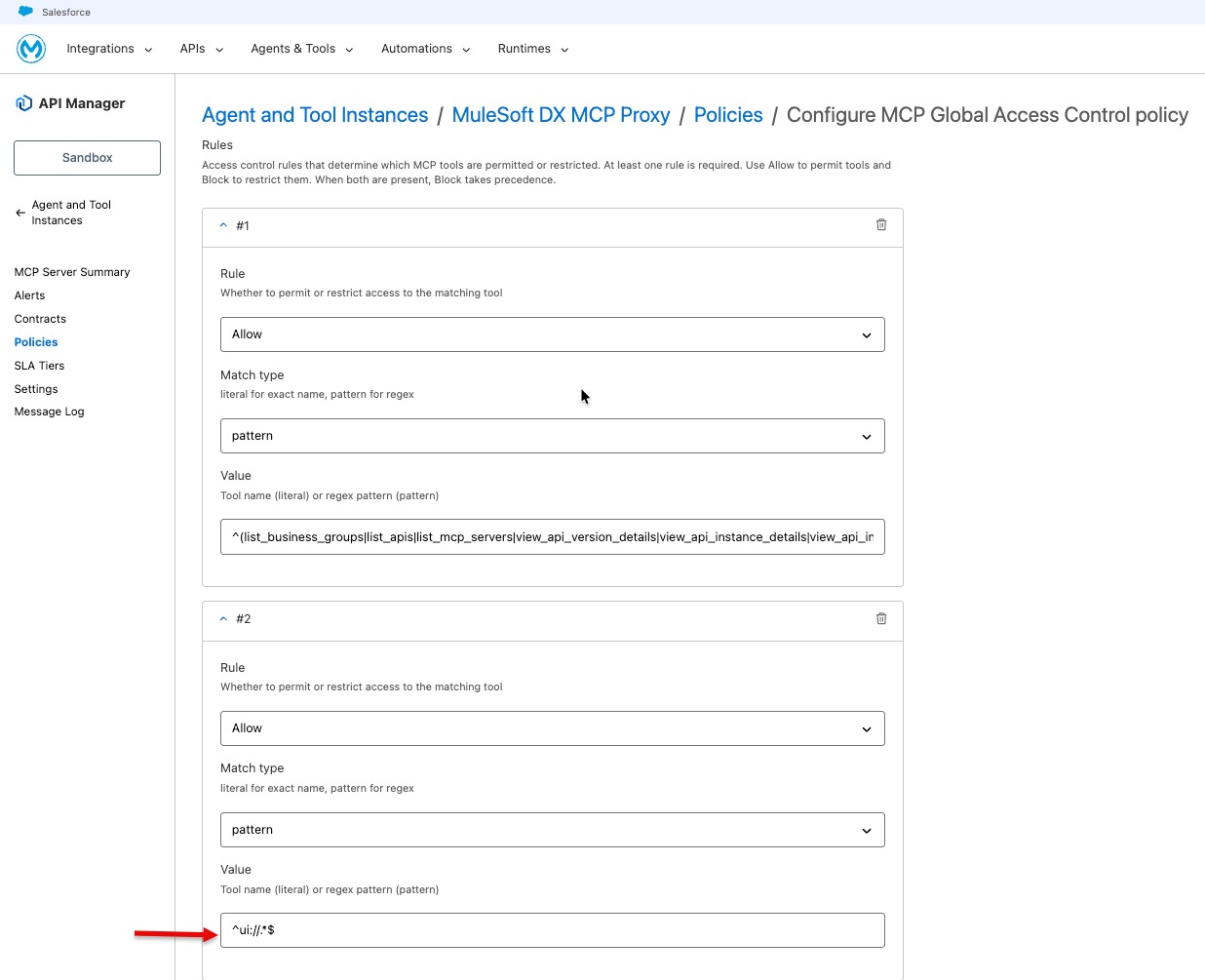
To resolve this, configure your MCP Global Access Control policy to explicitly allow ui:// patterns.
- Navigate to your application in Anypoint Platform.
- Access the "Policies" section for your application.
- Locate and edit the relevant MCP Global Access Control policy that is causing the issue.
- In the policy configuration, add an explicit
Allowrule for the pattern^ui://.*$. - Save and apply the updated policy.
Номер статьи базы знаний
005390320
Эта статья решила вашу проблему?
Оставьте свой отзыв, чтобы мы могли стать лучше!
