Выбрать организацию
When selecting multiple SA's on the Field Service Gantt, all Status values are displayed irrespective of the flow mentioned under Status Transitions.
Дата публикации: Aug 20, 2026
Описание
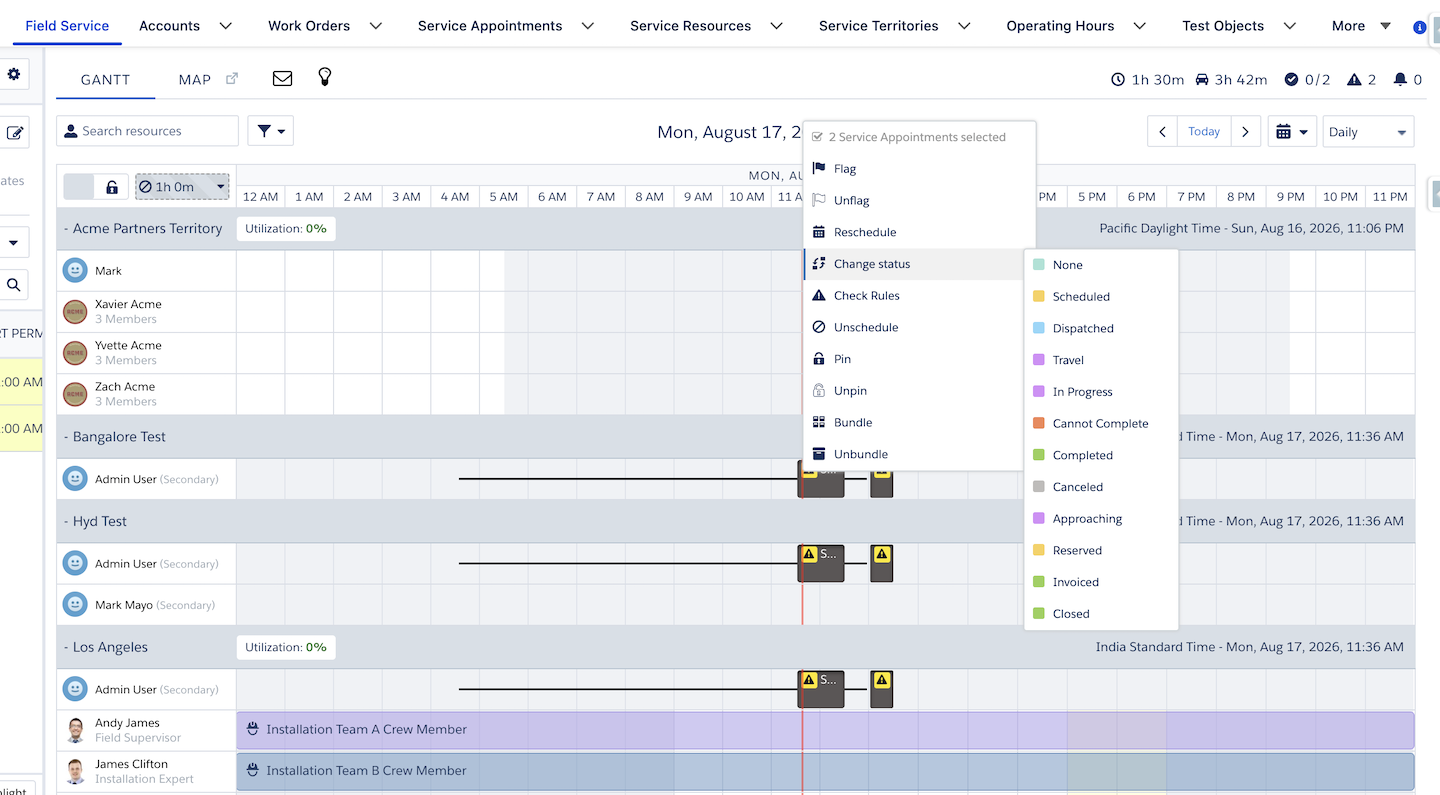
When multiple service appointments in ASSIGNED status are selected on the Dispatcher Console Gantt and Change Status is clicked, the menu displays all status transitions instead of only the valid options for the current user and current status. The system still blocks invalid status updates from being committed, but the displayed transition options are incorrect.
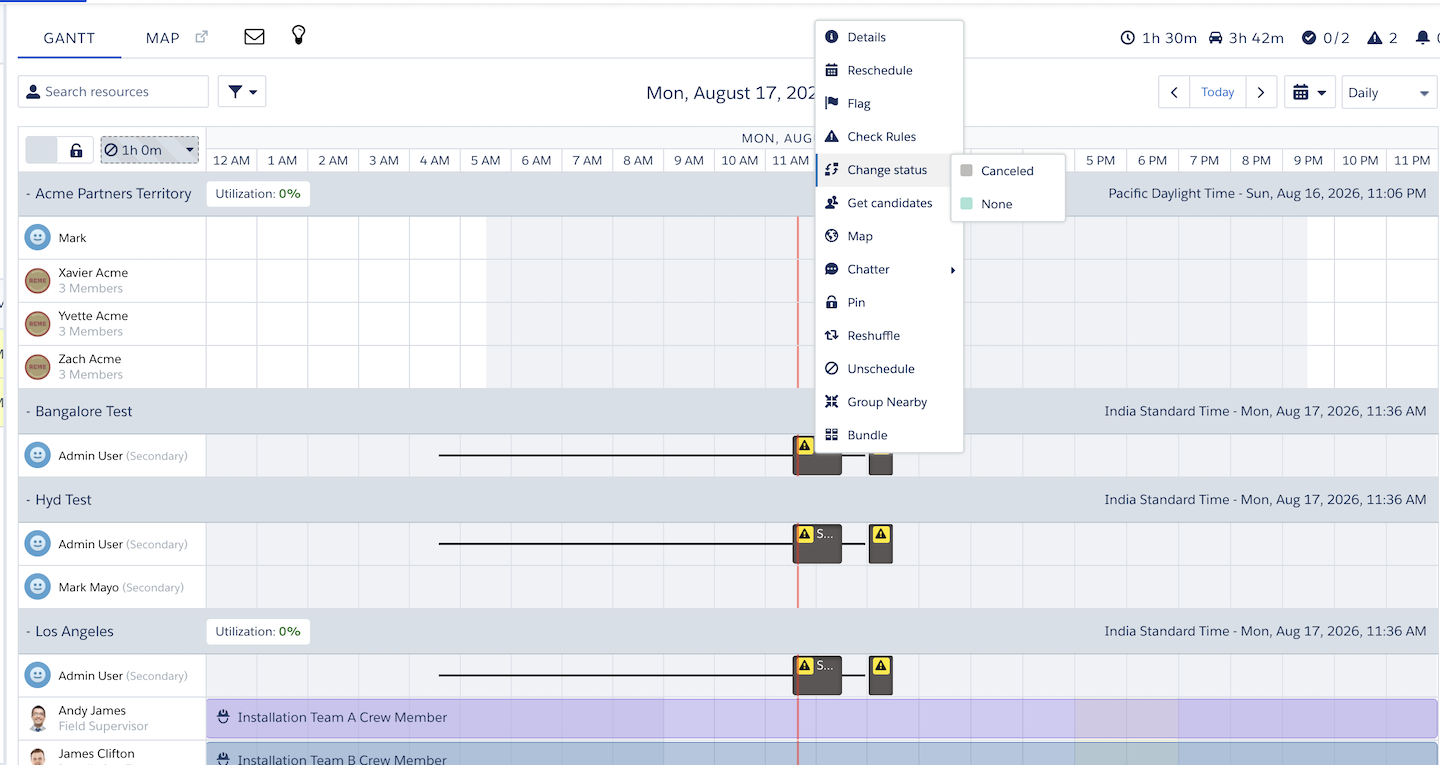
When 1 SA is selected
When more than 1 SA is selected
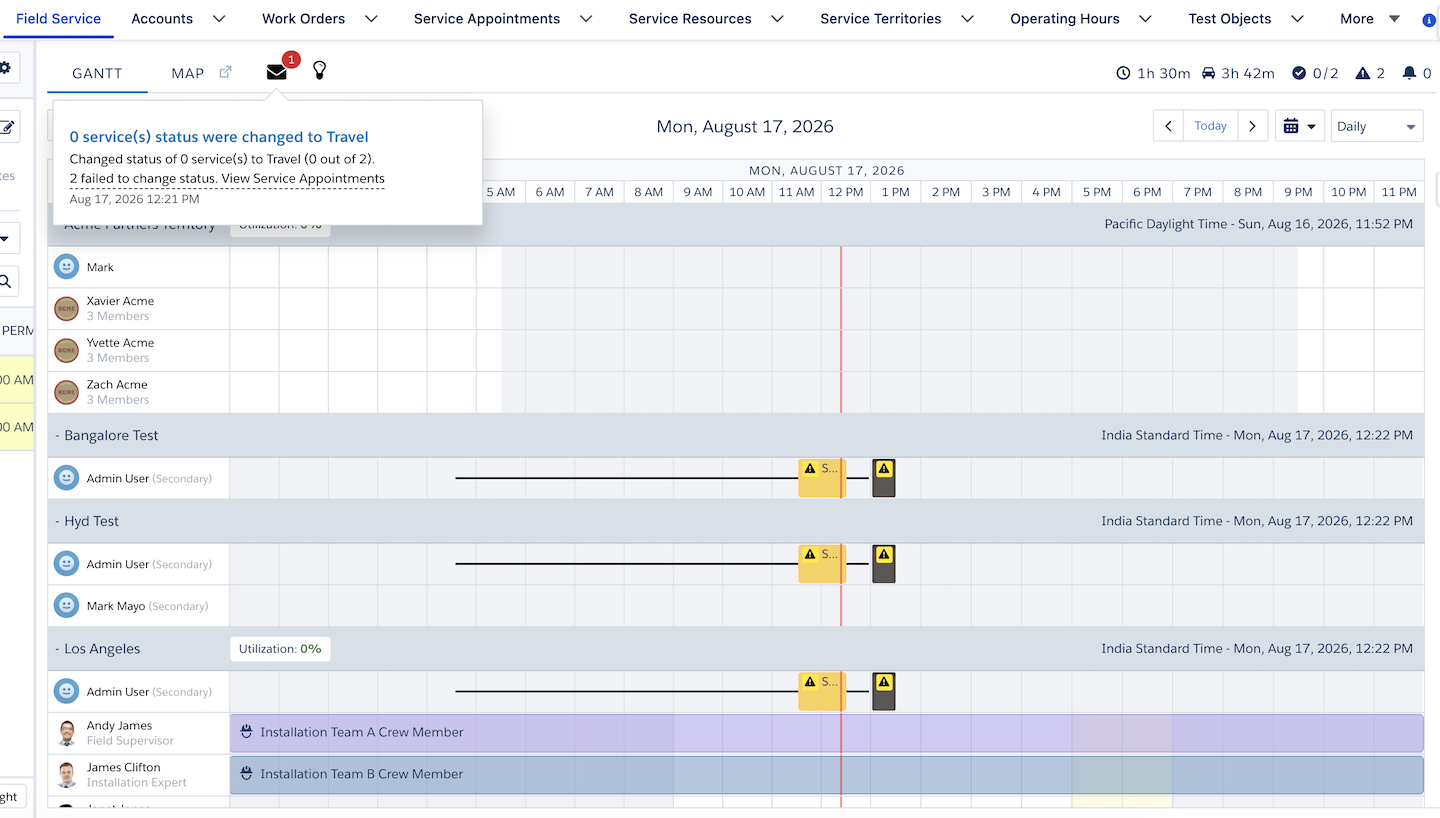
When trying to change the status to an invalid state, the system generates an error message as shown below.
Решение
This is a WAD behaviour and limitation with multiple selections.
Why This Happens
The Change Status menu on the Field Service Gantt is driven by the Status Transitions configuration in Field Service Settings, which defines valid status changes based on a Service Appointment's (SA's) current status.
When a single ASSIGNED SA is selected, the menu correctly filters to only the valid transitions for that status (for example CANCELLED, ASSIGNED, and NONE). When multiple ASSIGNED SAs are selected together, this filtering does not apply — the menu displays all status values instead of the intersection of valid transitions across the selected records.
This is expected (working as designed) behavior. The underlying Status Transitions rules are still enforced when the change is submitted: if an invalid status is selected for any of the SAs in the multi-selection, the system blocks the update and returns an error. Only the menu's displayed options are affected — no invalid status change is ever committed.
Номер статьи базы знаний
005391037
Эта статья решила вашу проблему?
Оставьте свой отзыв, чтобы мы могли стать лучше!
