Velg en organisasjon
Work Order Line Item progress tile shows 0% despite completed work steps
Publiseringsdato: Aug 28, 2026
Beskrivelse
Overview
In Salesforce Field Service Mobile (FSL Mobile), the Service Appointment Overview tab displays a progress ring — referred to as the Work Order Line Item (WOLI) progress tile — that shows the overall completion percentage for work attached to a Service Appointment. This tile is driven by the completion status of WOLI records, not by the individual Work Steps or Work Plans nested inside a WOLI. Sometimes we might get confused thinking the WOLI progress tile should show work steps as well, but it shows only WOLI.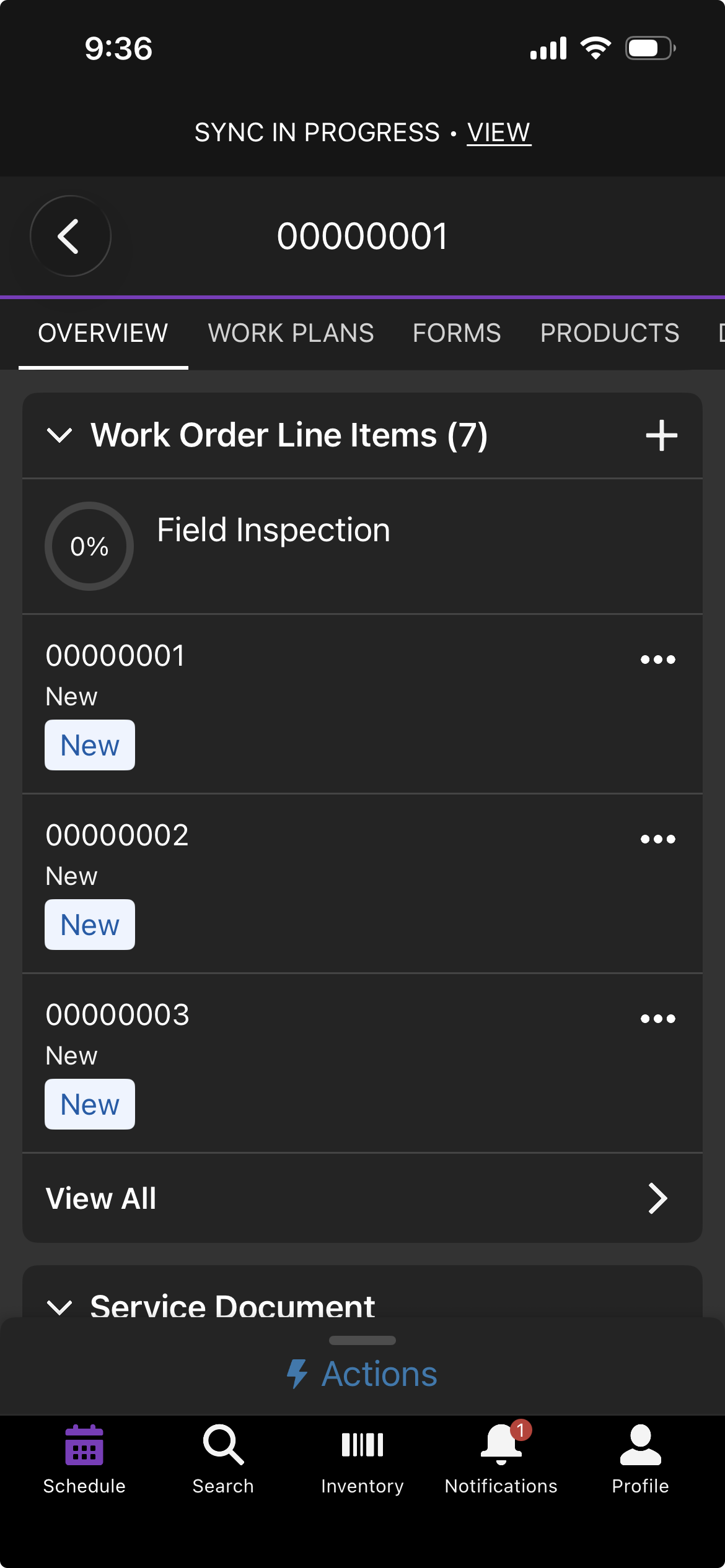
Problem
Work Steps attached to a Work Order Line Item (WOLI) are at various stages of completion, but the WOLI progress tile on the Service Appointment Overview tab in FSL Mobile shows 0%. The progress ring does not update regardless of how many Work Steps are completed.
Symptoms
• WOLI progress tile shows 0% on the FSL Mobile App Overview tab
• Work steps within the WOLI are marked as completed or in progress
• Progress percentage does not update when work steps are completed
Løsning
This is expected product behavior. The WOLI progress ring on the Service Appointment Overview tab tracks the completion status of Work Order Line Item records, not the completion of individual Work Steps or Work Plans.
The calculation works as follows:
- Each WOLI under the Work Order contributes one equal unit to the progress ring.
- A WOLI counts as "complete" only when its Status field is set to Completed.
- Work Steps (and Work Plan completion) do not directly drive the progress ring.
For example, if a Work Order has four WOLIs and two are set to Completed, the progress ring displays 50%. Once all four WOLIs are marked Completed, the ring reaches 100%.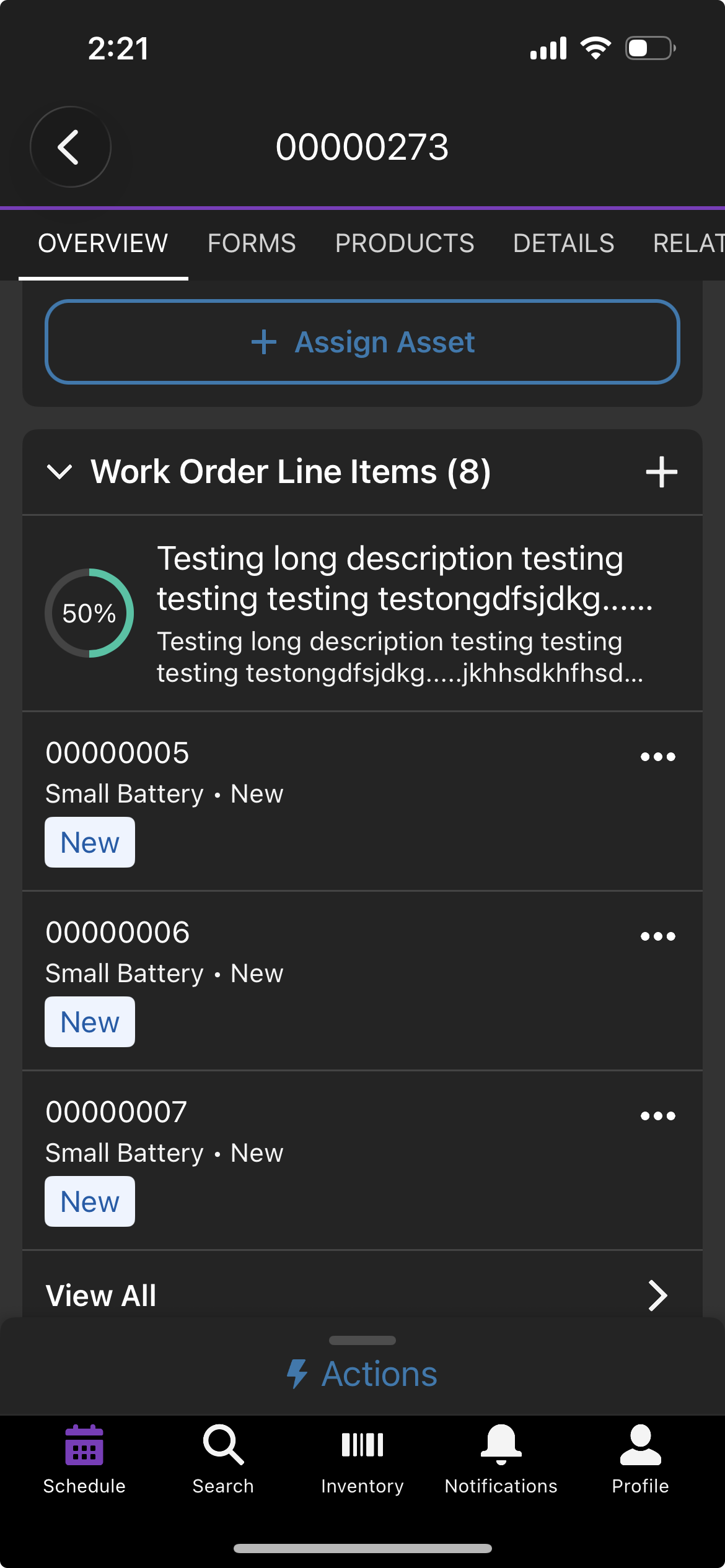
How it works
To advance the WOLI progress ring, mark the Work Order Line Item itself as Completed once all work for that WOLI is finished:
1. In FSL Mobile, open the Work Order Line Item record.
2. Complete all required Work Steps within the WOLI.
3. Update the WOLI Status to Completed.
4. Return to the Service Appointment Overview tab — the progress ring updates to reflect the completed WOLI.
Repeat for each WOLI under the Work Order until the ring reaches 100%.
Known Limitations
• Work step completion status does not directly influence the WOLI progress tile percentage
• Progress tracking is available at the WOLI level, not at the individual work step level
• The mobile app Overview tab reflects WOLI completion rather than work step granularity
Knowledge-artikkelnummer
005391142
Hjalp denne artikkelen med å løse problemet ditt?
La oss få vite det slik at vi kan forbedre!
