Sélectionner une organisation
Viewing App/API Metrics via Anypoint Insights
Date de publication: Sep 2, 2026
Résolution
GOAL
Quickly view metrics — latency, request volume, errors, and more — for a specific app or API in Anypoint Insights.
Steps
1.Go directly to anypoint.mulesoft.com/monitoring-new/
2.Set the filter: entity_type = APP. For more info about the filtering, please refer to the link.
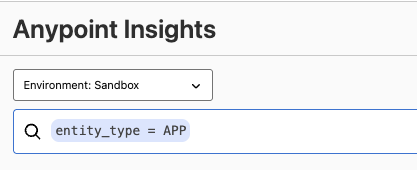
3.Surfaces all app entities at once — covers both CloudHub 1.0 and CloudHub 2.0.
4.Open the Entities List section and choose the Environment
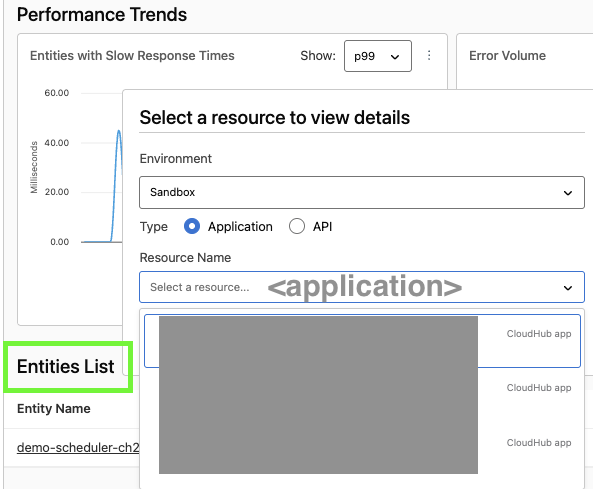
5.Select your app/api — you land straight on its metrics page (latency, request volume, error rates).
Numéro d’article de la base de connaissances
005393614
Cet article a-t-il résolu votre problème ?
Dites-nous ce que nous pouvons améliorer !
