조직 선택
Viewing App/API Metrics via Anypoint Insights
게시 일자: Sep 2, 2026
솔루션
GOAL
Quickly view metrics — latency, request volume, errors, and more — for a specific app or API in Anypoint Insights.
Steps
1.Go directly to anypoint.mulesoft.com/monitoring-new/
2.Set the filter: entity_type = APP. For more info about the filtering, please refer to the link.
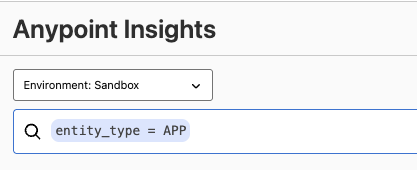
3.Surfaces all app entities at once — covers both CloudHub 1.0 and CloudHub 2.0.
4.Open the Entities List section and choose the Environment
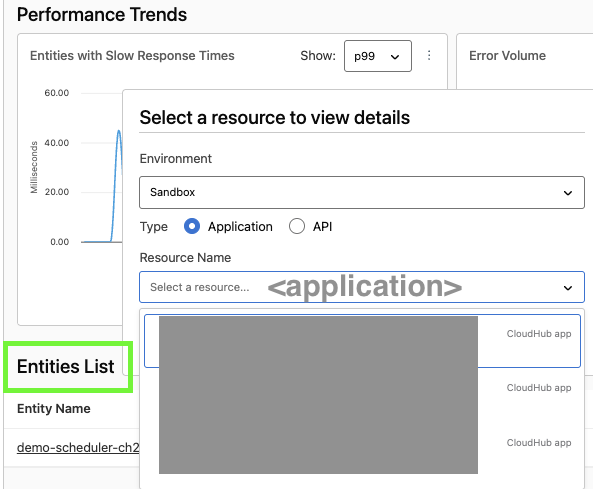
5.Select your app/api — you land straight on its metrics page (latency, request volume, error rates).
Knowledge 기사 번호
005393614
이 기사를 통해 문제를 해결했습니까?
개선을 위한 의견을 보내주세요.
