組織を選択
[SFS][Mobile] How to Disable Augmented Reality "Measure" Action in Field Service Mobile
公開日: Sep 4, 2026
説明
This article explains how to disable the Augmented Reality "Measure" action in Field Service Mobile apps via the Virtual Measurement checkbox, preventing users from accessing AR measurement functionality on mobile devices.
解決策
Steps
1. Navigate to Setup in your Salesforce org
2. In the Quick Find box, search for "Field Service Mobile Settings"
3. Click on Field Service Mobile Settings
4. Locate the "Virtual Measurement" checkbox
5. Ensure the Virtual Measurement checkbox is unchecked
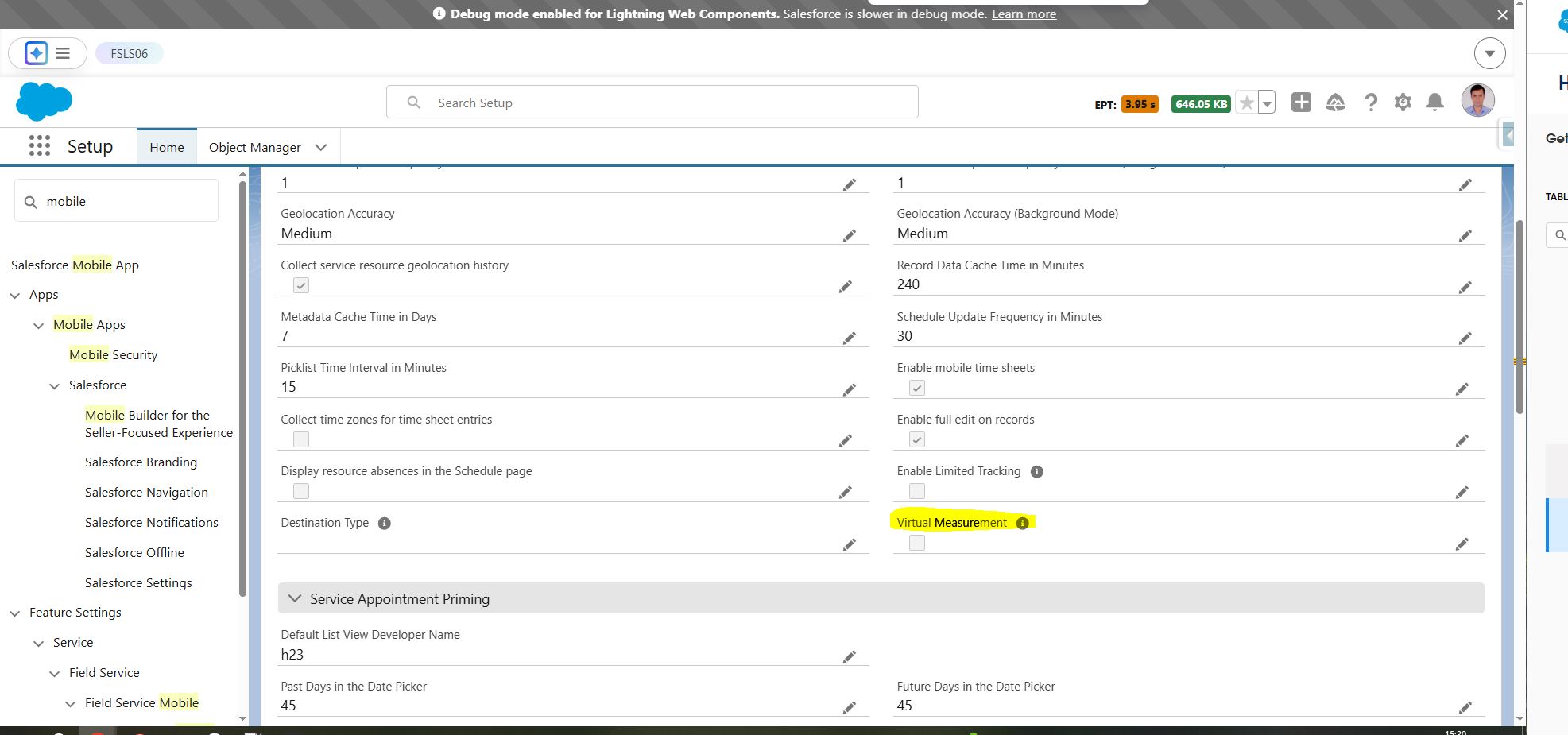
6. Save your changes
7. Instruct mobile users to log out and log back into the Field Service Mobile app
8. Verify the Measure action no longer appears in the mobile interface
ナレッジ記事番号
005433458
この記事で問題は解決されましたか?
ご意見をお待ちしております。
