Select An Org
Anypoint Experience Hub — SSO fails with REGISTRATION_HANDLER_ERROR "AccountId could not be found for the given community" (accountId=null in UserRegistrationRequest)
Publish Date: Sep 8, 2026
Description
The user experienced an SSO authentication failure between Anypoint Experience Hub and Salesforce through Okta. The error reported that AccountId could not be found for the community, and the Account field in Anypoint Login settings was empty.
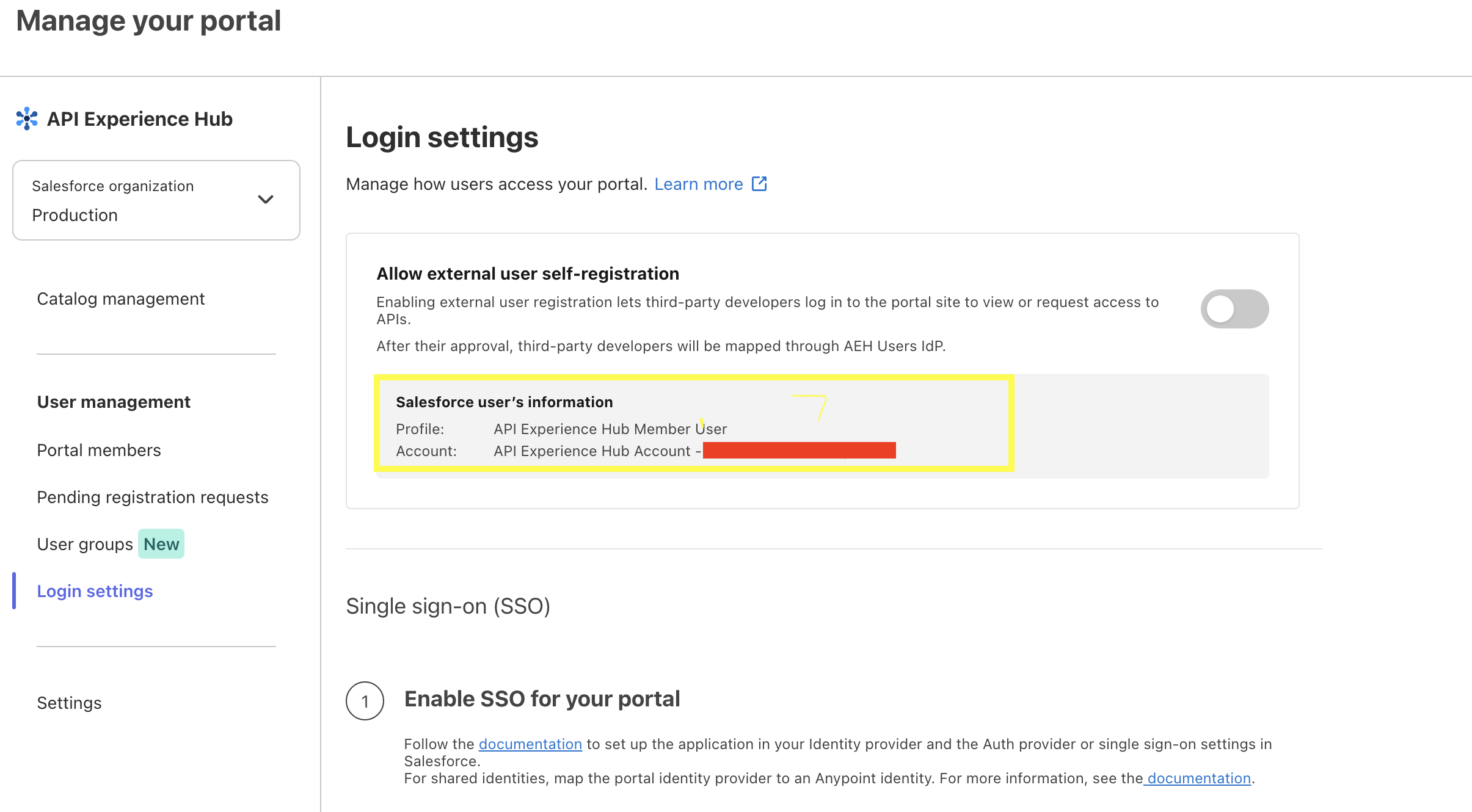
Resolution
Steps to Configure Self-Registration in Salesforce
- Log in to your Salesforce Org.
- Navigate to Setup.
- Go to Digital Experiences → All Sites.
- Locate and open your Anypoint Experience Hub (AEH) Experience Site.
- Navigate to Workspaces → Administration.
- Select Login & Registration.
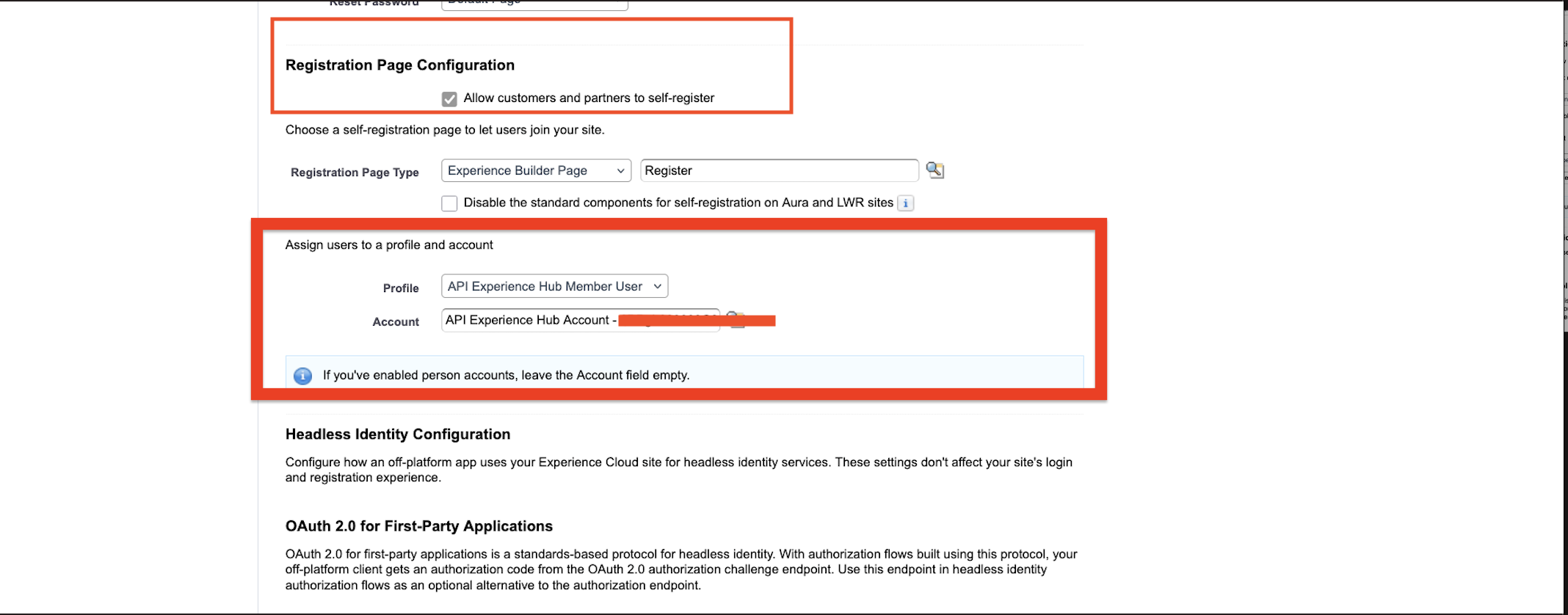
- Under the Registration Page Configuration section, enable the checkbox:
Allow customers and partners to self-register - After enabling self-registration, locate the Assign users to a profile and account section.
- Configure the following options:
- Profile: Select the appropriate Salesforce profile for the users who will self-register.
- Account: Select the appropriate Salesforce Account to which the self-registered users should be associated.
- Save the configuration.
- After saving the changes, please try logging in to the AEH site again and verify whether the issue is resolved.
12. If needed after environment changes, verify the Anypoint to Salesforce connection is still authenticated and re-authenticate it. Then validate that the Account referenced in Anypoint still exists and is active in the target sandbox.
13. Confirm the Okta Auth Provider in Salesforce uses AEHPortalRegistrationHandler as the Registration Handler and that Execute Registration As is an active user with an assigned Role.
14. Then perform an end-to-end SSO login test with a test user.
15. Use the following Salesforce references during validation:
Salesforce Platform: New Connected Apps Can No Longer Be Created in Spring '26
Additional Resources
Knowledge Article Number
005459309
Did this article solve your issue?
Let us know so we can improve!
