Vælg en organisation
Unable to Resize Filter Width for Worksheets in Tableau Web Authoring
Udgivelsesdato: Sep 11, 2026
Beskrivelse
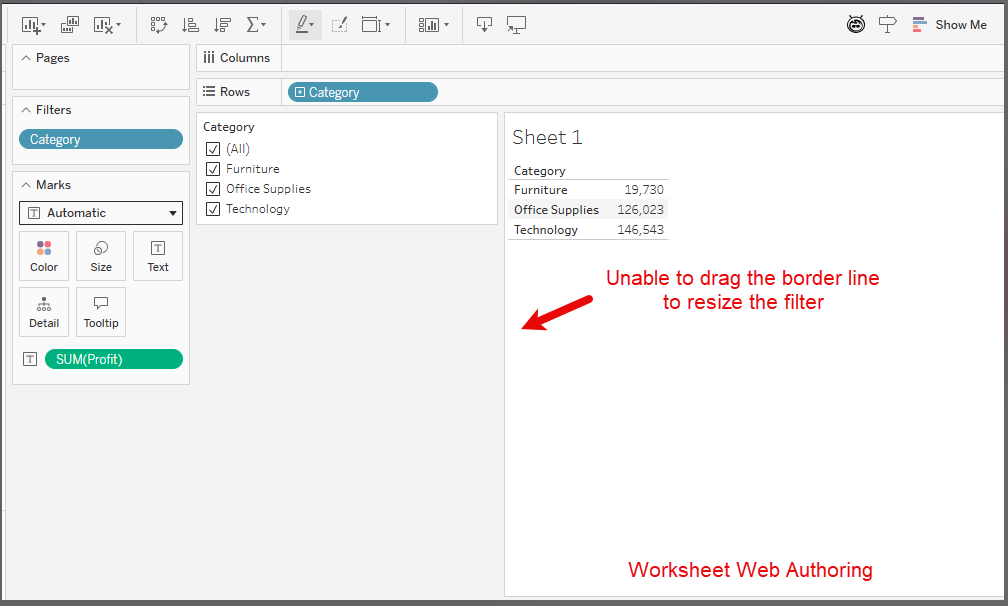
In Tableau Cloud and Tableau Server web authoring environment, while editing a worksheet, users cannot resize the filter pane by dragging its border. As a result, long filter item names or labels may be truncated and are not fully readable.
Example:
Environment
Tableau Cloud or Tableau Server Web Authoring (Worksheet)
Løsning
To work around this behavior, please consider one of the following options:
Option 1: Adjust the width in Tableau Desktop and republish.
- Open the workbook in Tableau Desktop.
- Drag the border of the filter pane to adjust it to the desired width.
- Publish (overwrite) the workbook to Tableau Cloud or Tableau Server. Note: The adjusted width will be preserved after publishing.
Option 2: Use a Dashboard in Web Authoring.
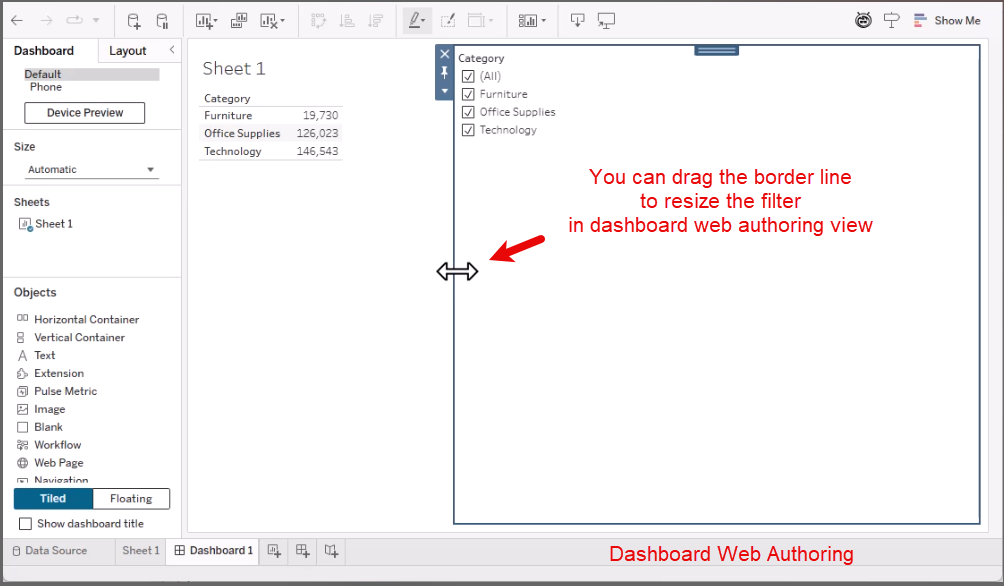
While the width cannot be adjusted in the worksheet view, it can be adjusted in a dashboard view.
- In the Web Authoring view, add a new Dashboard.
- Add the worksheet containing the desired filter to the dashboard.
- If the filter is not displayed, select the worksheet, click the drop-down arrow [▼] in the top-right corner of the worksheet frame, go to Filters, and select the filter you want to display.
- Once the filter appears on the dashboard, drag its border to adjust the width.
Example:
Vidensartikelnummer
005459582
Løste denne artikel dit problem?
Giv os besked, så vi kan forbedre os!
